
Olymp_28 - Minecraft Skins & Skin History
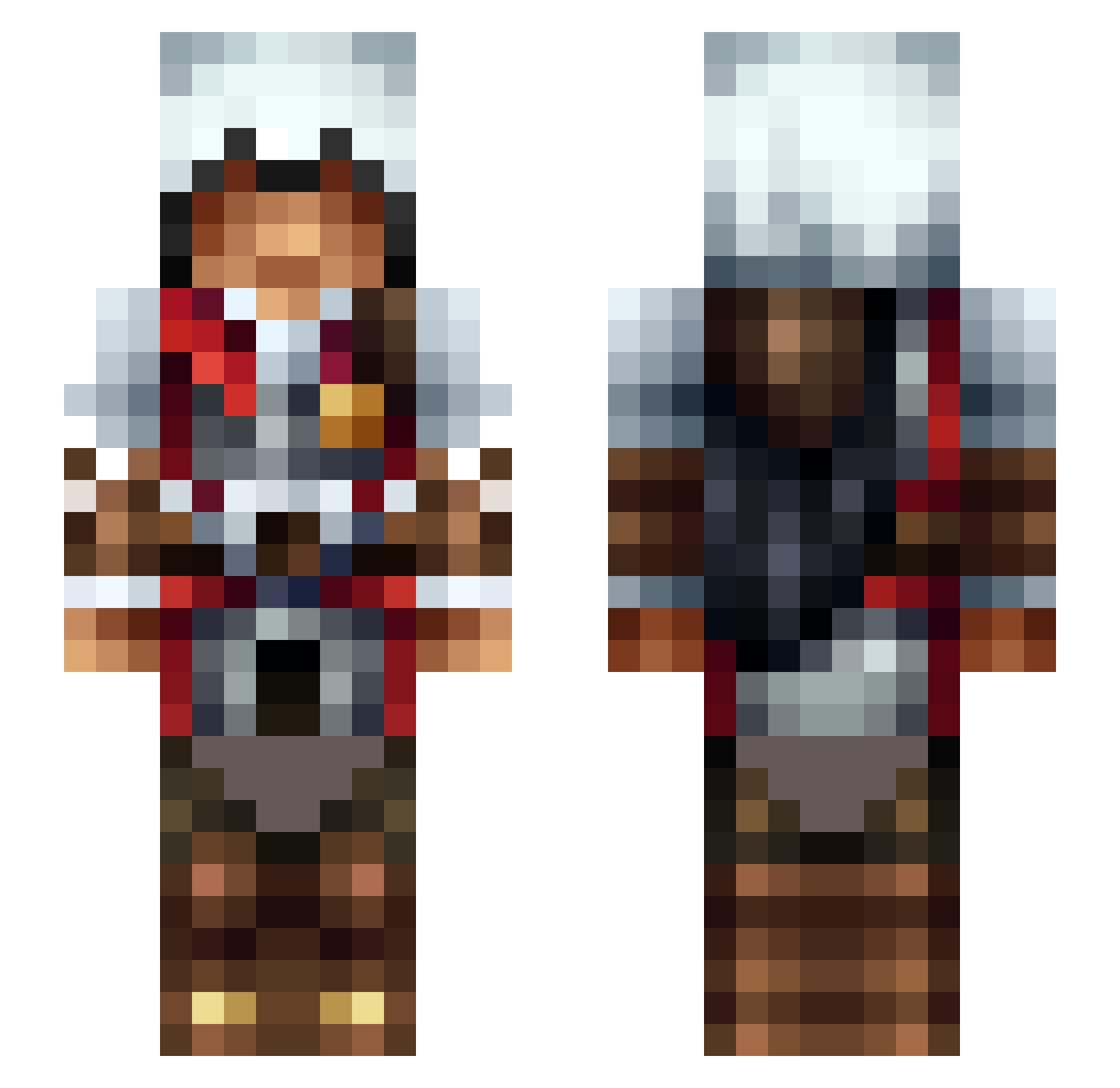
Current Minecraft skin of the player Olymp_28, loaded from the official Mojang API. Rotate the 3D model with your mouse or finger, then download the skin as a PNG file and use it in Minecraft: Bedrock Edition or Java Edition for free. When Olymp_28 changes their skin, this page updates automatically and the old skin stays in the history below.
Other players with this skin (568)
Olymp_28 was the 569th player we have seen with this skin, first spotted on 19.11.2026. The same skin was seen on these players. Open a nickname to see their current skin and skin history.
 Idealist_AF foxiexe Cmc0014 Barbarita117 Loneseal21 Acedarkevil95 kevin15bkn Sweglesss TFACKO Maaaat Wavdog Jupiter913 SkyKylin BudRock UnicVan bazzmaster ZZL BAPH0MET666 o0BananaHands0o Bug_A_Lugs JetBlackCrow Iamwill__ boomkonig ChaosDoctor101 Knockick TheLegendOfNiki MihaiZ7 Montex11 dell0x qycfy Kuno0328 Plobori robsche1919 cornxx3 cubantaco DuragDave23 wewitscloud Min3rog FarofaMalPassada Zahori13 tronis7 Viper275 JumLock LokiDoki22 Eraldo_00 UNDEADBON24 Player_Place K9AI WumboWinner1 OMG_ITS_CHRIS SamlerXRD kz0404 Ryo2oyR PsymonAlucard Tykn3r Lollinsy0 IronG0 johtu Owlbesd drackon_slayer
More Altair Minecraft skins
How to install the Olymp_28 skin
- Press the Download button above to save the skin as a PNG file.
- Minecraft: Bedrock Edition (PE): open the Dressing Room from the main menu (or tap your character → Edit Character), go to Classic Skins → Owned, press the + (new skin) button, choose the downloaded PNG and pick the Slim (Alex) model. Works on PC and mobile; consoles cannot import custom skins.
- Minecraft: Java Edition: open the Minecraft Launcher, go to the Skins tab, click New Skin, load the PNG, pick the Slim (Alex) model and press Save & Use. You can also upload it at minecraft.net → Profile → Change Skin.
The skin does not show up after import - what should I do?
Restart Minecraft and open the Dressing Room again - imported skins sometimes appear only after a restart. Also make sure you selected the imported skin and picked the Slim (Alex) model.
Which model should I choose, Classic or Slim?
This skin is designed for the Slim (Alex) model. If you pick the wrong model, the arms of the skin will look stretched or squeezed.
Is the skin of Olymp_28 free to download?
Yes. Press Download, save the PNG file and use it in Minecraft: Bedrock Edition or Java Edition - no payment or registration needed. The skin also works on multiplayer servers and Realms.
More skins
Looking for more? Go back to all Minecraft skins and check the top skins of the week, month and all time, or find any player's skin by nickname.