
Olkappa - Minecraft Skins & Skin History
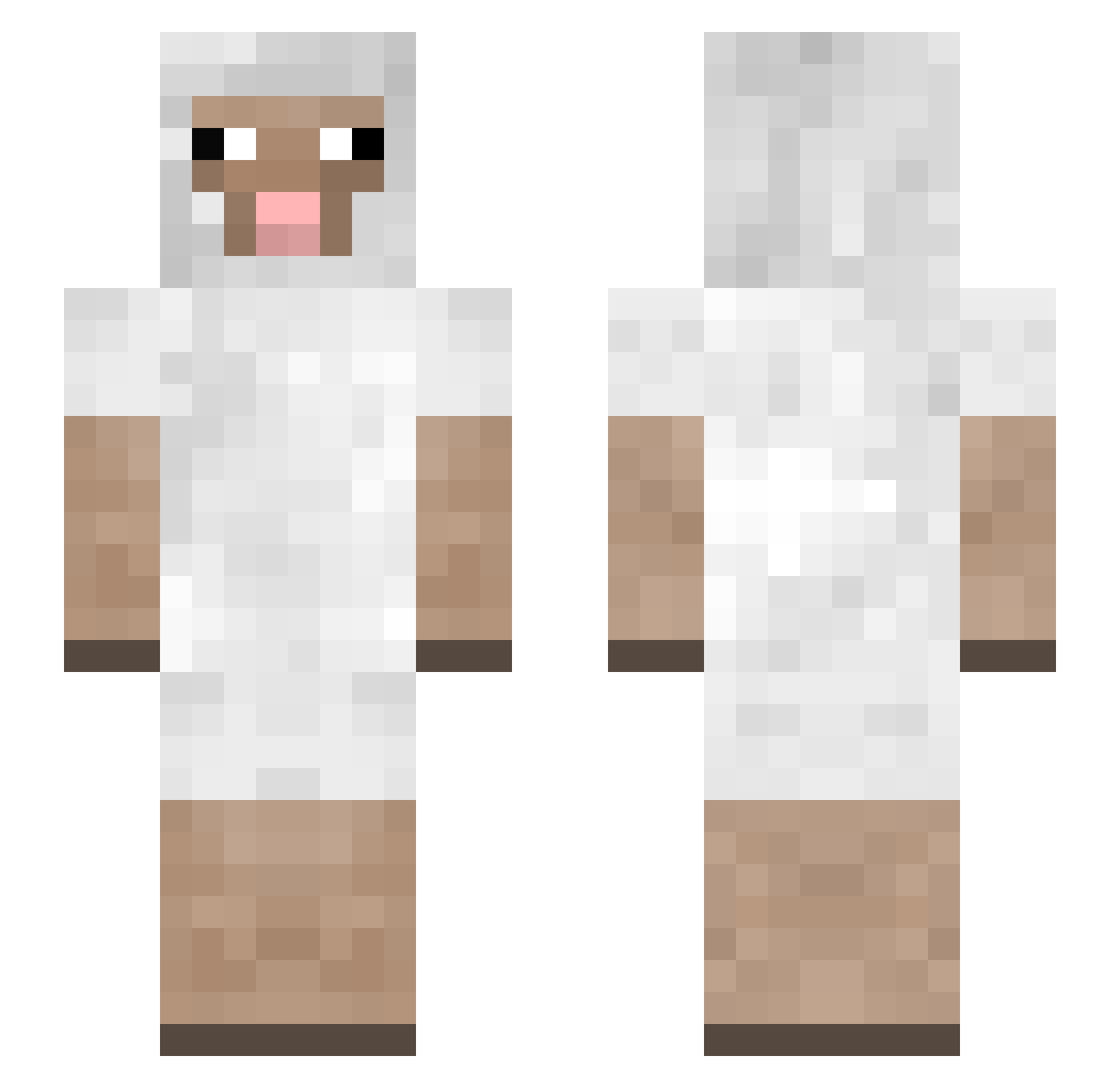
Current Minecraft skin of the player Olkappa, loaded from the official Mojang API. Rotate the 3D model with your mouse or finger, then download the skin as a PNG file and use it in Minecraft: Bedrock Edition or Java Edition for free. When Olkappa changes their skin, this page updates automatically and the old skin stays in the history below.
Other players with this skin (178)
Olkappa was the 154th player we have seen with this skin, first spotted on 04.11.2026. The same skin was seen on these players. Open a nickname to see their current skin and skin history.
 FurthestBee3362 caitlynv1 MOMOMANOBAN_ Anzuwu13 davipro14 Katerrr Wenzhou_overlord sheepbaasheep Jofin NogiSeim HixGotFrosty montybreh Luluu29 Moldy_Tofu ChalaPalta ingm00 SheepiestSheep PANCAKE___ Bene1509 astridderp Bartegi DancinGengar toylambs Golek AirmanIsDead WakkeGaming Eternal_YcB friskypanda666 ILoveMyBf222 fragdeez Wikead Anansi_Boy bbesh Laquarielz PLutoNine familysizedgravy PurpleBoii Jasmud99 mattan69420 GRANTWISHES08 Ultraman101 Cdg_henry rioghna jaysheepsheep meliouais Govcheeze ZombieRatxx Jiggy_Stardust Gr8GooglyMoogly1 bleckicky Jkioom regennl elfmagic1234 Bloecki Alphanas Max5421 Sneaky_Toast Mengshuu Chubz03 ijustwingit
More Sheep Minecraft skins
How to install the Olkappa skin
- Press the Download button above to save the skin as a PNG file.
- Minecraft: Bedrock Edition (PE): open the Dressing Room from the main menu (or tap your character → Edit Character), go to Classic Skins → Owned, press the + (new skin) button, choose the downloaded PNG and pick the Slim (Alex) model. Works on PC and mobile; consoles cannot import custom skins.
- Minecraft: Java Edition: open the Minecraft Launcher, go to the Skins tab, click New Skin, load the PNG, pick the Slim (Alex) model and press Save & Use. You can also upload it at minecraft.net → Profile → Change Skin.
The skin does not show up after import - what should I do?
Restart Minecraft and open the Dressing Room again - imported skins sometimes appear only after a restart. Also make sure you selected the imported skin and picked the Slim (Alex) model.
Which model should I choose, Classic or Slim?
This skin is designed for the Slim (Alex) model. If you pick the wrong model, the arms of the skin will look stretched or squeezed.
Is the skin of Olkappa free to download?
Yes. Press Download, save the PNG file and use it in Minecraft: Bedrock Edition or Java Edition - no payment or registration needed. The skin also works on multiplayer servers and Realms.
More skins
Looking for more? Go back to all Minecraft skins and check the top skins of the week, month and all time, or find any player's skin by nickname.