
Olivernl - Minecraft Skins & Skin History
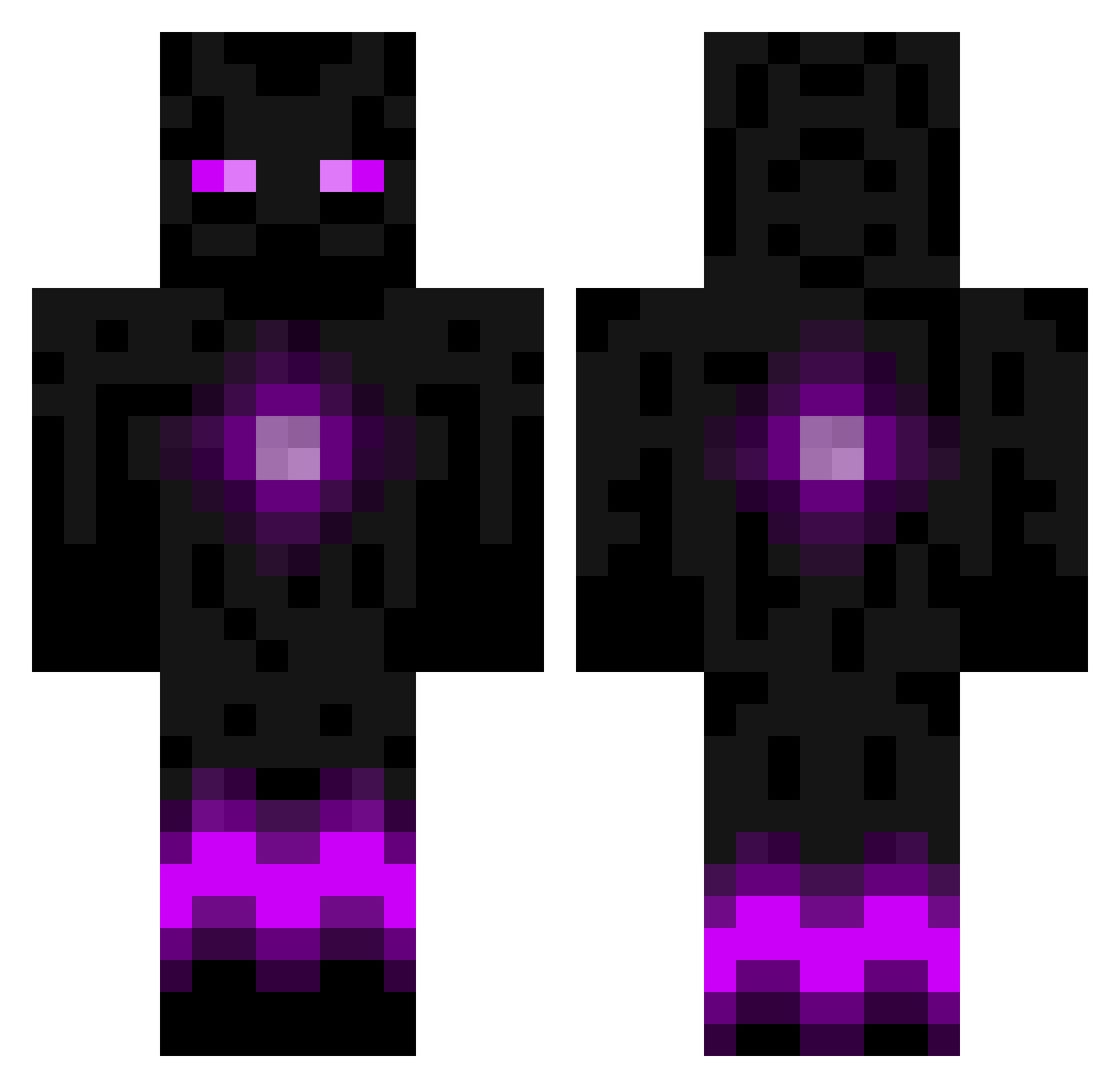
Current Minecraft skin of the player Olivernl, loaded from the official Mojang API. Rotate the 3D model with your mouse or finger, then download the skin as a PNG file and use it in Minecraft: Bedrock Edition or Java Edition for free. When Olivernl changes their skin, this page updates automatically and the old skin stays in the history below.
Other players with this skin (116)
Olivernl was the 84th player we have seen with this skin, first spotted on 08.10.2026. The same skin was seen on these players. Open a nickname to see their current skin and skin history.
 Bone_Chaj HopeBreak xiaomuo xXBlockbuster1Xx agasadami Dragonflame5978 ReginaDragnscale BOT__2 CrazyYouAre Ninja14300 funtimess YunGongShui NVSTE BOT__1 AntonioTheProAI Cam011018 WonderfulAK 3volution_4_Life InVictus1921 ZoroDD OldGu GaijinHatesMe Leo_xx0509 FlipperLaBaleine Beaverdawg DabbingDuck Dblue67 xiaoqiGen_002 Doodlebug23 gggkf elcycer lomnion ThatOneGuyWil Al_Helios Kalleron bob26140 The_J_Man13 Inkabyte GOPODIEGO9 Dazfa _EnderSpark Emiloryd KonstClout OBlackEtiO jojospeedy elwing32 smieszneznazki ElConvict CobaltDrgn jonbron ike_y HauntedKarma andykoep LaPufflet Arecn mirego91 jing_x MYRain369 MAVasja dayofdarkness
More Enderman Minecraft skins
How to install the Olivernl skin
- Press the Download button above to save the skin as a PNG file.
- Minecraft: Bedrock Edition (PE): open the Dressing Room from the main menu (or tap your character → Edit Character), go to Classic Skins → Owned, press the + (new skin) button, choose the downloaded PNG and pick the Classic (Steve) model. Works on PC and mobile; consoles cannot import custom skins.
- Minecraft: Java Edition: open the Minecraft Launcher, go to the Skins tab, click New Skin, load the PNG, pick the Classic (Steve) model and press Save & Use. You can also upload it at minecraft.net → Profile → Change Skin.
The skin does not show up after import - what should I do?
Restart Minecraft and open the Dressing Room again - imported skins sometimes appear only after a restart. Also make sure you selected the imported skin and picked the Classic (Steve) model.
Which model should I choose, Classic or Slim?
This skin is designed for the Classic (Steve) model. If you pick the wrong model, the arms of the skin will look stretched or squeezed.
Is the skin of Olivernl free to download?
Yes. Press Download, save the PNG file and use it in Minecraft: Bedrock Edition or Java Edition - no payment or registration needed. The skin also works on multiplayer servers and Realms.
More skins
Looking for more? Go back to all Minecraft skins and check the top skins of the week, month and all time, or find any player's skin by nickname.