
OldSteelKing - Minecraft Skins & Skin History
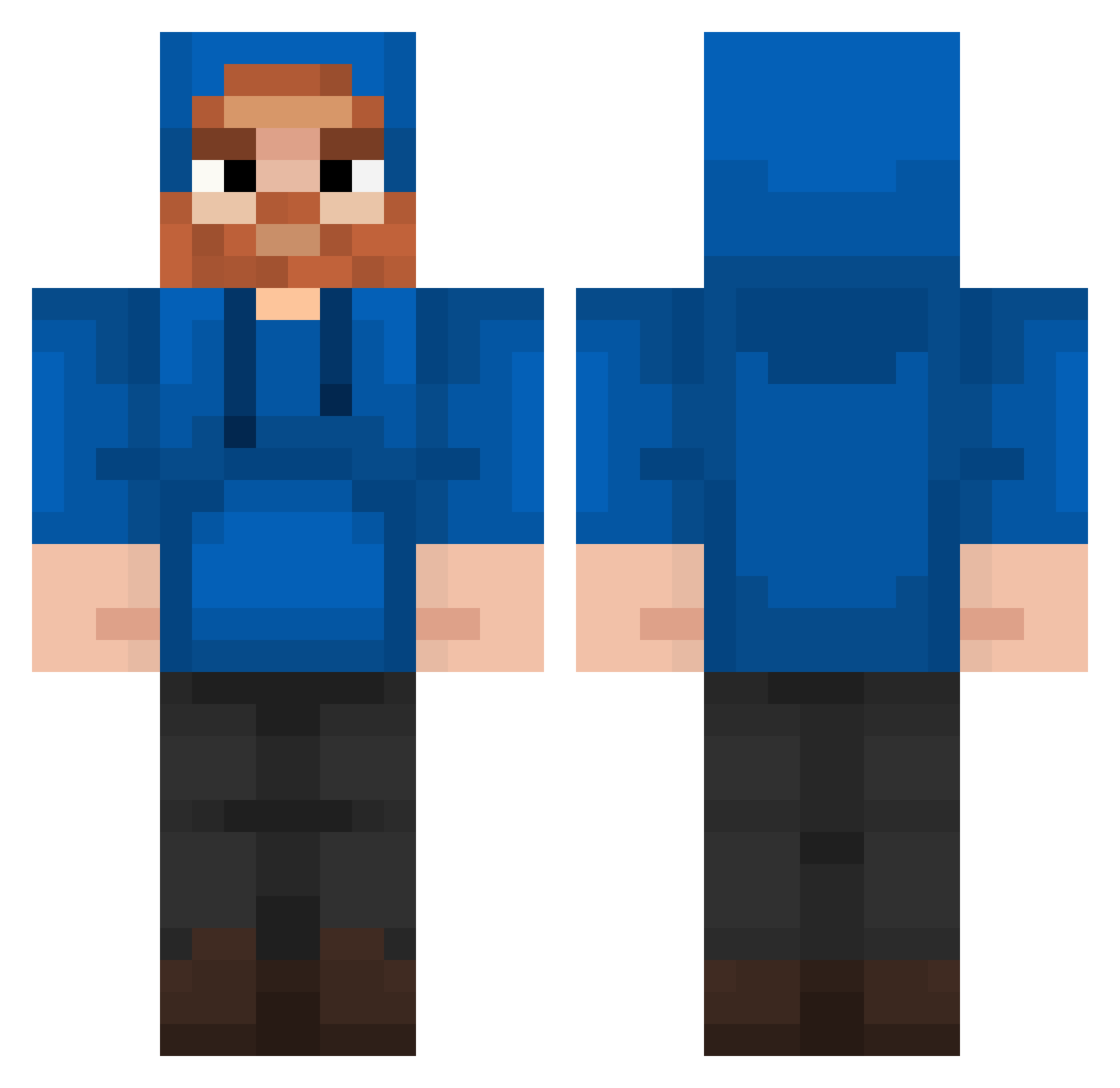
Current Minecraft skin of the player OldSteelKing, loaded from the official Mojang API. Rotate the 3D model with your mouse or finger, then download the skin as a PNG file and use it in Minecraft: Bedrock Edition or Java Edition for free. When OldSteelKing changes their skin, this page updates automatically and the old skin stays in the history below.
Other players with this skin (202)
OldSteelKing was the 78th player we have seen with this skin, first spotted on 02.09.2026. The same skin was seen on these players. Open a nickname to see their current skin and skin history.
 FreddyFunzbear2 YesJeff PatrolaBOI4K Pablopicasso1234 GHOSTY4220 DaRealSanti _Hyperdunk TomTMG Kupr cheesy7213
 Jonathaninen MilksTaken CaseOh_Fan NeonKitx Betor123 megatronishere CaseOh_Mcdonalds danisugar Earlythrower789 ManlyMaid PresidentJJ medschoolbro BigBoi0421 Eclipse136 Ediq1 esidou boosh1200 JLB7399 Gizburt pear411unkind qkrwngus5138 chugthejunky wolffann AndyRamone Viperjr1 R_ock01 PGE1909 Tiffany2004 FortniteGamer343 i_love_to_suck WiggelDog PreachermanKT Rimuru6254 hoovygaming2 Dream3280 GailLewis10Years 21Nova06 CaseOhBurger anyiii MattyLight89 TakedownBook23 alondramartinez1 pinguino070 TRIANG11E hannahthedonut1 Zombiefeen Tung2004 An1r00th galadrian2011 MrMook92
More Beard Minecraft skins
How to install the OldSteelKing skin
- Press the Download button above to save the skin as a PNG file.
- Minecraft: Bedrock Edition (PE): open the Dressing Room from the main menu (or tap your character → Edit Character), go to Classic Skins → Owned, press the + (new skin) button, choose the downloaded PNG and pick the Classic (Steve) model. Works on PC and mobile; consoles cannot import custom skins.
- Minecraft: Java Edition: open the Minecraft Launcher, go to the Skins tab, click New Skin, load the PNG, pick the Classic (Steve) model and press Save & Use. You can also upload it at minecraft.net → Profile → Change Skin.
The skin does not show up after import - what should I do?
Restart Minecraft and open the Dressing Room again - imported skins sometimes appear only after a restart. Also make sure you selected the imported skin and picked the Classic (Steve) model.
Which model should I choose, Classic or Slim?
This skin is designed for the Classic (Steve) model. If you pick the wrong model, the arms of the skin will look stretched or squeezed.
Is the skin of OldSteelKing free to download?
Yes. Press Download, save the PNG file and use it in Minecraft: Bedrock Edition or Java Edition - no payment or registration needed. The skin also works on multiplayer servers and Realms.
More skins
Looking for more? Go back to all Minecraft skins and check the top skins of the week, month and all time, or find any player's skin by nickname.