
OhNyao - Minecraft Skins & Skin History
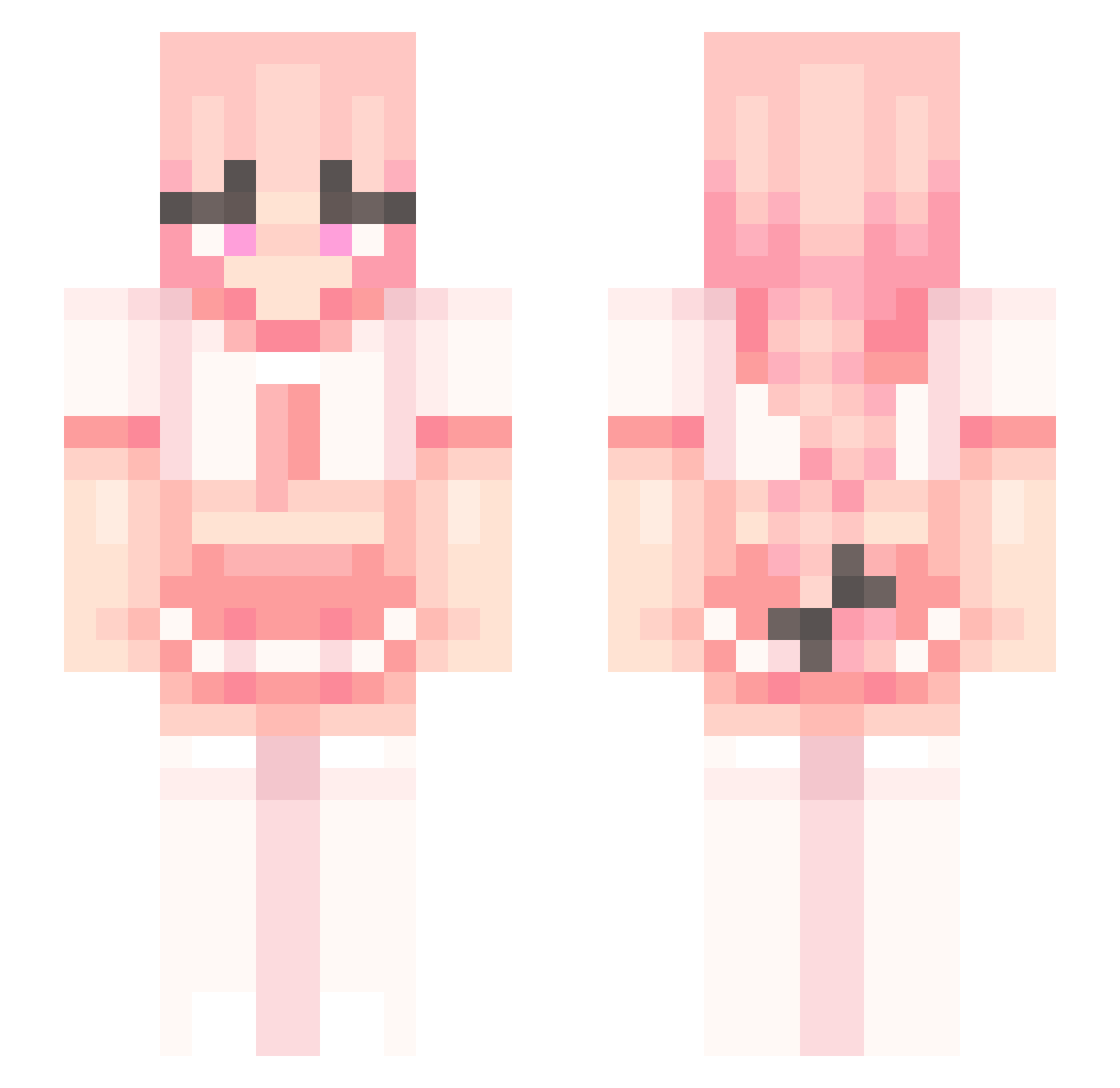
Current Minecraft skin of the player OhNyao, loaded from the official Mojang API. Rotate the 3D model with your mouse or finger, then download the skin as a PNG file and use it in Minecraft: Bedrock Edition or Java Edition for free. When OhNyao changes their skin, this page updates automatically and the old skin stays in the history below.
Other players with this skin (274)
OhNyao was the 263rd player we have seen with this skin, first spotted on 07.11.2026. The same skin was seen on these players. Open a nickname to see their current skin and skin history.
 CatmanAT Bartolomeo033 sedatlantis 03222y Evil_don2008 dare104 Boogie2137 startawe boipussi synxyz reaperfaying zshrc Digidou3023 Mikolanie rickynadian knabt Nikitti03 HonkerWonker Darkoooxq knoookie Ashhtolfo oo02op Mohamedfardk Portland494 FemboyLemonade killer1529 HideriKanzaki CRAFT1N GrippyGorilla196 layn420 Spherii pug_boi___altduh JungleGamer799 Alphamod naalinn J0j0w0 Anklestealer JamieAsian BenjaBivsen Nampasu Touhoster Soldat1042 junia_xoxo Parufa_KOX Bazzi0 Bidelo_ TPM_AM2322 isaacsb102938475 badv11 rainglxw Bowbox123 Kottsss ArsonistAxolotl Zoubra CharlieChoco1015 splashy_water zkvi saturnned CLMMMMM Sharingan_Berend
More School Uniform Minecraft skins
See all 7166 School Uniform skins
How to install the OhNyao skin
- Press the Download button above to save the skin as a PNG file.
- Minecraft: Bedrock Edition (PE): open the Dressing Room from the main menu (or tap your character → Edit Character), go to Classic Skins → Owned, press the + (new skin) button, choose the downloaded PNG and pick the Slim (Alex) model. Works on PC and mobile; consoles cannot import custom skins.
- Minecraft: Java Edition: open the Minecraft Launcher, go to the Skins tab, click New Skin, load the PNG, pick the Slim (Alex) model and press Save & Use. You can also upload it at minecraft.net → Profile → Change Skin.
The skin does not show up after import - what should I do?
Restart Minecraft and open the Dressing Room again - imported skins sometimes appear only after a restart. Also make sure you selected the imported skin and picked the Slim (Alex) model.
Which model should I choose, Classic or Slim?
This skin is designed for the Slim (Alex) model. If you pick the wrong model, the arms of the skin will look stretched or squeezed.
Is the skin of OhNyao free to download?
Yes. Press Download, save the PNG file and use it in Minecraft: Bedrock Edition or Java Edition - no payment or registration needed. The skin also works on multiplayer servers and Realms.
More skins
Looking for more? Go back to all Minecraft skins and check the top skins of the week, month and all time, or find any player's skin by nickname.