
Odieyau - Minecraft Skins & Skin History
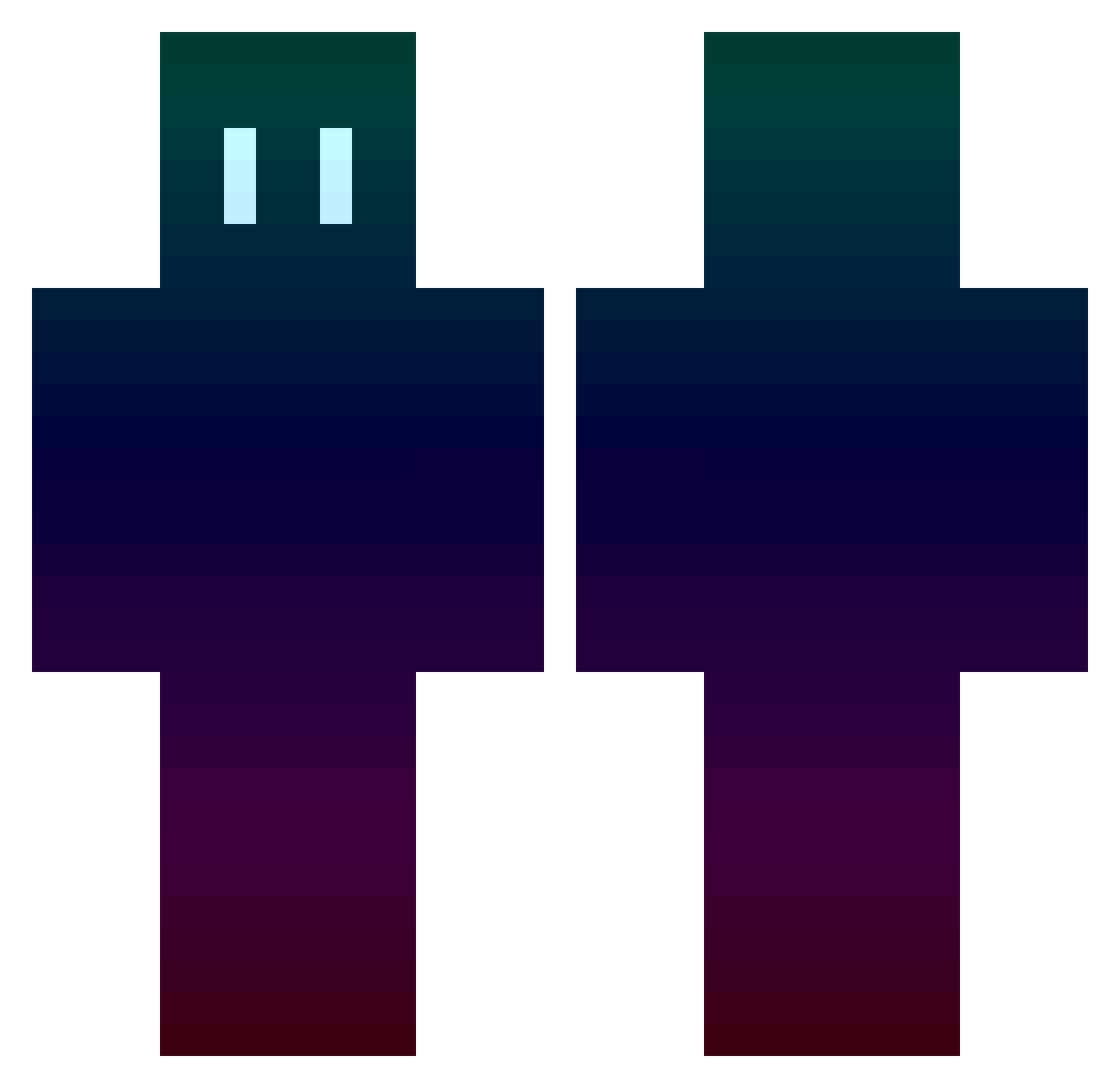
Current Minecraft skin of the player Odieyau, loaded from the official Mojang API. Rotate the 3D model with your mouse or finger, then download the skin as a PNG file and use it in Minecraft: Bedrock Edition or Java Edition for free. When Odieyau changes their skin, this page updates automatically and the old skin stays in the history below.
Other players with this skin (782)
Odieyau was the 96th player we have seen with this skin, first spotted on 04.08.2026. The same skin was seen on these players. Open a nickname to see their current skin and skin history.
 Marku88 aguszD paepeops _Mart__ Heavendoor3000 TheShur KarKarBinky P4Y0 Izuri_ MagicBroom_ Y0ung5m4ll ENERGYNAME bufan11 naMekeD kachan54763 clevererFuchs szyms_33 jared_couchman JHOMAR_HUMEREZ dhfl_55 Ekyazed xSprinTeR superstar356 GENERATI0N_ JorgeJotaCe Zoxidation CaseZeus2005 MKS_BOOM Nemu97 Lemon_7122 Weiwei6969 Derpicop aoki_reo Crazygamer07 GoldenLynel superbenno1234 Jonnyboiiiii Blytzir Wallmartshooter ETomyProYT Karlfeng Evil_Clown PajaroVizco Goldener_Apfel22 Sw3v33n T5SCZomB55 zrb1031 Mocchann8023 TheAbcTrack chevidios HyperNinja20194 Skanx BabouBabou64 Draco74 1_chan Umeee99 linshawn Yourmom9308 nangmanjeondosa7 kujira999
How to install the Odieyau skin
- Press the Download button above to save the skin as a PNG file.
- Minecraft: Bedrock Edition (PE): open the Dressing Room from the main menu (or tap your character → Edit Character), go to Classic Skins → Owned, press the + (new skin) button, choose the downloaded PNG and pick the Classic (Steve) model. Works on PC and mobile; consoles cannot import custom skins.
- Minecraft: Java Edition: open the Minecraft Launcher, go to the Skins tab, click New Skin, load the PNG, pick the Classic (Steve) model and press Save & Use. You can also upload it at minecraft.net → Profile → Change Skin.
The skin does not show up after import - what should I do?
Restart Minecraft and open the Dressing Room again - imported skins sometimes appear only after a restart. Also make sure you selected the imported skin and picked the Classic (Steve) model.
Which model should I choose, Classic or Slim?
This skin is designed for the Classic (Steve) model. If you pick the wrong model, the arms of the skin will look stretched or squeezed.
Is the skin of Odieyau free to download?
Yes. Press Download, save the PNG file and use it in Minecraft: Bedrock Edition or Java Edition - no payment or registration needed. The skin also works on multiplayer servers and Realms.
More skins
Looking for more? Go back to all Minecraft skins and check the top skins of the week, month and all time, or find any player's skin by nickname.