
OddBlocks - Minecraft Skins & Skin History
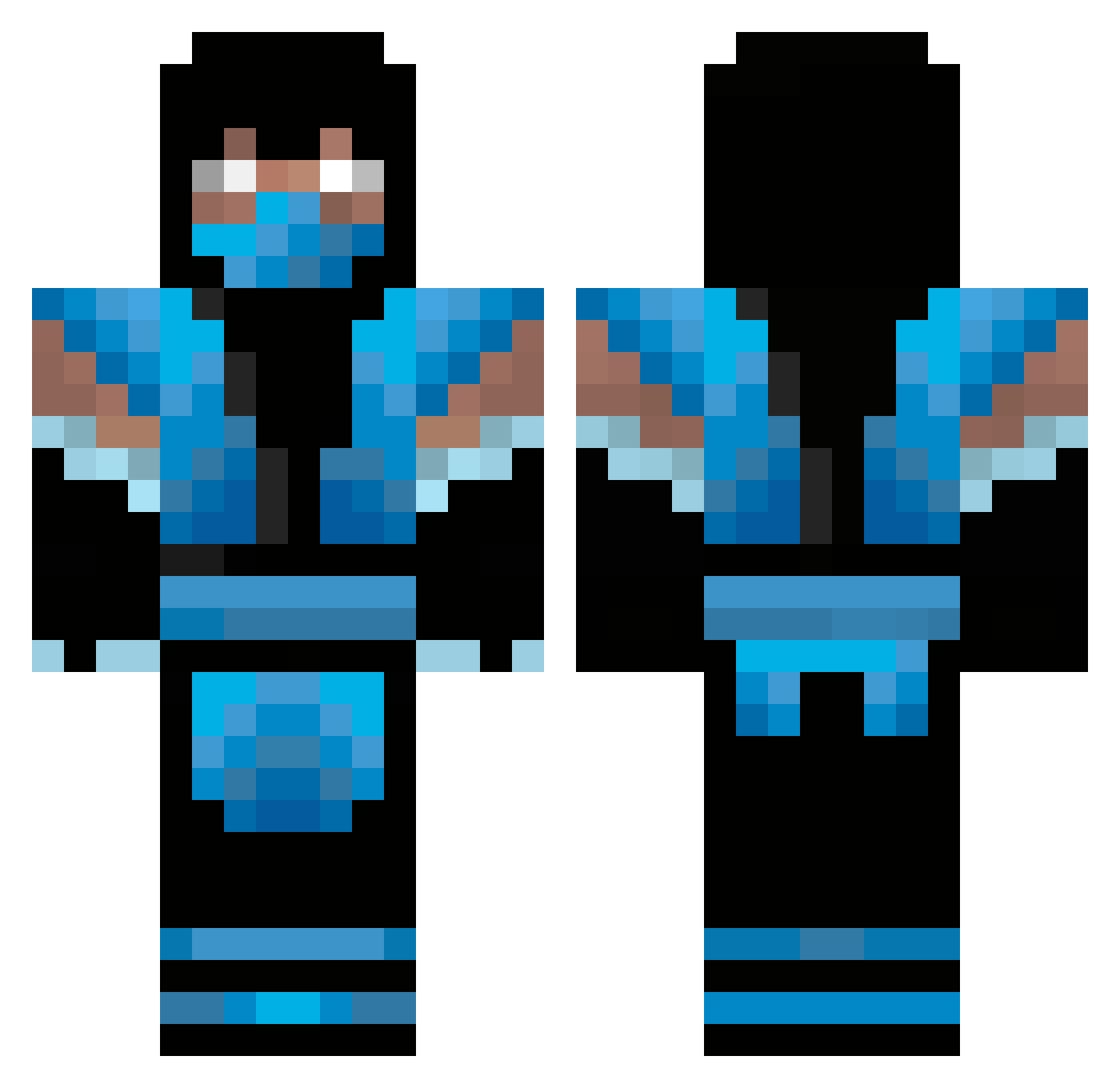
Current Minecraft skin of the player OddBlocks, loaded from the official Mojang API. Rotate the 3D model with your mouse or finger, then download the skin as a PNG file and use it in Minecraft: Bedrock Edition or Java Edition for free. When OddBlocks changes their skin, this page updates automatically and the old skin stays in the history below.
Other players with this skin (347)
OddBlocks was the 14th player we have seen with this skin, first spotted on 27.07.2026. The same skin was seen on these players. Open a nickname to see their current skin and skin history.
 jskippee presertimsalus Dovi902 volvolundgren spaceninja151 manofcaves_ Phanto _Elevated_ nick2001evers Reffak X173 jrich12wordup palaxe Getofmylawn3 gangsta5550 Zalam 0670jar DUKE7_11 LtCorey Nightwalker231 Er_Tana Fungustus n1788 Prestige_Stalin RedRew Coinstar_ BluexNinja Cpears508 Saloknir forgotten_elite StarFlareWYD J_Man18 AbsoluteZero182 Endlessspark joshdoesmine Manconeitor Justing1333 Ice00425 HumanDemon Chubby5150 URMateNate iWillCannonYou N00dzBoiZ hickama61 Bula_HD GitheadJr themattynate SnuggsHQ tobi7651 PauAlts39 Furious_Gaming Ceg_90 Donkeybutter RAISON Spooffss leonaldo1 InteriorCroco LightShadow384 NIGHTxxSHADOW madmick61
More Sub-Zero Minecraft skins
How to install the OddBlocks skin
- Press the Download button above to save the skin as a PNG file.
- Minecraft: Bedrock Edition (PE): open the Dressing Room from the main menu (or tap your character → Edit Character), go to Classic Skins → Owned, press the + (new skin) button, choose the downloaded PNG and pick the Classic (Steve) model. Works on PC and mobile; consoles cannot import custom skins.
- Minecraft: Java Edition: open the Minecraft Launcher, go to the Skins tab, click New Skin, load the PNG, pick the Classic (Steve) model and press Save & Use. You can also upload it at minecraft.net → Profile → Change Skin.
The skin does not show up after import - what should I do?
Restart Minecraft and open the Dressing Room again - imported skins sometimes appear only after a restart. Also make sure you selected the imported skin and picked the Classic (Steve) model.
Which model should I choose, Classic or Slim?
This skin is designed for the Classic (Steve) model. If you pick the wrong model, the arms of the skin will look stretched or squeezed.
Is the skin of OddBlocks free to download?
Yes. Press Download, save the PNG file and use it in Minecraft: Bedrock Edition or Java Edition - no payment or registration needed. The skin also works on multiplayer servers and Realms.
More skins
Looking for more? Go back to all Minecraft skins and check the top skins of the week, month and all time, or find any player's skin by nickname.