
Obrikash - Minecraft Skins & Skin History
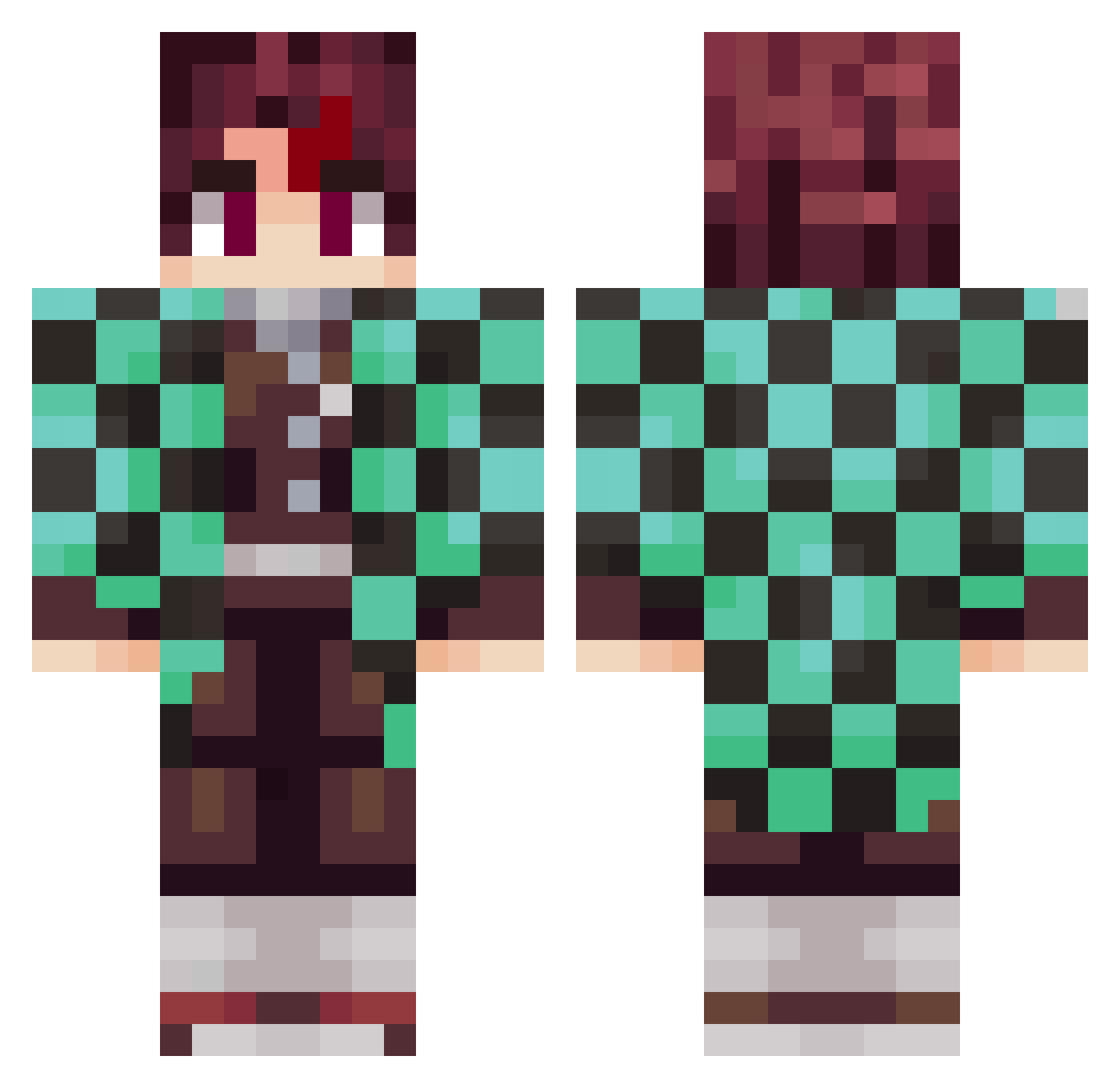
Current Minecraft skin of the player Obrikash, loaded from the official Mojang API. Rotate the 3D model with your mouse or finger, then download the skin as a PNG file and use it in Minecraft: Bedrock Edition or Java Edition for free. When Obrikash changes their skin, this page updates automatically and the old skin stays in the history below.
Other players with this skin (797)
Obrikash was the 401st player we have seen with this skin, first spotted on 16.09.2026. The same skin was seen on these players. Open a nickname to see their current skin and skin history.
 Joker_f
 ROASCH Indigorex Jadaharvey05 gusta___ N11ckName live59690
 HoppelHase07 Figara JocaLR2 JP_Rabello BananaBrendan Ceesry Shimbawe NaBuKii _SABAGAMI_ itzohmaxd eduskoti CallMeDimples Kintous z_patton119 Studrab Agentsnoots Sekoiia AkiSammy OneandOnlyGunny LKT_coco77600 tsuuunami tekstere RedWards5778 Mikeysalcumbe AZsaif Modern_Doctor RedFF121 Thanos1311 pommesder3 GarfielddeBirita Driezxx01 KentudSapi Bigdawg0704 PhoNinja dorkomorko mequetrefe8435 bluharedphreek ShirouKain Baruki08 flower10101 ind6376 Bryndza IBM_Wind tonzi1 kuma0112 Tralier Boho24 Loomgui dababy_pickle ayydxn Kogary skylo_zap Saske_8
More Tanjiro Kamado Minecraft skins
See all 388 Tanjiro Kamado skins
How to install the Obrikash skin
- Press the Download button above to save the skin as a PNG file.
- Minecraft: Bedrock Edition (PE): open the Dressing Room from the main menu (or tap your character → Edit Character), go to Classic Skins → Owned, press the + (new skin) button, choose the downloaded PNG and pick the Classic (Steve) model. Works on PC and mobile; consoles cannot import custom skins.
- Minecraft: Java Edition: open the Minecraft Launcher, go to the Skins tab, click New Skin, load the PNG, pick the Classic (Steve) model and press Save & Use. You can also upload it at minecraft.net → Profile → Change Skin.
The skin does not show up after import - what should I do?
Restart Minecraft and open the Dressing Room again - imported skins sometimes appear only after a restart. Also make sure you selected the imported skin and picked the Classic (Steve) model.
Which model should I choose, Classic or Slim?
This skin is designed for the Classic (Steve) model. If you pick the wrong model, the arms of the skin will look stretched or squeezed.
Is the skin of Obrikash free to download?
Yes. Press Download, save the PNG file and use it in Minecraft: Bedrock Edition or Java Edition - no payment or registration needed. The skin also works on multiplayer servers and Realms.
More skins
Looking for more? Go back to all Minecraft skins and check the top skins of the week, month and all time, or find any player's skin by nickname.