
Oblivial - Minecraft Skins & Skin History
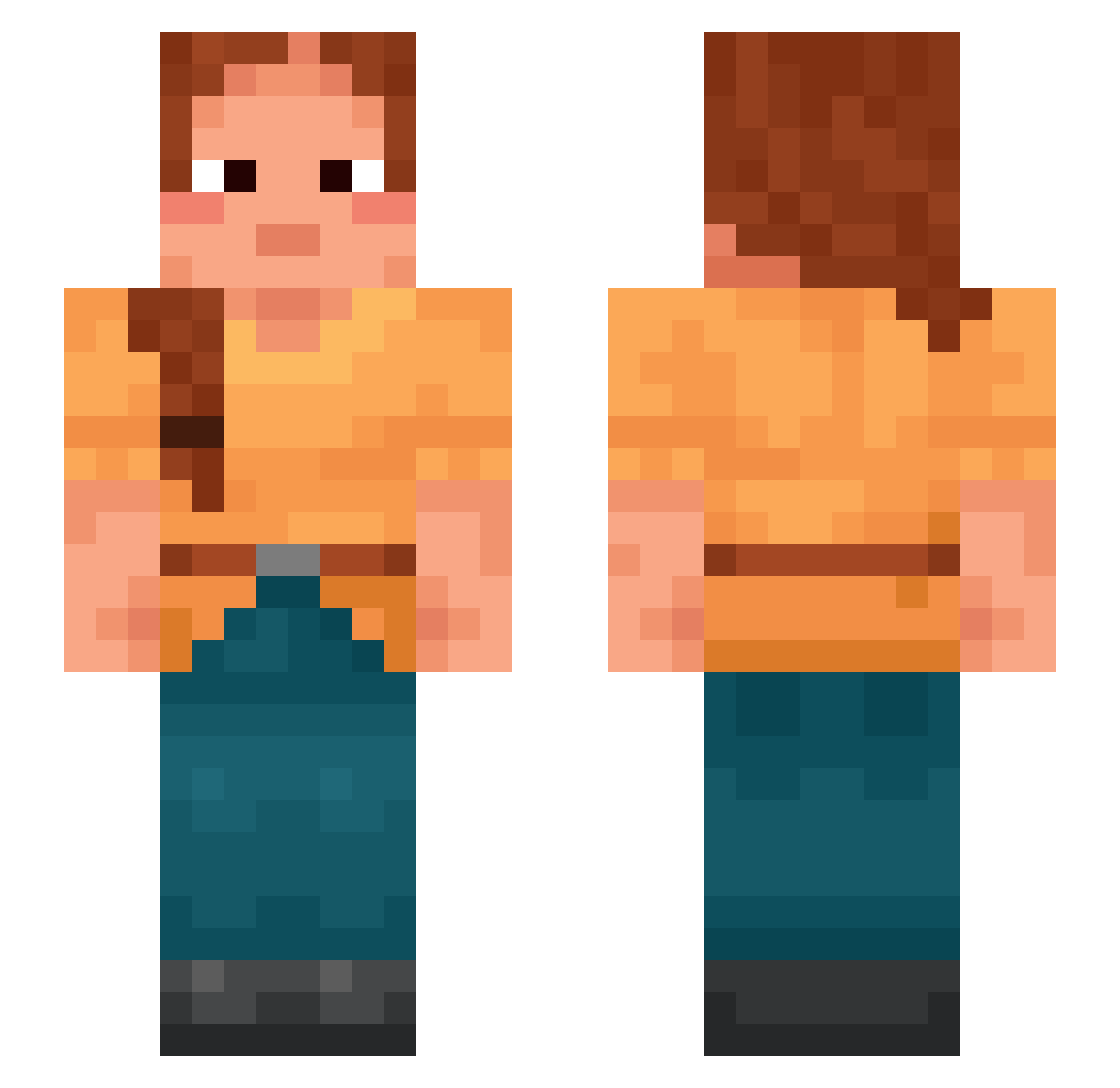
Current Minecraft skin of the player Oblivial, loaded from the official Mojang API. Rotate the 3D model with your mouse or finger, then download the skin as a PNG file and use it in Minecraft: Bedrock Edition or Java Edition for free. When Oblivial changes their skin, this page updates automatically and the old skin stays in the history below.
Other players with this skin (996)
Oblivial was the 402nd player we have seen with this skin, first spotted on 10.09.2026. The same skin was seen on these players. Open a nickname to see their current skin and skin history.
 Adidas1221 Fofoka Thrack Pallar tammany Laauwen xAimHax _etca_ x3Epic StlerSpeed Televox TheGamerRunners impul5se Autoist GingerPandaFTW bertilking Kuboeb2002 STEMHEAD Strangering Cashou Camila123 Tekonik vexiq Ponytails Davidlecouzzz Equilibrate RedTony warrand yelowstrawberry Dolts MxAlly ilia traceably RandyGaming69 Wismuth Pulpeiro3 Pules dreamiscream Ventha FlyBlueSky Raphes lukamama RowleyNigerian nidabida Precognitions literates Lucubration anatum Weights Caprylate Cookable Marquee Bath kaslebakas Dinging TheMightyZac Econometrist Blitzjazz Jerburdeh C_Bubz
More Braid Minecraft skins
How to install the Oblivial skin
- Press the Download button above to save the skin as a PNG file.
- Minecraft: Bedrock Edition (PE): open the Dressing Room from the main menu (or tap your character → Edit Character), go to Classic Skins → Owned, press the + (new skin) button, choose the downloaded PNG and pick the Slim (Alex) model. Works on PC and mobile; consoles cannot import custom skins.
- Minecraft: Java Edition: open the Minecraft Launcher, go to the Skins tab, click New Skin, load the PNG, pick the Slim (Alex) model and press Save & Use. You can also upload it at minecraft.net → Profile → Change Skin.
The skin does not show up after import - what should I do?
Restart Minecraft and open the Dressing Room again - imported skins sometimes appear only after a restart. Also make sure you selected the imported skin and picked the Slim (Alex) model.
Which model should I choose, Classic or Slim?
This skin is designed for the Slim (Alex) model. If you pick the wrong model, the arms of the skin will look stretched or squeezed.
Is the skin of Oblivial free to download?
Yes. Press Download, save the PNG file and use it in Minecraft: Bedrock Edition or Java Edition - no payment or registration needed. The skin also works on multiplayer servers and Realms.
More skins
Looking for more? Go back to all Minecraft skins and check the top skins of the week, month and all time, or find any player's skin by nickname.