
ObiwanCanabis - Minecraft Skins & Skin History
Current Minecraft skin of the player ObiwanCanabis, loaded from the official Mojang API. Rotate the 3D model with your mouse or finger, then download the skin as a PNG file and use it in Minecraft: Bedrock Edition or Java Edition for free. When ObiwanCanabis changes their skin, this page updates automatically and the old skin stays in the history below.
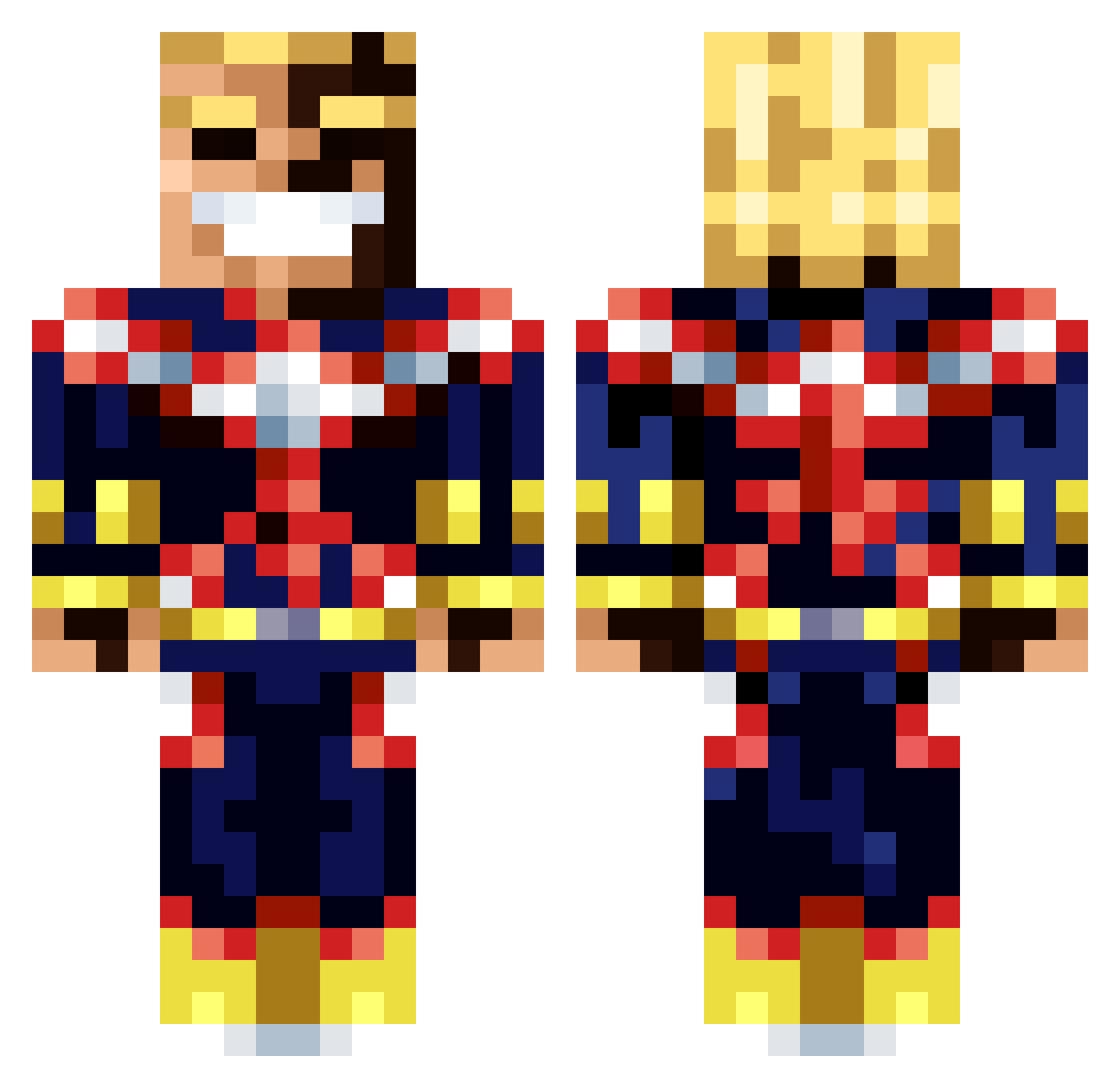
Other players with this skin (45)
ObiwanCanabis was the 21st player we have seen with this skin, first spotted on 06.09.2026. The same skin was seen on these players. Open a nickname to see their current skin and skin history.
 Gamerpenguin070 SHOTGUNJDz pooptester69 WolfyUK
 Zappzag percmax Yurwen PLUBFF PizzaTime_Q BriskyPenguin T1Aren SToctoc Toni_is_great Babagulf yakigawa Poopmaster7486 LINH75833 Froz3nMangoes Lillypad347 Esan999 2aqua
 exlousive Guettaa Aadam08 TzAmU_
 Sp33dy239
 Archinaz StyxLito BadSabertooth Ru_too BDA__2020__12_25 tsukutan Hellothere08305 TDDImmy JasuBean tamakato moo5252 Plp0te Plague3716 PURlFY Shaskahh Antrax_IQ BerriEri salafyyy yaraji
More All Might Minecraft skins
How to install the ObiwanCanabis skin
- Press the Download button above to save the skin as a PNG file.
- Minecraft: Bedrock Edition (PE): open the Dressing Room from the main menu (or tap your character → Edit Character), go to Classic Skins → Owned, press the + (new skin) button, choose the downloaded PNG and pick the Classic (Steve) model. Works on PC and mobile; consoles cannot import custom skins.
- Minecraft: Java Edition: open the Minecraft Launcher, go to the Skins tab, click New Skin, load the PNG, pick the Classic (Steve) model and press Save & Use. You can also upload it at minecraft.net → Profile → Change Skin.
The skin does not show up after import - what should I do?
Restart Minecraft and open the Dressing Room again - imported skins sometimes appear only after a restart. Also make sure you selected the imported skin and picked the Classic (Steve) model.
Which model should I choose, Classic or Slim?
This skin is designed for the Classic (Steve) model. If you pick the wrong model, the arms of the skin will look stretched or squeezed.
Is the skin of ObiwanCanabis free to download?
Yes. Press Download, save the PNG file and use it in Minecraft: Bedrock Edition or Java Edition - no payment or registration needed. The skin also works on multiplayer servers and Realms.
More skins
Looking for more? Go back to all Minecraft skins and check the top skins of the week, month and all time, or find any player's skin by nickname.