
ObedRolita - Minecraft Skins & Skin History
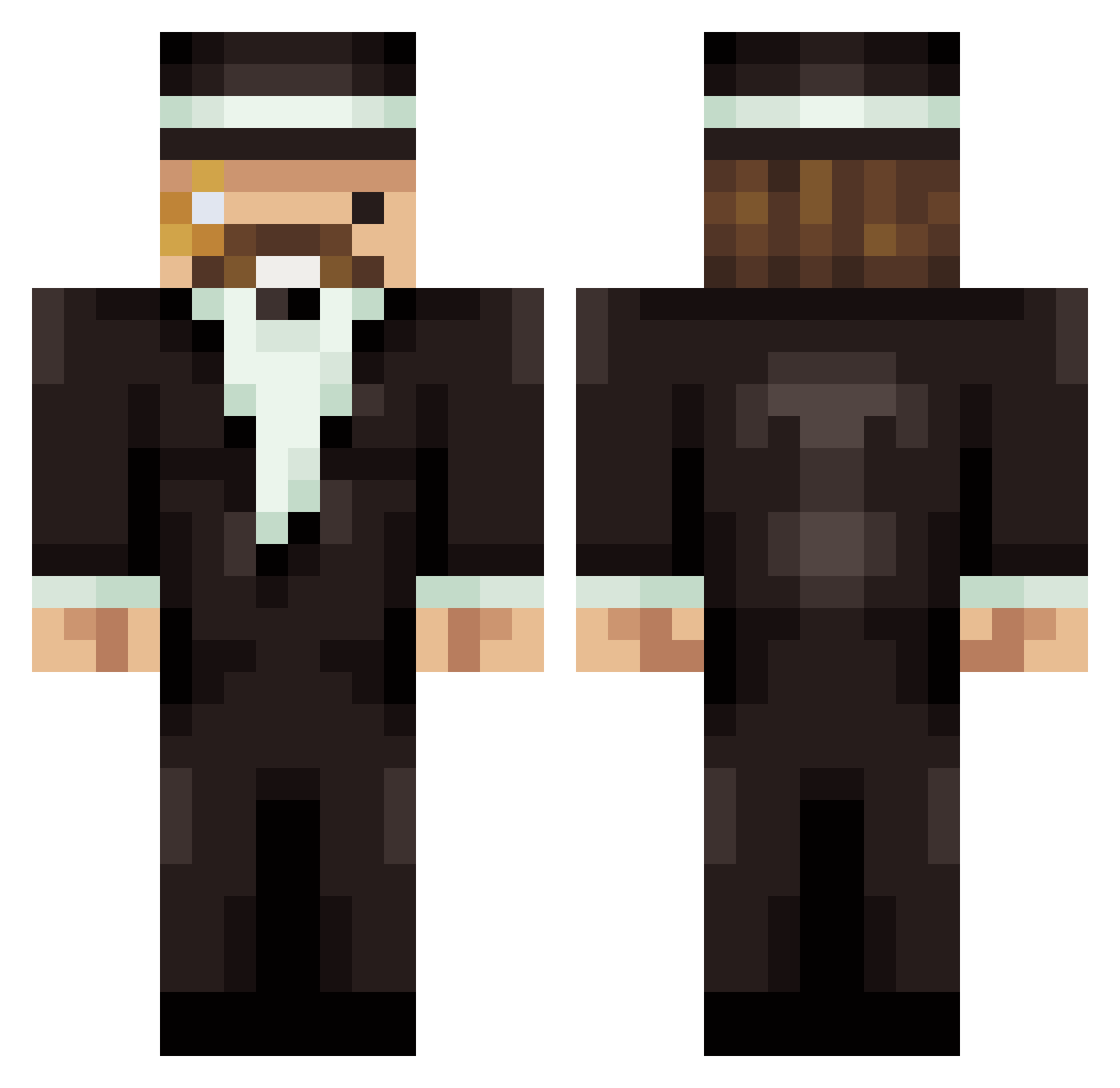
Current Minecraft skin of the player ObedRolita, loaded from the official Mojang API. Rotate the 3D model with your mouse or finger, then download the skin as a PNG file and use it in Minecraft: Bedrock Edition or Java Edition for free. When ObedRolita changes their skin, this page updates automatically and the old skin stays in the history below.
Other players with this skin (122)
ObedRolita was the 86th player we have seen with this skin, first spotted on 24.10.2026. The same skin was seen on these players. Open a nickname to see their current skin and skin history.
 Rhylm MilosTWC WillowierSky11 Faori Enylow dueful Tornu Hydehal TryHardKoala NhimsWn galoongo BurkieTurkie Athenrome D0GLOVERSMC 256T vxke iBatuhanCetin ZorroDuCul NotRentix ItsMrBeans Naxuh_ Lirpaa sukonekko TD_Biggs Anglicanism Tige01 Gibi_ snusoveralt IssaKung ZABA564 bonzai16 Quiraji Caprisoep LastAdamOnEarth LukasBCraft Wrozbita_ gryhmz_ parallax17 Traucken Qweare ThxJohn Migi555 TheCapitanX FedeBerlin CymmEx TimmyKun Mat_orb ben88880124 Qulez JaQnaQ Superkiq LouisDuy Baris_Reyiz Waltoche phil_sxak barlav Jerry540 Gofer_ek MikkeeelV2 tomas231
More Mumbo Jumbo Minecraft skins
How to install the ObedRolita skin
- Press the Download button above to save the skin as a PNG file.
- Minecraft: Bedrock Edition (PE): open the Dressing Room from the main menu (or tap your character → Edit Character), go to Classic Skins → Owned, press the + (new skin) button, choose the downloaded PNG and pick the Classic (Steve) model. Works on PC and mobile; consoles cannot import custom skins.
- Minecraft: Java Edition: open the Minecraft Launcher, go to the Skins tab, click New Skin, load the PNG, pick the Classic (Steve) model and press Save & Use. You can also upload it at minecraft.net → Profile → Change Skin.
The skin does not show up after import - what should I do?
Restart Minecraft and open the Dressing Room again - imported skins sometimes appear only after a restart. Also make sure you selected the imported skin and picked the Classic (Steve) model.
Which model should I choose, Classic or Slim?
This skin is designed for the Classic (Steve) model. If you pick the wrong model, the arms of the skin will look stretched or squeezed.
Is the skin of ObedRolita free to download?
Yes. Press Download, save the PNG file and use it in Minecraft: Bedrock Edition or Java Edition - no payment or registration needed. The skin also works on multiplayer servers and Realms.
More skins
Looking for more? Go back to all Minecraft skins and check the top skins of the week, month and all time, or find any player's skin by nickname.