
OUSSPA - Minecraft Skins & Skin History
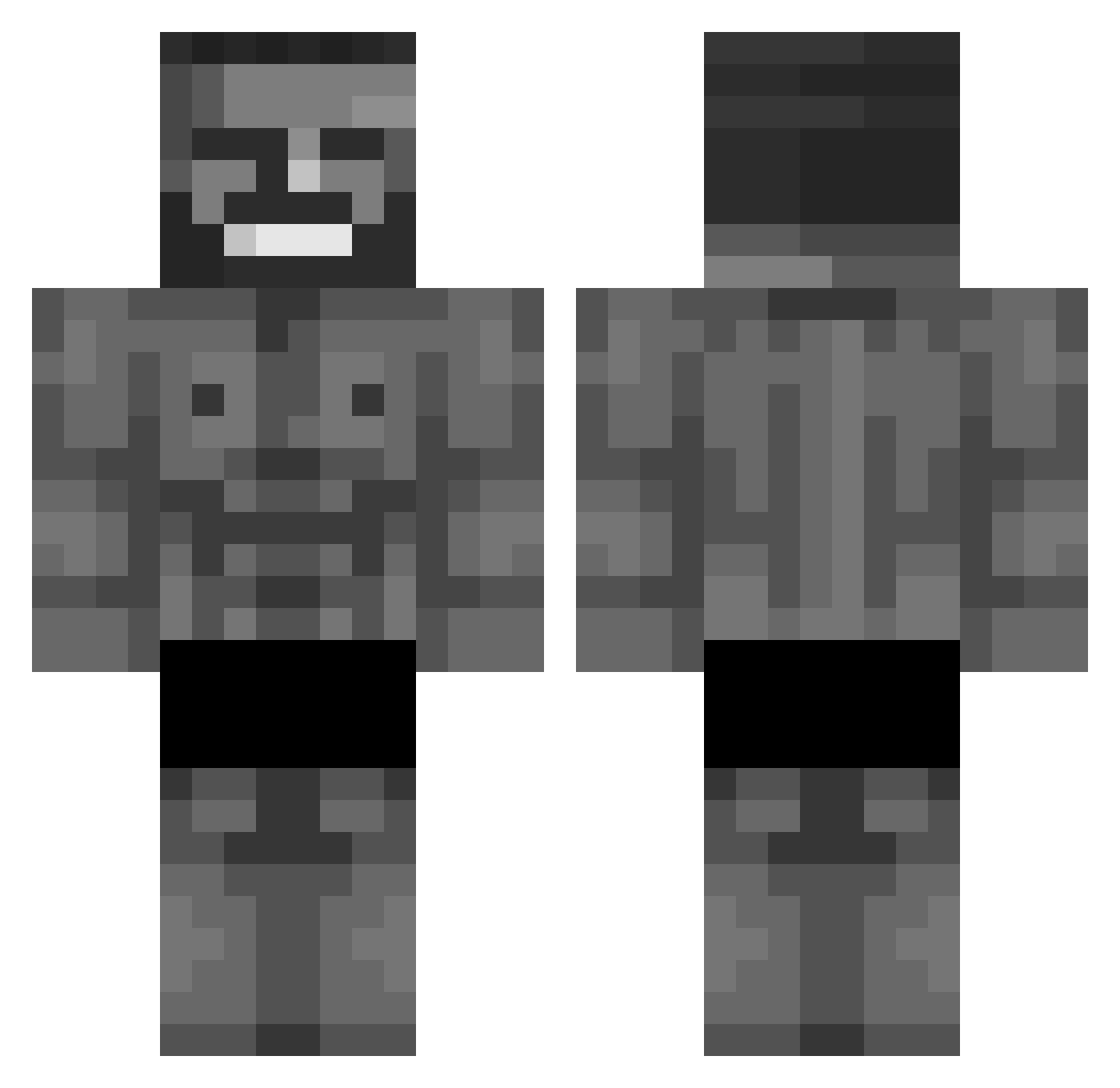
Current Minecraft skin of the player OUSSPA, loaded from the official Mojang API. Rotate the 3D model with your mouse or finger, then download the skin as a PNG file and use it in Minecraft: Bedrock Edition or Java Edition for free. When OUSSPA changes their skin, this page updates automatically and the old skin stays in the history below.
Other players with this skin (877)
OUSSPA was the 280th player we have seen with this skin, first spotted on 29.08.2026. The same skin was seen on these players. Open a nickname to see their current skin and skin history.
 ballsayuh fdn5869 Damon75E MrManGC skratchinngballs 840GrammHack Lobo38 MiniNinja69420
 Ledit23 WaterShark9 Gigcz_mc wrecolf mental112 Anzxc EnderFarhan Barniyal Kd80curry MasterBeyta GibbonGang ScoopyStuf soccerfan317 Zxubsn Munchkincloud Recusant_10 AFONSO_MANTOVANI kubiaqq Sanchez1314 Ffejsk ieatramen2 Notts0907 Lok1t0 Namyboi BluryXD XMazapanX Petek101 SweeperZero Oisp EnterDream TroudzxD Feleler ultimateboncfan Victualler 9yutdj Omsosak88 Rogul132 BlockMaster77777 hanoodthoughts RGX_01 chaosalex54 lucafishb0i skorpionreser adamex5221 Lagerhaus crackmire45 Jaozinss Str3L4 HardcoreMan1 NikiSPI_ Spinichef Nolousss
More Gigachad Minecraft skins
How to install the OUSSPA skin
- Press the Download button above to save the skin as a PNG file.
- Minecraft: Bedrock Edition (PE): open the Dressing Room from the main menu (or tap your character → Edit Character), go to Classic Skins → Owned, press the + (new skin) button, choose the downloaded PNG and pick the Classic (Steve) model. Works on PC and mobile; consoles cannot import custom skins.
- Minecraft: Java Edition: open the Minecraft Launcher, go to the Skins tab, click New Skin, load the PNG, pick the Classic (Steve) model and press Save & Use. You can also upload it at minecraft.net → Profile → Change Skin.
The skin does not show up after import - what should I do?
Restart Minecraft and open the Dressing Room again - imported skins sometimes appear only after a restart. Also make sure you selected the imported skin and picked the Classic (Steve) model.
Which model should I choose, Classic or Slim?
This skin is designed for the Classic (Steve) model. If you pick the wrong model, the arms of the skin will look stretched or squeezed.
Is the skin of OUSSPA free to download?
Yes. Press Download, save the PNG file and use it in Minecraft: Bedrock Edition or Java Edition - no payment or registration needed. The skin also works on multiplayer servers and Realms.
More skins
Looking for more? Go back to all Minecraft skins and check the top skins of the week, month and all time, or find any player's skin by nickname.