
ONeillK - Minecraft Skins & Skin History
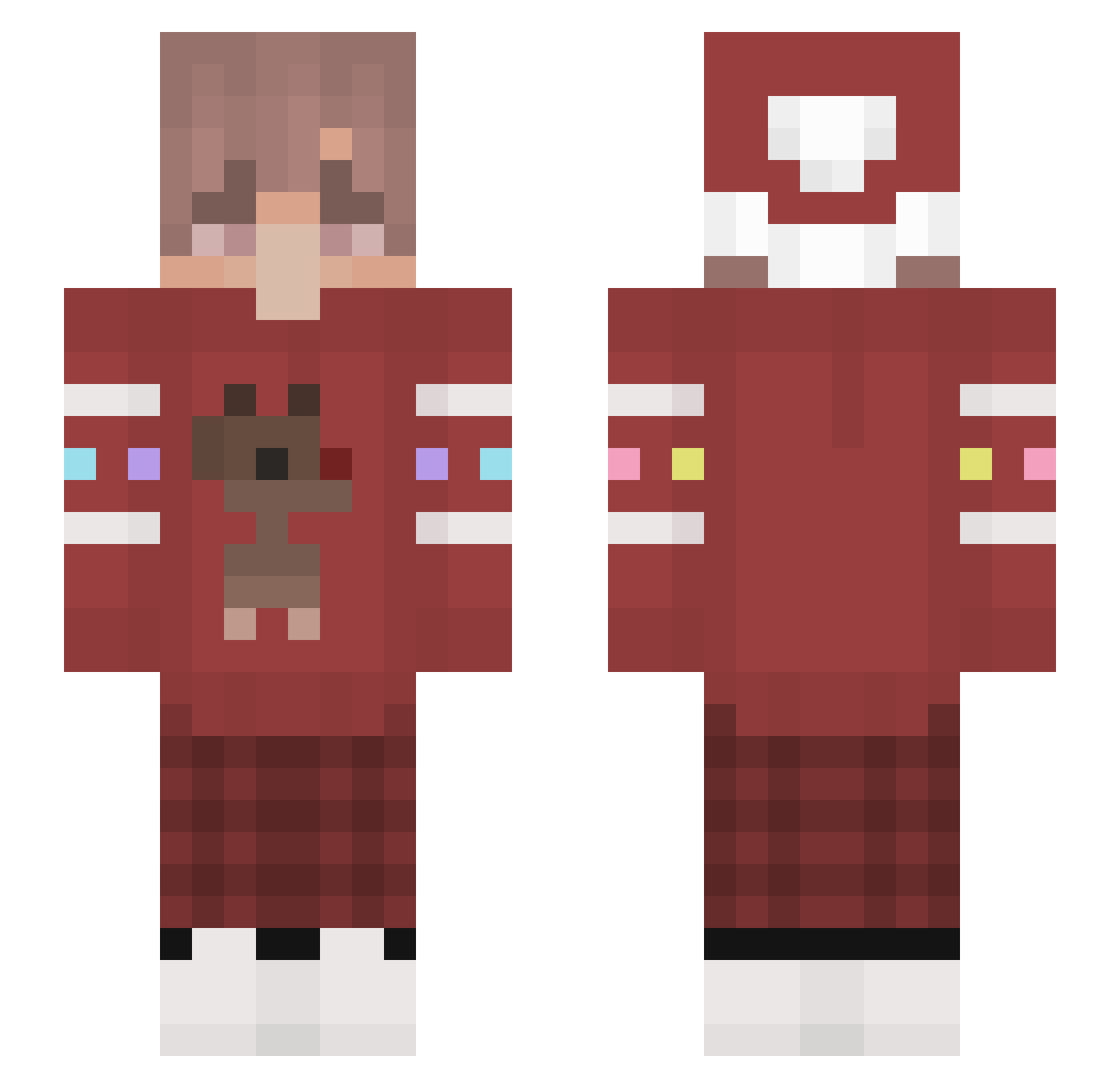
Current Minecraft skin of the player ONeillK, loaded from the official Mojang API. Rotate the 3D model with your mouse or finger, then download the skin as a PNG file and use it in Minecraft: Bedrock Edition or Java Edition for free. When ONeillK changes their skin, this page updates automatically and the old skin stays in the history below.
Other players with this skin (111)
ONeillK was the 31st player we have seen with this skin, first spotted on 23.08.2026. The same skin was seen on these players. Open a nickname to see their current skin and skin history.
 killerwasp1234 jusel Yjing_ Vornberger187 Ajix_on_YT DreamYo123 GustavoGachaYT TheSoda_ Lights97 tommyybear BetaV3 AvidDillon19 JOJIBABY elritoco laukenzz CowPigMooOink Zarce_Ultra okmax fantasticmemory Pfannkuchen_HD Tio_Leon FrenchyTheFirst Seaforth123 VisionGHG Blacket_ Pathogenic96 demischnichtso Zerkeerr Saytow Gersonsnow MaxCooLiche Swonstar Blitzut _kows Krafter2003 AutoClicklng benbuben umiejetnosc xSyice Cathy690 _sinn_n Airgon ubayoloyt _MoxemStemphy Vance1714 gyeongbin0924 Lovegiho Anime_boy_ __ex MrSoths AraAbdr cartii3 Guraaatan24 kwyOoO MairoHz NPTank Junnnnnn_ RainyChalice Jellybar AngeloMinero
More Reindeer Minecraft skins
How to install the ONeillK skin
- Press the Download button above to save the skin as a PNG file.
- Minecraft: Bedrock Edition (PE): open the Dressing Room from the main menu (or tap your character → Edit Character), go to Classic Skins → Owned, press the + (new skin) button, choose the downloaded PNG and pick the Slim (Alex) model. Works on PC and mobile; consoles cannot import custom skins.
- Minecraft: Java Edition: open the Minecraft Launcher, go to the Skins tab, click New Skin, load the PNG, pick the Slim (Alex) model and press Save & Use. You can also upload it at minecraft.net → Profile → Change Skin.
The skin does not show up after import - what should I do?
Restart Minecraft and open the Dressing Room again - imported skins sometimes appear only after a restart. Also make sure you selected the imported skin and picked the Slim (Alex) model.
Which model should I choose, Classic or Slim?
This skin is designed for the Slim (Alex) model. If you pick the wrong model, the arms of the skin will look stretched or squeezed.
Is the skin of ONeillK free to download?
Yes. Press Download, save the PNG file and use it in Minecraft: Bedrock Edition or Java Edition - no payment or registration needed. The skin also works on multiplayer servers and Realms.
More skins
Looking for more? Go back to all Minecraft skins and check the top skins of the week, month and all time, or find any player's skin by nickname.