
OLuke_YT - Minecraft Skins & Skin History
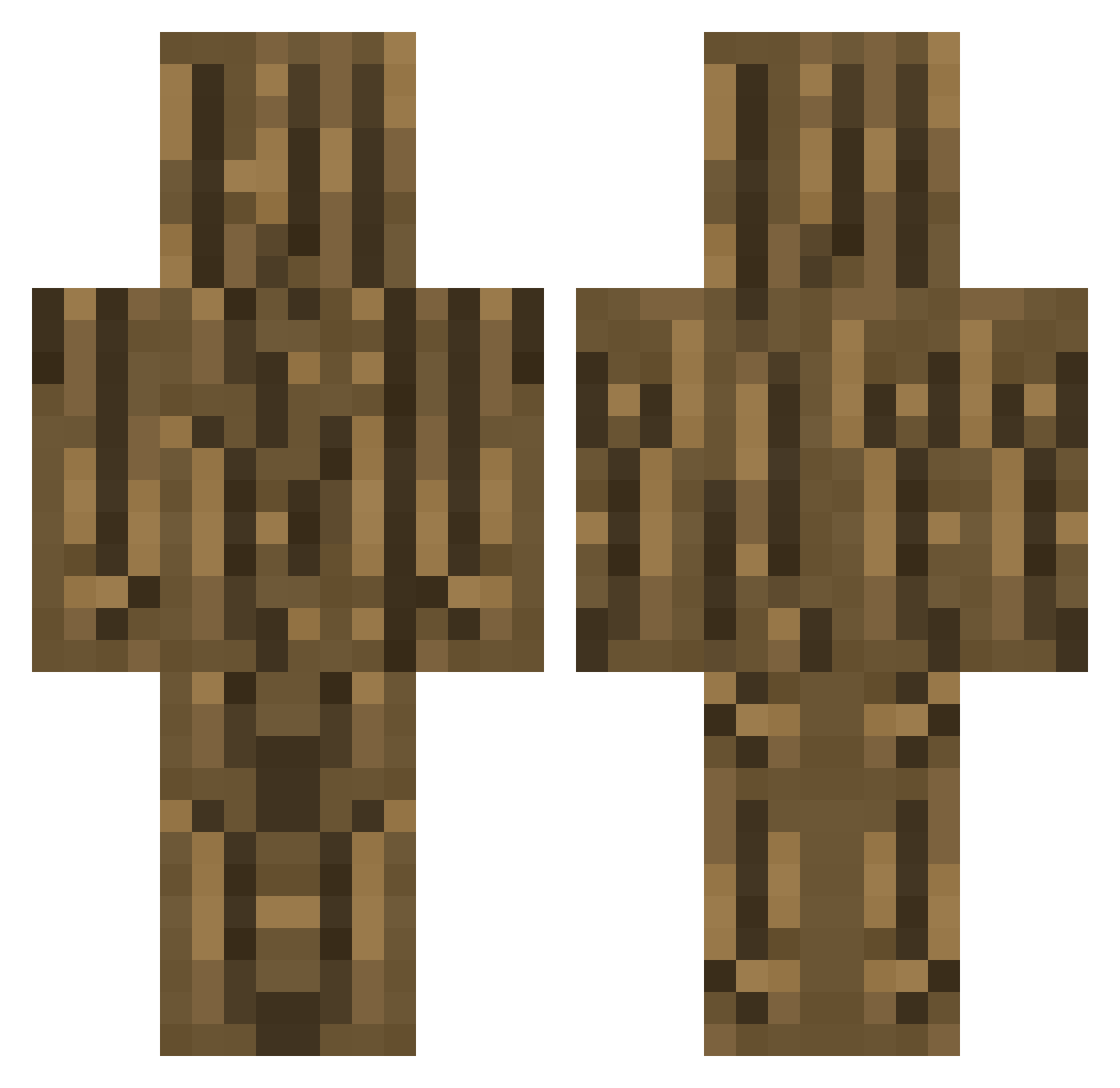
Current Minecraft skin of the player OLuke_YT, loaded from the official Mojang API. Rotate the 3D model with your mouse or finger, then download the skin as a PNG file and use it in Minecraft: Bedrock Edition or Java Edition for free. When OLuke_YT changes their skin, this page updates automatically and the old skin stays in the history below.
Other players with this skin (253)
OLuke_YT was the 32nd player we have seen with this skin, first spotted on 05.08.2026. The same skin was seen on these players. Open a nickname to see their current skin and skin history.
 Yori0506 Mysterious_2 Plataneee kimjihoonBlack Tomizino Icanthink hahihuru Gameslab_1
 LWinger
 hahaha113 cloudlessfranti banana222_ airabuyou Haseli15 E_C_S fatezero666 Benson928 Kingdan11 BrainSalts Mabey Ringo_dk22 rip_lopster Bastl_ WoodTheSpy Codrac Dangfart BorisDootBlyat iTz_DieeeGo Omoporc Kxrxnxxm moooork JoaoPreso filwat yukiDaruma112 QyyBAAASSH tikuwabu333 Duugel rorobuilder07 Fxnacy Holzshop Rixxyyz Potato_user JotaoDP kyami_96 Hicorrny MC_Brotdose13 OniOli02 00mike0MJ00 M3rking YeetIntoSpace HyperSquad_ theGaxter RISKY123456 therealfriedo Truve___ Saadinho07 yeenodoo jfc_13 MassoLegno a_procrastinator
More Log Minecraft skins
How to install the OLuke_YT skin
- Press the Download button above to save the skin as a PNG file.
- Minecraft: Bedrock Edition (PE): open the Dressing Room from the main menu (or tap your character → Edit Character), go to Classic Skins → Owned, press the + (new skin) button, choose the downloaded PNG and pick the Classic (Steve) model. Works on PC and mobile; consoles cannot import custom skins.
- Minecraft: Java Edition: open the Minecraft Launcher, go to the Skins tab, click New Skin, load the PNG, pick the Classic (Steve) model and press Save & Use. You can also upload it at minecraft.net → Profile → Change Skin.
The skin does not show up after import - what should I do?
Restart Minecraft and open the Dressing Room again - imported skins sometimes appear only after a restart. Also make sure you selected the imported skin and picked the Classic (Steve) model.
Which model should I choose, Classic or Slim?
This skin is designed for the Classic (Steve) model. If you pick the wrong model, the arms of the skin will look stretched or squeezed.
Is the skin of OLuke_YT free to download?
Yes. Press Download, save the PNG file and use it in Minecraft: Bedrock Edition or Java Edition - no payment or registration needed. The skin also works on multiplayer servers and Realms.
More skins
Looking for more? Go back to all Minecraft skins and check the top skins of the week, month and all time, or find any player's skin by nickname.