
NvrWntrMg - Minecraft Skins & Skin History
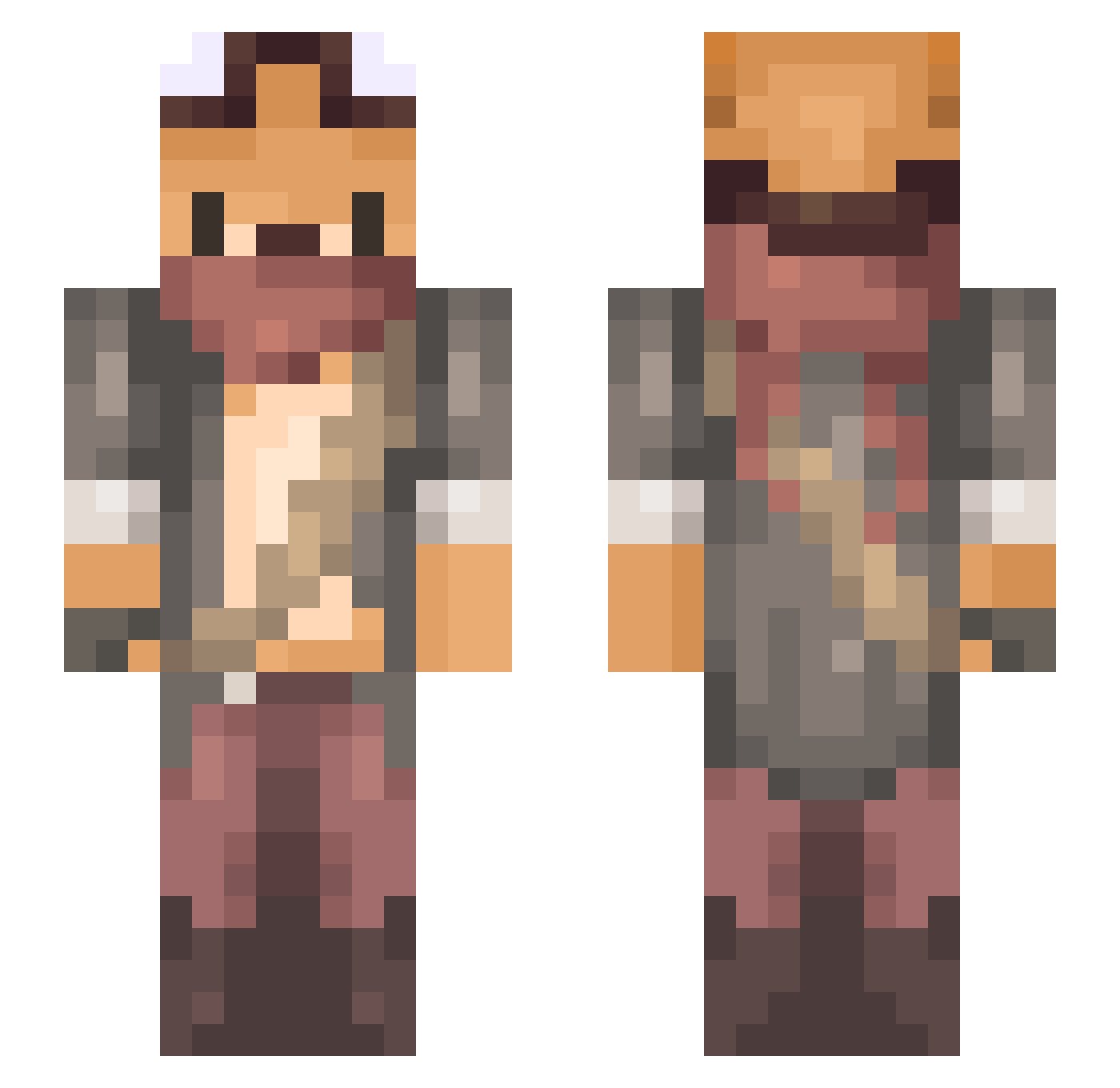
Current Minecraft skin of the player NvrWntrMg, loaded from the official Mojang API. Rotate the 3D model with your mouse or finger, then download the skin as a PNG file and use it in Minecraft: Bedrock Edition or Java Edition for free. When NvrWntrMg changes their skin, this page updates automatically and the old skin stays in the history below.
Other players with this skin (246)
NvrWntrMg was the 91st player we have seen with this skin, first spotted on 02.09.2026. The same skin was seen on these players. Open a nickname to see their current skin and skin history.
 REAL_LSY frswolffighter18 A_Razor_A umeshin Productiepoes MaccieMoo Koschei0 Morglass Yakodon Sniffle5 Bonsouere mlikian SuperRuno Brskt xdPerception Muellermilch08 Poulter9988 __Indiana__ vincentxiaobai YarLis DesertDoggy Lebossais PlCKLES Tukiyocarasu Biscuitterie E_Bear219 SeungBBak JuuliaXD DiscoverID fvnderberker 2Greg Nielrock Satiir Lelouch2 Zinndye petyshokk Krennan Spacecatzs Maple64 Alexander_Foxy Xerus__ Phaantom07 Shaymius LordRub Meubeldoos smoothierobot Meowmycks Nahru Heihachi_dono Fergun96 tecamcam Lepus84 puzzledtranz Aphrodite0904 IRKUTSK JoseSanz99 MiakodaSoulstar C_G_J Cadba Sarnuza
More Outlaw Minecraft skins
How to install the NvrWntrMg skin
- Press the Download button above to save the skin as a PNG file.
- Minecraft: Bedrock Edition (PE): open the Dressing Room from the main menu (or tap your character → Edit Character), go to Classic Skins → Owned, press the + (new skin) button, choose the downloaded PNG and pick the Slim (Alex) model. Works on PC and mobile; consoles cannot import custom skins.
- Minecraft: Java Edition: open the Minecraft Launcher, go to the Skins tab, click New Skin, load the PNG, pick the Slim (Alex) model and press Save & Use. You can also upload it at minecraft.net → Profile → Change Skin.
The skin does not show up after import - what should I do?
Restart Minecraft and open the Dressing Room again - imported skins sometimes appear only after a restart. Also make sure you selected the imported skin and picked the Slim (Alex) model.
Which model should I choose, Classic or Slim?
This skin is designed for the Slim (Alex) model. If you pick the wrong model, the arms of the skin will look stretched or squeezed.
Is the skin of NvrWntrMg free to download?
Yes. Press Download, save the PNG file and use it in Minecraft: Bedrock Edition or Java Edition - no payment or registration needed. The skin also works on multiplayer servers and Realms.
More skins
Looking for more? Go back to all Minecraft skins and check the top skins of the week, month and all time, or find any player's skin by nickname.