
Novocain - Minecraft Skins & Skin History
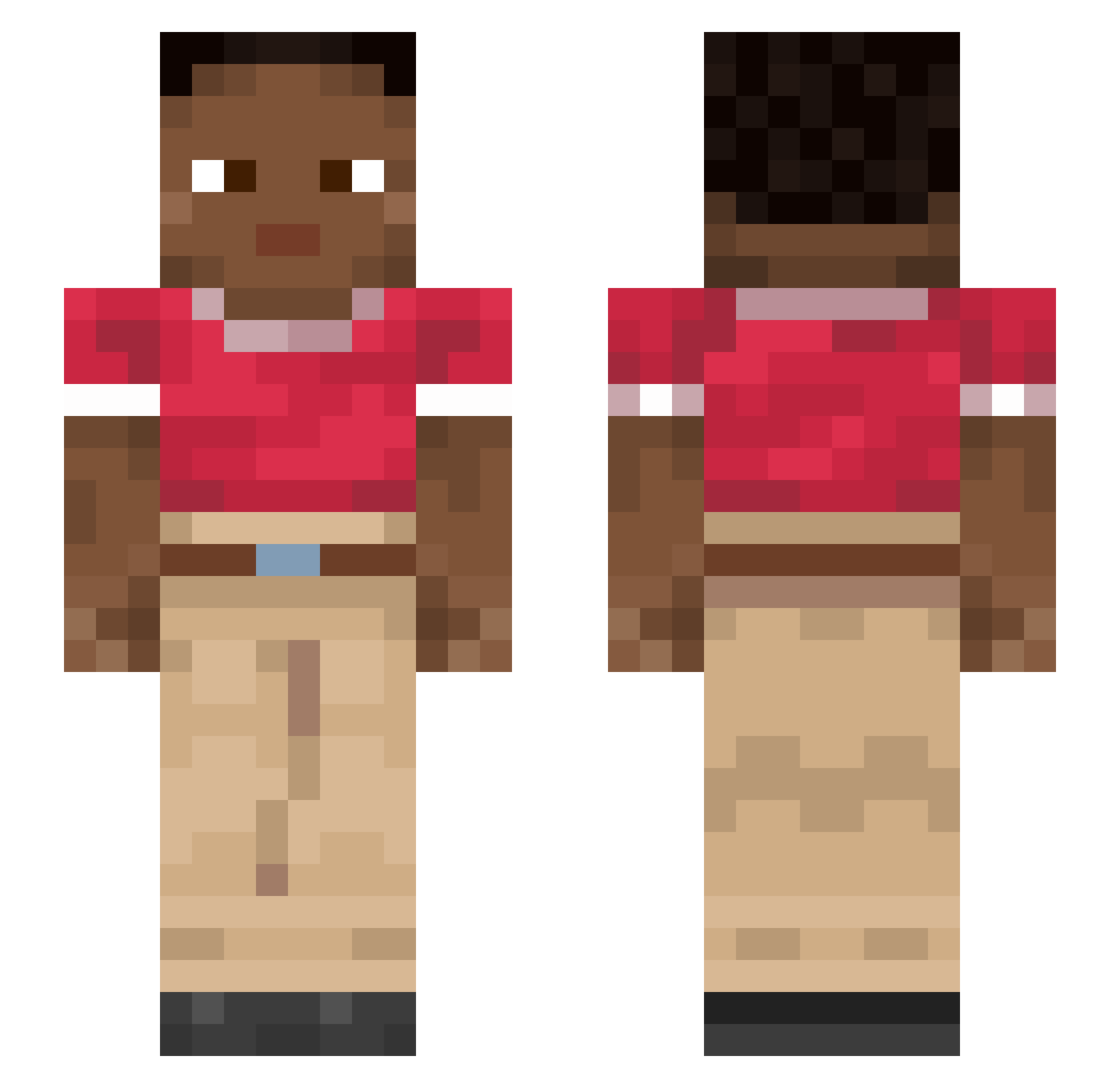
Current Minecraft skin of the player Novocain, loaded from the official Mojang API. Rotate the 3D model with your mouse or finger, then download the skin as a PNG file and use it in Minecraft: Bedrock Edition or Java Edition for free. When Novocain changes their skin, this page updates automatically and the old skin stays in the history below.
Other players with this skin (915)
Novocain was the 705th player we have seen with this skin, first spotted on 13.10.2026. The same skin was seen on these players. Open a nickname to see their current skin and skin history.
 Cricoid DinosauRic fishpole spionstiefel Recursion sude Factum cd_rickard yyytttttttaoaoao Messi_Plays EZ_FlaiN Snyp3rX tungtungtriple ENOKSY tryagaintmrw BlackWorstRace RyanVachtman prosist AloePulp SorryAbtThisBro andaqui recompenser Teodora SMK_BRAYAN Intricacy Senarian Cartographies nonconfident kingnomicide SoloFPS BriskFox Neladan AASerena NANG_AMM necropolitan TodoRaro Quintic aradarad Racecardriver Apastra Fuscous Skullings Valva Chasma ThieryHenry14 footloose Herox_1 alekcrazy moodir OnlyJason_ Jailhouses DragoonXI_ scouch Elench Albahaca Spavogel LucasPay btriadom bod3_ Ostrea
How to install the Novocain skin
- Press the Download button above to save the skin as a PNG file.
- Minecraft: Bedrock Edition (PE): open the Dressing Room from the main menu (or tap your character → Edit Character), go to Classic Skins → Owned, press the + (new skin) button, choose the downloaded PNG and pick the Slim (Alex) model. Works on PC and mobile; consoles cannot import custom skins.
- Minecraft: Java Edition: open the Minecraft Launcher, go to the Skins tab, click New Skin, load the PNG, pick the Slim (Alex) model and press Save & Use. You can also upload it at minecraft.net → Profile → Change Skin.
The skin does not show up after import - what should I do?
Restart Minecraft and open the Dressing Room again - imported skins sometimes appear only after a restart. Also make sure you selected the imported skin and picked the Slim (Alex) model.
Which model should I choose, Classic or Slim?
This skin is designed for the Slim (Alex) model. If you pick the wrong model, the arms of the skin will look stretched or squeezed.
Is the skin of Novocain free to download?
Yes. Press Download, save the PNG file and use it in Minecraft: Bedrock Edition or Java Edition - no payment or registration needed. The skin also works on multiplayer servers and Realms.
More skins
Looking for more? Go back to all Minecraft skins and check the top skins of the week, month and all time, or find any player's skin by nickname.