
Notspecial_H - Minecraft Skins & Skin History
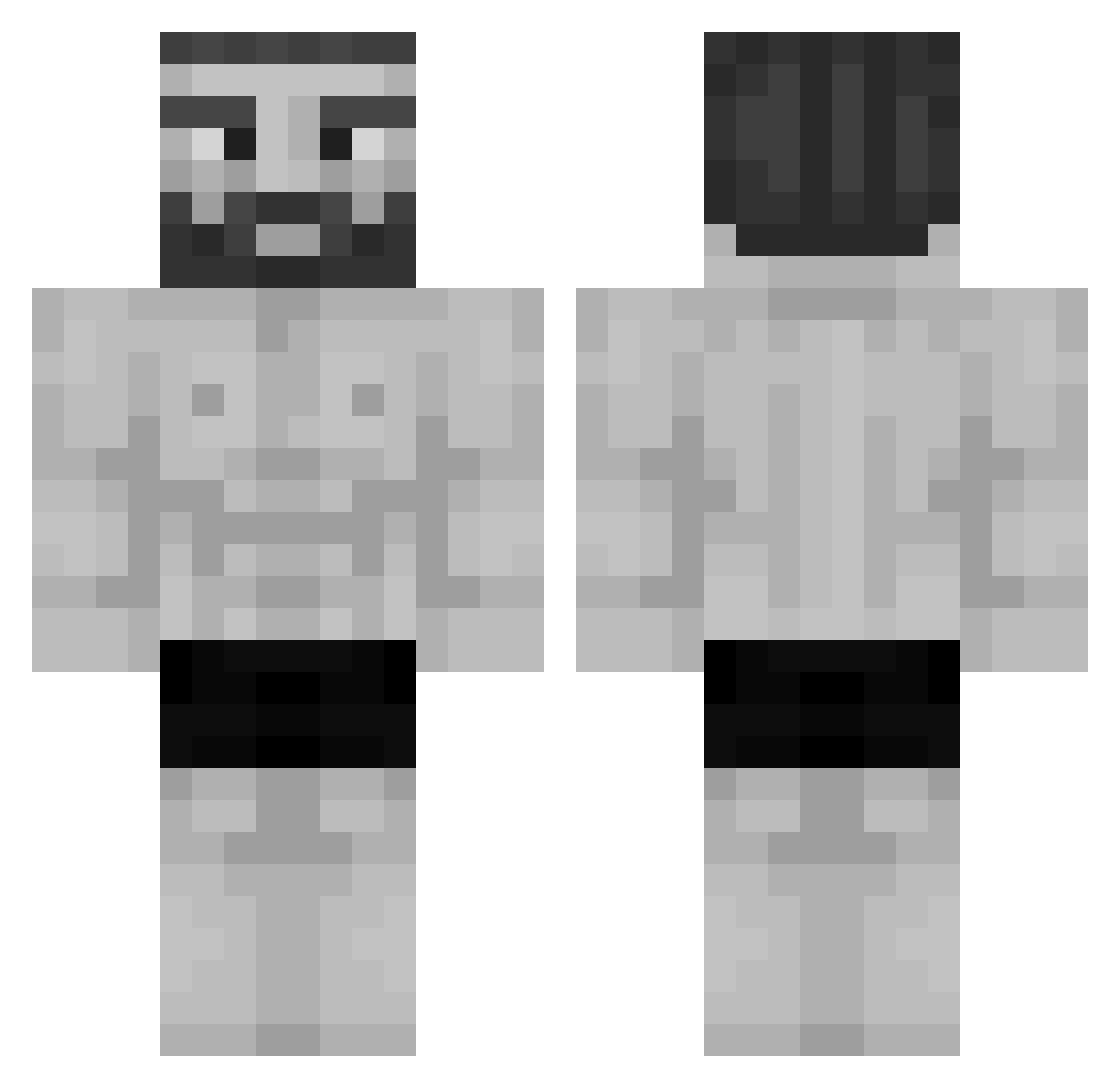
Current Minecraft skin of the player Notspecial_H, loaded from the official Mojang API. Rotate the 3D model with your mouse or finger, then download the skin as a PNG file and use it in Minecraft: Bedrock Edition or Java Edition for free. When Notspecial_H changes their skin, this page updates automatically and the old skin stays in the history below.
Other players with this skin (955)
Notspecial_H was the 921st player we have seen with this skin, first spotted on 18.10.2026. The same skin was seen on these players. Open a nickname to see their current skin and skin history.
 Santiago10R starplat69 MaryJaneBlazeIt El_Pantrukas Arius1254 bjkaa Fireninja790 Developor toriznt CarryMeDad Awaya chiqui777 baaaart Jamarcus99 GB2222 Maxximohz asunova worldwidet1ts Trovao5 boncuur WqlffIsMyDad praksti 5halid_marzooqi Li3ard50 RAVAGESZN Gerzuun Firo69 Voffus Arm0N jiwony0212 ReefISCool Mkgaming25 azer801 Jxn20 saltyslx Jalim_Rabei_ AaronN33 Akito_Plays_ MattRaque thesquigg pilipo55 GareMore Parzival721 MrLimbo GajuU Gonzacks TristamGMS Skript111 MyZyy RoboticJay XxTaro_ Ultra643 RedBlackSpider carlzeto rhfgedhlcuckrgee NoRule Milkyyy_ SHOWLOL Fex766 PlasticSpoonYT
More Gigachad Minecraft skins
How to install the Notspecial_H skin
- Press the Download button above to save the skin as a PNG file.
- Minecraft: Bedrock Edition (PE): open the Dressing Room from the main menu (or tap your character → Edit Character), go to Classic Skins → Owned, press the + (new skin) button, choose the downloaded PNG and pick the Classic (Steve) model. Works on PC and mobile; consoles cannot import custom skins.
- Minecraft: Java Edition: open the Minecraft Launcher, go to the Skins tab, click New Skin, load the PNG, pick the Classic (Steve) model and press Save & Use. You can also upload it at minecraft.net → Profile → Change Skin.
The skin does not show up after import - what should I do?
Restart Minecraft and open the Dressing Room again - imported skins sometimes appear only after a restart. Also make sure you selected the imported skin and picked the Classic (Steve) model.
Which model should I choose, Classic or Slim?
This skin is designed for the Classic (Steve) model. If you pick the wrong model, the arms of the skin will look stretched or squeezed.
Is the skin of Notspecial_H free to download?
Yes. Press Download, save the PNG file and use it in Minecraft: Bedrock Edition or Java Edition - no payment or registration needed. The skin also works on multiplayer servers and Realms.
More skins
Looking for more? Go back to all Minecraft skins and check the top skins of the week, month and all time, or find any player's skin by nickname.