
Not_Valk - Minecraft Skins & Skin History
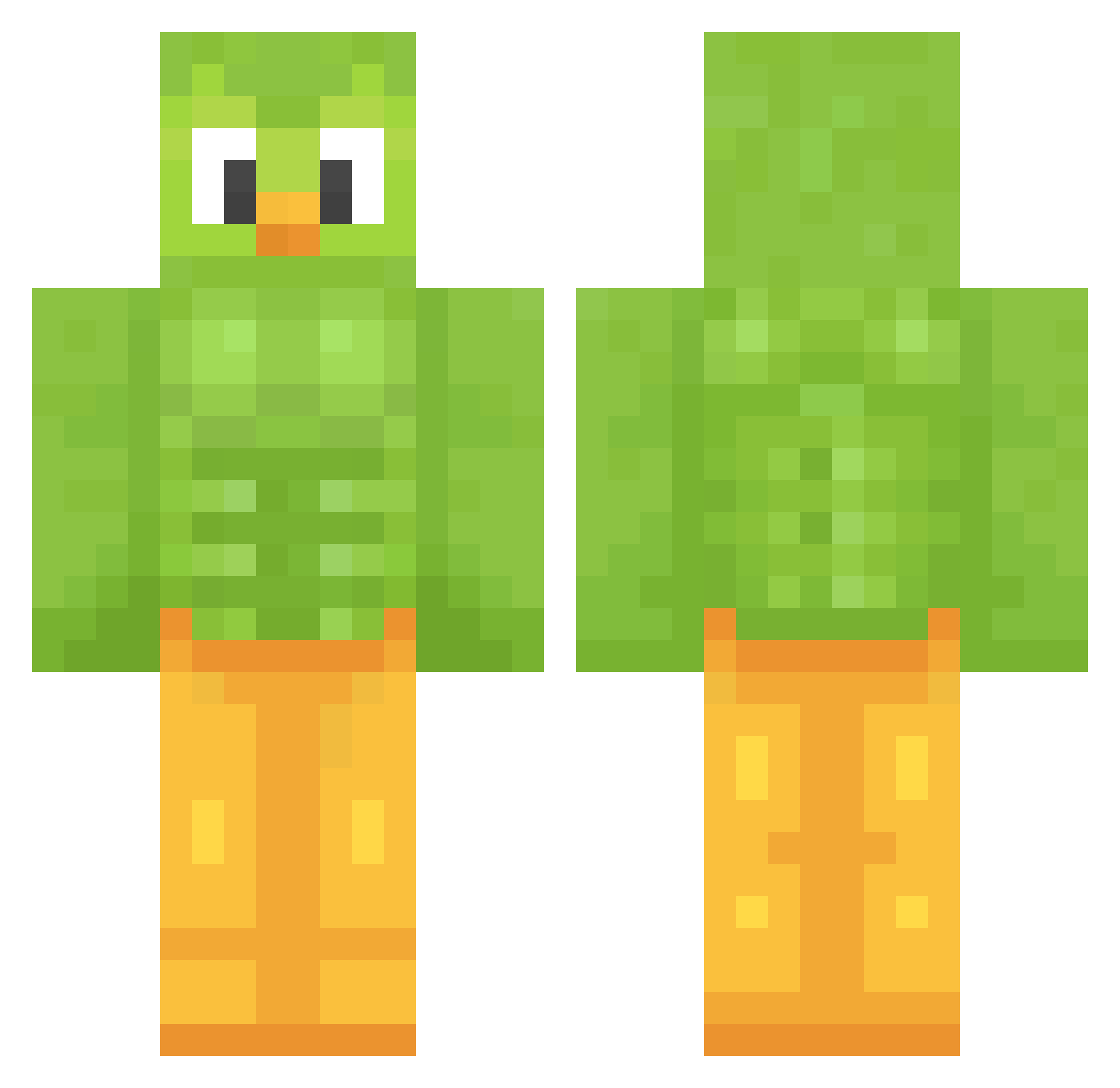
Current Minecraft skin of the player Not_Valk, loaded from the official Mojang API. Rotate the 3D model with your mouse or finger, then download the skin as a PNG file and use it in Minecraft: Bedrock Edition or Java Edition for free. When Not_Valk changes their skin, this page updates automatically and the old skin stays in the history below.
Other players with this skin (1207)
Not_Valk was the 1160th player we have seen with this skin, first spotted on 27.10.2026. The same skin was seen on these players. Open a nickname to see their current skin and skin history.
 RODRIVADER ElevatedBoo jipoy DoudeSauce TylerTomato InfernoAzure FatimaFurzKissen lkt6485 coco1233424 Hoskafof monkey___magic wintsis Xaminati26 WatersCool KMT_T Krymanz _pho_ Kailijibs Angeriz64 Satori2502 ruuteq Kohsub Emal130 PacoCraft1239 thehofmaster97 xargha Yu_taiwan TLaiRIE Benni924 DerHeileJude Kenzalina Electroshocker21 ohsnohsm woohg23 Blakkey Manu63x ronancreates YeonJun6974 LocalMommy58 MrNezu TheAprilFool99 daikolol Wikr24 Pocok__ Frantt3458 Ryenix Gefluegelchen DefinitelyNotY gigsi_ TiagoCCB Joker_OvO Fabien4 Abigosh AkemiKenzo Aflo0 lukas475 Mariaruizrmr bahabep Shiiiko THUVIEJARDA
More Duo Minecraft skins
How to install the Not_Valk skin
- Press the Download button above to save the skin as a PNG file.
- Minecraft: Bedrock Edition (PE): open the Dressing Room from the main menu (or tap your character → Edit Character), go to Classic Skins → Owned, press the + (new skin) button, choose the downloaded PNG and pick the Classic (Steve) model. Works on PC and mobile; consoles cannot import custom skins.
- Minecraft: Java Edition: open the Minecraft Launcher, go to the Skins tab, click New Skin, load the PNG, pick the Classic (Steve) model and press Save & Use. You can also upload it at minecraft.net → Profile → Change Skin.
The skin does not show up after import - what should I do?
Restart Minecraft and open the Dressing Room again - imported skins sometimes appear only after a restart. Also make sure you selected the imported skin and picked the Classic (Steve) model.
Which model should I choose, Classic or Slim?
This skin is designed for the Classic (Steve) model. If you pick the wrong model, the arms of the skin will look stretched or squeezed.
Is the skin of Not_Valk free to download?
Yes. Press Download, save the PNG file and use it in Minecraft: Bedrock Edition or Java Edition - no payment or registration needed. The skin also works on multiplayer servers and Realms.
More skins
Looking for more? Go back to all Minecraft skins and check the top skins of the week, month and all time, or find any player's skin by nickname.