
NotReallyPluto - Minecraft Skins & Skin History
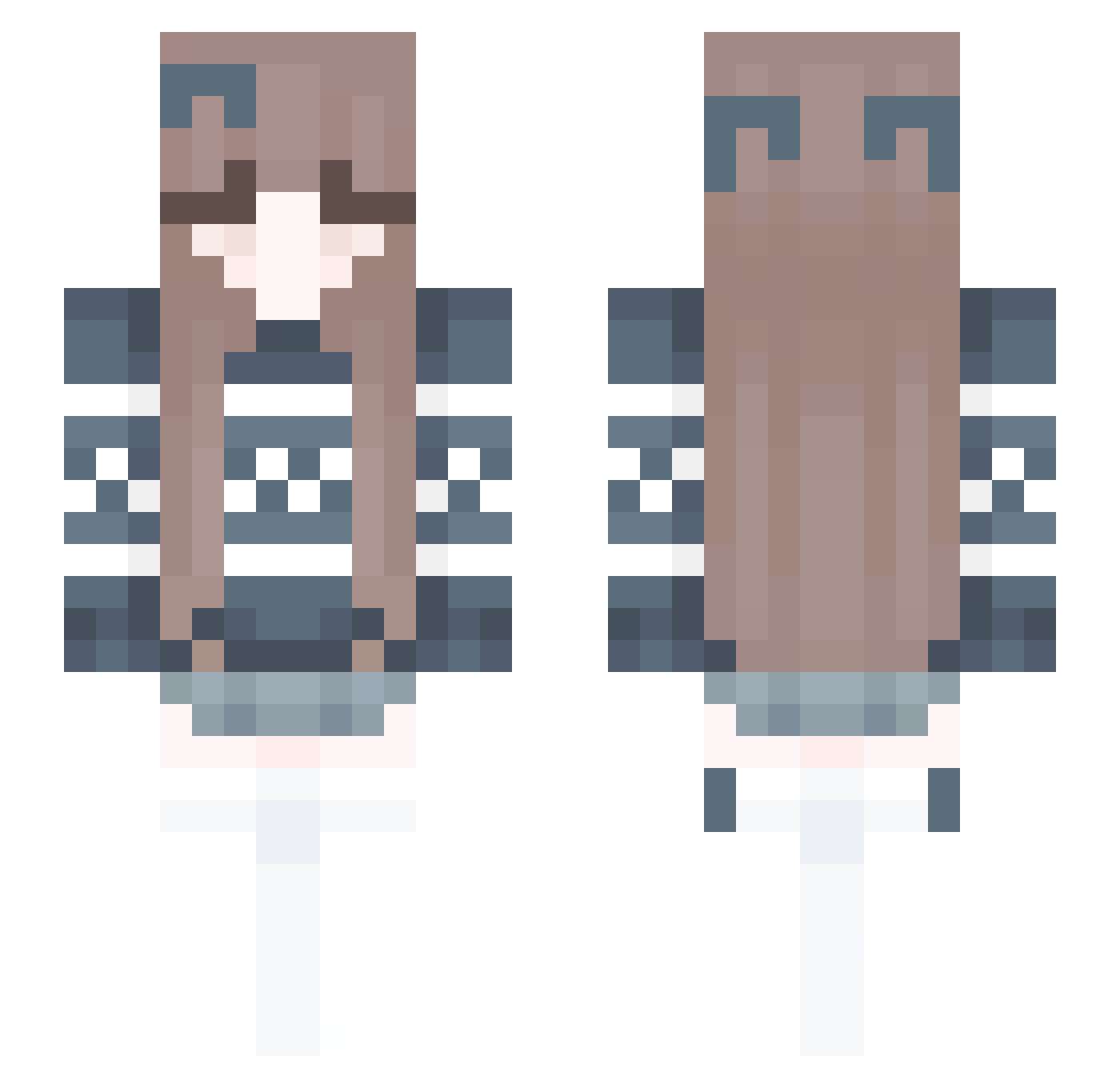
Current Minecraft skin of the player NotReallyPluto, loaded from the official Mojang API. Rotate the 3D model with your mouse or finger, then download the skin as a PNG file and use it in Minecraft: Bedrock Edition or Java Edition for free. When NotReallyPluto changes their skin, this page updates automatically and the old skin stays in the history below.
Other players with this skin (246)
NotReallyPluto was the 30th player we have seen with this skin, first spotted on 09.08.2026. The same skin was seen on these players. Open a nickname to see their current skin and skin history.
 dacede Aimekaka gapmonster chama35
 Alxsla Thistly Briana1301 Twoflounder1026 49kz aksl12 00Slight zoexycr Sea_cuk2 dantajuan KodAh03 Lauraaa_23 Eliinaaa briskhonorable
 Highteens Metaqiang Cymary aqua_neko1223 yulinglight cloud_of_snow xiangsishi Meshu55 RoyalFluffiness planetsunniva oyyu1 gaomanman ZoskaKot XiaoMeng1230 Neellia skamaka MMMMMMMMMMMMMMMw Anan26
 an0maly43 AimeeFawwn PON0096 Meroze lilxl1nsch1clux p_i_p_i wiczkaa09 jinse12345 Gooi3rutz cacaaa22 mlk67 Irunka05 SuperiorShade hiemang2 Hobaball BigMac6205 mxgh minekonn Hanis4 Photoautotroph wyalolii 001JAMIE BabiGamer15 just2clarafy
More Cozy Minecraft skins
How to install the NotReallyPluto skin
- Press the Download button above to save the skin as a PNG file.
- Minecraft: Bedrock Edition (PE): open the Dressing Room from the main menu (or tap your character → Edit Character), go to Classic Skins → Owned, press the + (new skin) button, choose the downloaded PNG and pick the Slim (Alex) model. Works on PC and mobile; consoles cannot import custom skins.
- Minecraft: Java Edition: open the Minecraft Launcher, go to the Skins tab, click New Skin, load the PNG, pick the Slim (Alex) model and press Save & Use. You can also upload it at minecraft.net → Profile → Change Skin.
The skin does not show up after import - what should I do?
Restart Minecraft and open the Dressing Room again - imported skins sometimes appear only after a restart. Also make sure you selected the imported skin and picked the Slim (Alex) model.
Which model should I choose, Classic or Slim?
This skin is designed for the Slim (Alex) model. If you pick the wrong model, the arms of the skin will look stretched or squeezed.
Is the skin of NotReallyPluto free to download?
Yes. Press Download, save the PNG file and use it in Minecraft: Bedrock Edition or Java Edition - no payment or registration needed. The skin also works on multiplayer servers and Realms.
More skins
Looking for more? Go back to all Minecraft skins and check the top skins of the week, month and all time, or find any player's skin by nickname.