
NotOmL - Minecraft Skins & Skin History
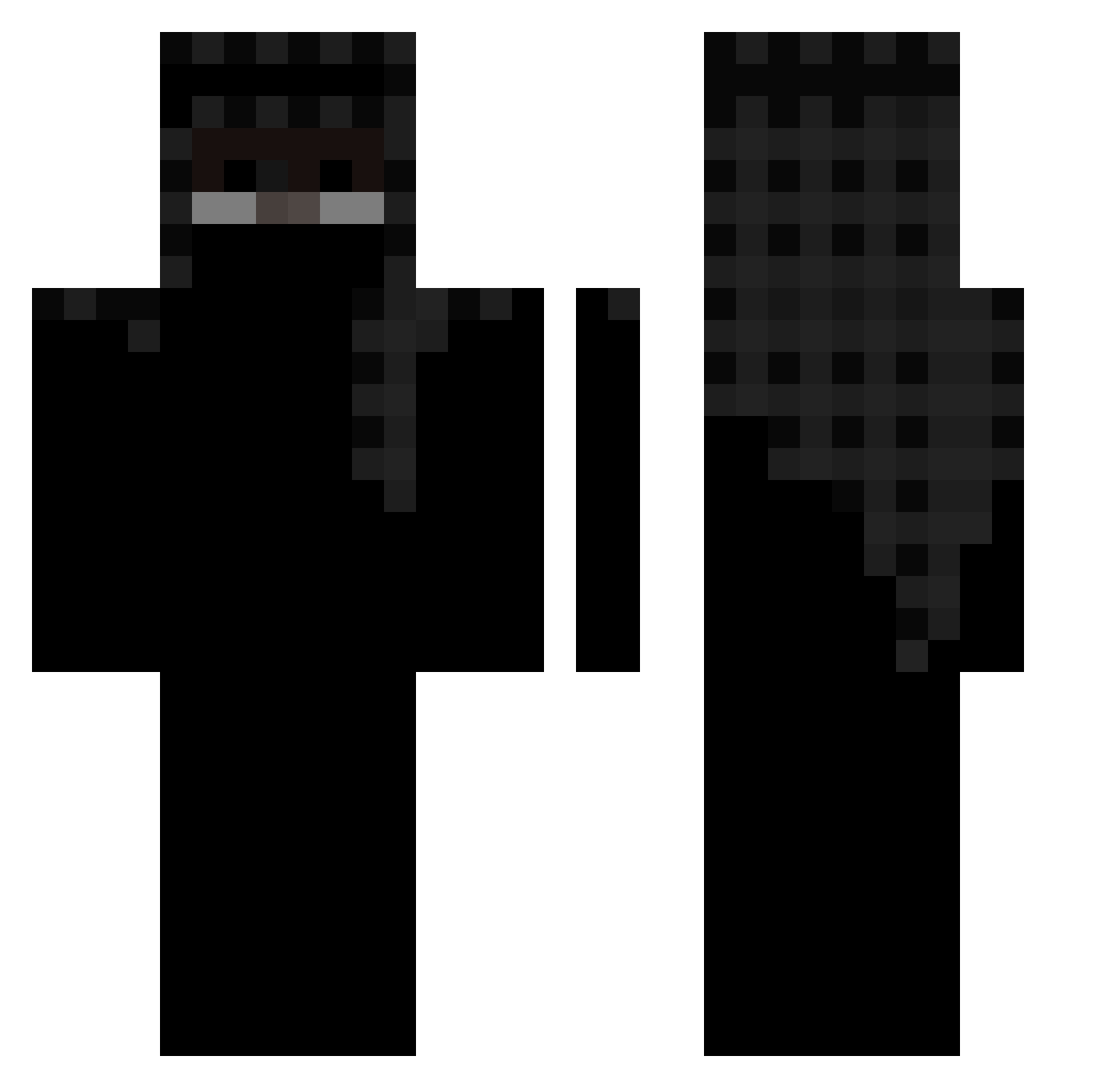
Current Minecraft skin of the player NotOmL, loaded from the official Mojang API. Rotate the 3D model with your mouse or finger, then download the skin as a PNG file and use it in Minecraft: Bedrock Edition or Java Edition for free. When NotOmL changes their skin, this page updates automatically and the old skin stays in the history below.
Other players with this skin (568)
NotOmL was the 523rd player we have seen with this skin, first spotted on 11.11.2026. The same skin was seen on these players. Open a nickname to see their current skin and skin history.
 Revenge_NO MinePeirce koriv06 TuPee MC_dreetie Ryan_is_Gay Fogeebear Respc Pryoo nnn1kodem quizine lordmorgue BIKKURCZEDIK AlphaaAU Justisaac188 CommanderCooley3 MstrWong Sushilchauhan77 Derpmango christian9935 Goldendragon507 Joel_ams butterzambie Walsall TLMONEYNETWORK Peavies XD_Elmo_XD nicealtsRwHCg Creakychain4812 pastelinman1 Uxhr jbarriere63 xSmoother Wave_Length_ Br_0 AlessiaRP Opfeniks Straight5019 Lewy_660 Evmlt iitz_senpai vafzr Redgeuy l_Walter_white_l miyusuto 7zaa 1Broke Yelat oCheesy Christiandicken SaksWyd Yentagon Shacotistik_ DEmms JustClutching NG5N 2r_ss yzqo_ bedlose Patchi22222
More Headscarf Minecraft skins
How to install the NotOmL skin
- Press the Download button above to save the skin as a PNG file.
- Minecraft: Bedrock Edition (PE): open the Dressing Room from the main menu (or tap your character → Edit Character), go to Classic Skins → Owned, press the + (new skin) button, choose the downloaded PNG and pick the Classic (Steve) model. Works on PC and mobile; consoles cannot import custom skins.
- Minecraft: Java Edition: open the Minecraft Launcher, go to the Skins tab, click New Skin, load the PNG, pick the Classic (Steve) model and press Save & Use. You can also upload it at minecraft.net → Profile → Change Skin.
The skin does not show up after import - what should I do?
Restart Minecraft and open the Dressing Room again - imported skins sometimes appear only after a restart. Also make sure you selected the imported skin and picked the Classic (Steve) model.
Which model should I choose, Classic or Slim?
This skin is designed for the Classic (Steve) model. If you pick the wrong model, the arms of the skin will look stretched or squeezed.
Is the skin of NotOmL free to download?
Yes. Press Download, save the PNG file and use it in Minecraft: Bedrock Edition or Java Edition - no payment or registration needed. The skin also works on multiplayer servers and Realms.
More skins
Looking for more? Go back to all Minecraft skins and check the top skins of the week, month and all time, or find any player's skin by nickname.