
Nosen2007 - Minecraft Skins & Skin History
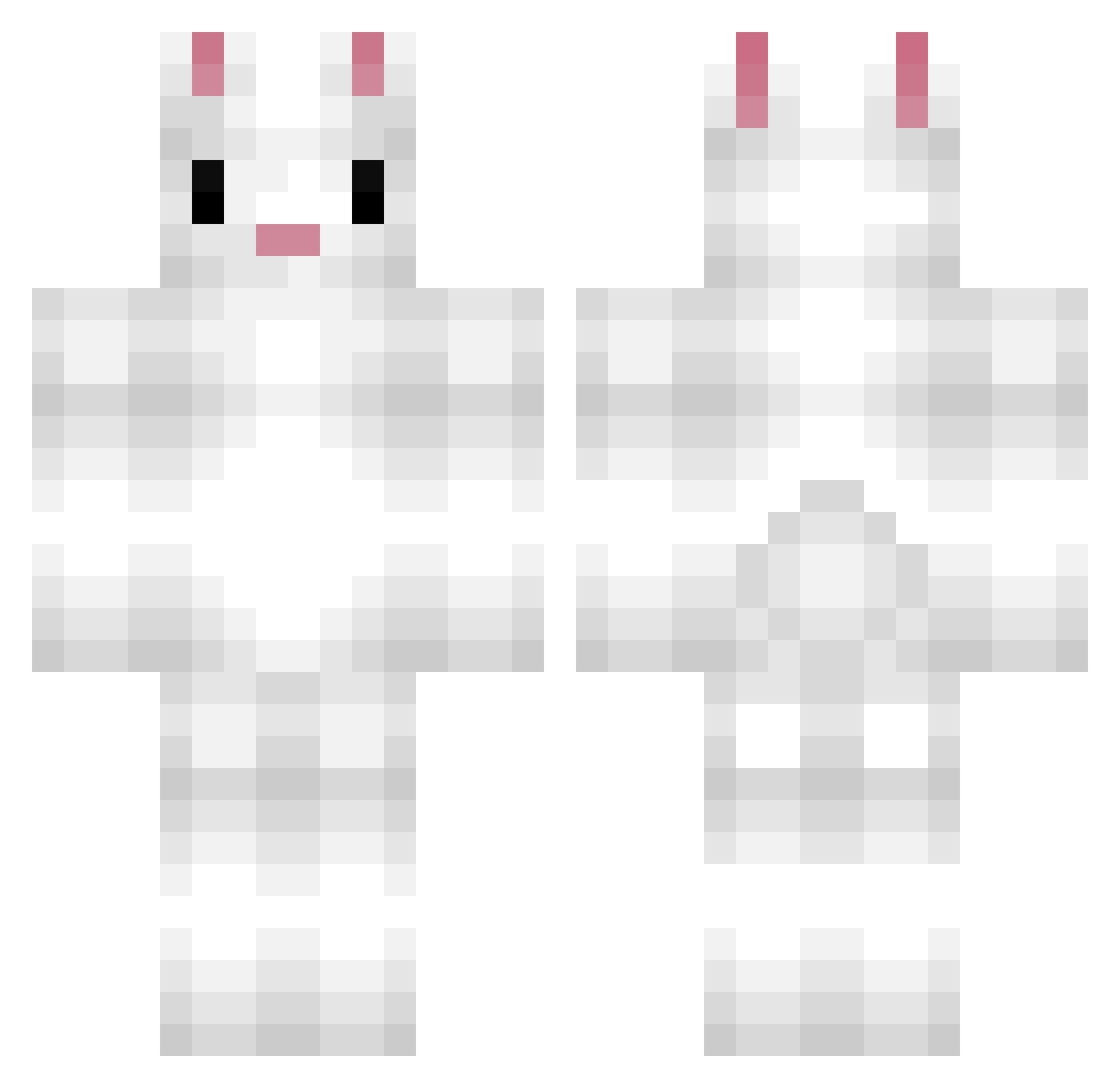
Current Minecraft skin of the player Nosen2007, loaded from the official Mojang API. Rotate the 3D model with your mouse or finger, then download the skin as a PNG file and use it in Minecraft: Bedrock Edition or Java Edition for free. When Nosen2007 changes their skin, this page updates automatically and the old skin stays in the history below.
Other players with this skin (190)
Nosen2007 was the 103rd player we have seen with this skin, first spotted on 25.09.2026. The same skin was seen on these players. Open a nickname to see their current skin and skin history.
 superlapinou SweatyCarrot98 Elevania sandr2000 Kang_rabbit blakewj nancybunny VitaIis LePelikan CHANCY0511 sleepyhamster GijsLiz Fresquis tesla25 Larnc Squiblit geither22 Tw_Loluc4sFr Annabelle1542 HowEmDoes Patra _IGotNoChill_ BehinderterHase pancake236 Atistatique ffffergie BellaCuz_YT Luneera Barefooter R2V7 CasperKjar humptydumpty5 Cytral justjansen12345 ReflexVest Theart2001 Brennanstine goldenboarder pineapple353 bingaling03 leatoon williamthomason Yaraatje hokey1pokey KobeKardashian Builder_4 Elarinha choihanna vipergamerz kjMeerkat EdwardWabbit Yubin0613 SaturnOG Bindsy MrFunnyBunny15 BunnyD_ BunnytheBunny Xenaxis_ pongon ViRuZz_V3
More Rabbit Minecraft skins
How to install the Nosen2007 skin
- Press the Download button above to save the skin as a PNG file.
- Minecraft: Bedrock Edition (PE): open the Dressing Room from the main menu (or tap your character → Edit Character), go to Classic Skins → Owned, press the + (new skin) button, choose the downloaded PNG and pick the Classic (Steve) model. Works on PC and mobile; consoles cannot import custom skins.
- Minecraft: Java Edition: open the Minecraft Launcher, go to the Skins tab, click New Skin, load the PNG, pick the Classic (Steve) model and press Save & Use. You can also upload it at minecraft.net → Profile → Change Skin.
The skin does not show up after import - what should I do?
Restart Minecraft and open the Dressing Room again - imported skins sometimes appear only after a restart. Also make sure you selected the imported skin and picked the Classic (Steve) model.
Which model should I choose, Classic or Slim?
This skin is designed for the Classic (Steve) model. If you pick the wrong model, the arms of the skin will look stretched or squeezed.
Is the skin of Nosen2007 free to download?
Yes. Press Download, save the PNG file and use it in Minecraft: Bedrock Edition or Java Edition - no payment or registration needed. The skin also works on multiplayer servers and Realms.
More skins
Looking for more? Go back to all Minecraft skins and check the top skins of the week, month and all time, or find any player's skin by nickname.