
NoomSsss - Minecraft Skins & Skin History
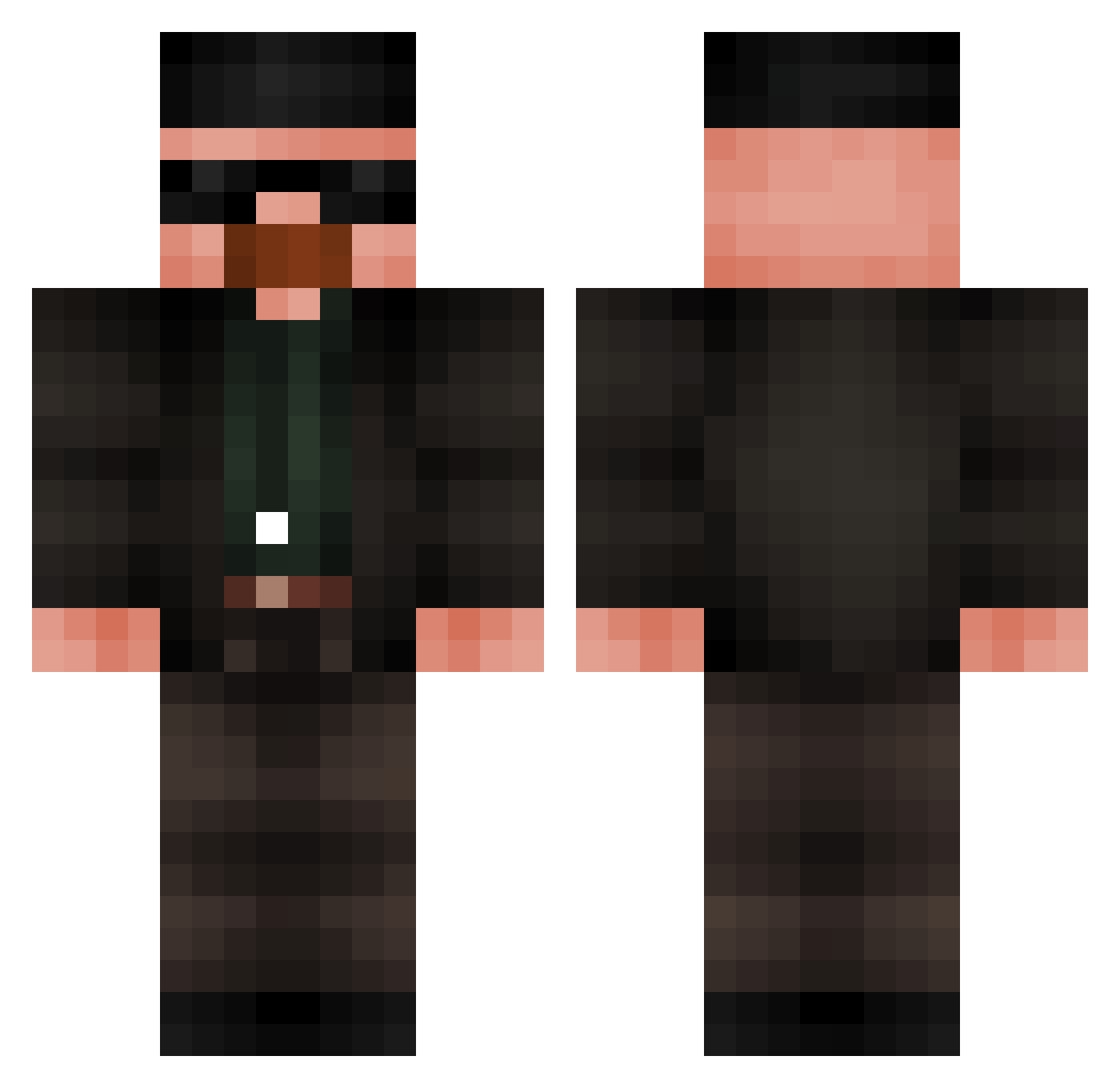
Current Minecraft skin of the player NoomSsss, loaded from the official Mojang API. Rotate the 3D model with your mouse or finger, then download the skin as a PNG file and use it in Minecraft: Bedrock Edition or Java Edition for free. When NoomSsss changes their skin, this page updates automatically and the old skin stays in the history below.
Other players with this skin (686)
NoomSsss was the 294th player we have seen with this skin, first spotted on 14.09.2026. The same skin was seen on these players. Open a nickname to see their current skin and skin history.
 PinkFartsIsYummy Kayad0 phaisac XOXO2115 t0masinh0 Fartmasta420 hawkeyekudo MEAETHER DomsoPlanet McKnightMonkey ELCheese221 Knillos Katakurii13 Oashin ElCigala23 AIlinXin Lucas22223 TheMuslitos2324_ Erosz_05 TheTigerFang HzEbuCehil31 tasty_toesss FewMath xXZ0NigxtXx WhitenutzXD SleepyAlicee jbeebz00 Lauge1706 KuroroLucifuru ratling69 Pan_Franek sigmaen_Kasper
 Atroys_jorgstar GoffyWalter quiula NegraArroyoLane Gasteaux Gama_13 Gajobyjak77 Wet_Cheddar1 Limonchik17 bafilu7 Zaphod75
 mateuszin12345 vitaminnoah DiamondNolan R4xqn AbFenix FrazzlesTM HSY_8 samusncj Julioalf10 Crisstobal Mounsterr JettsIpad MSD_Arrow ShirtLessGuy98 JakeKamke Josema_KH98 Darins_Nemesis
More Heisenberg Minecraft skins
How to install the NoomSsss skin
- Press the Download button above to save the skin as a PNG file.
- Minecraft: Bedrock Edition (PE): open the Dressing Room from the main menu (or tap your character → Edit Character), go to Classic Skins → Owned, press the + (new skin) button, choose the downloaded PNG and pick the Classic (Steve) model. Works on PC and mobile; consoles cannot import custom skins.
- Minecraft: Java Edition: open the Minecraft Launcher, go to the Skins tab, click New Skin, load the PNG, pick the Classic (Steve) model and press Save & Use. You can also upload it at minecraft.net → Profile → Change Skin.
The skin does not show up after import - what should I do?
Restart Minecraft and open the Dressing Room again - imported skins sometimes appear only after a restart. Also make sure you selected the imported skin and picked the Classic (Steve) model.
Which model should I choose, Classic or Slim?
This skin is designed for the Classic (Steve) model. If you pick the wrong model, the arms of the skin will look stretched or squeezed.
Is the skin of NoomSsss free to download?
Yes. Press Download, save the PNG file and use it in Minecraft: Bedrock Edition or Java Edition - no payment or registration needed. The skin also works on multiplayer servers and Realms.
More skins
Looking for more? Go back to all Minecraft skins and check the top skins of the week, month and all time, or find any player's skin by nickname.