
Noirdan - Minecraft Skins & Skin History
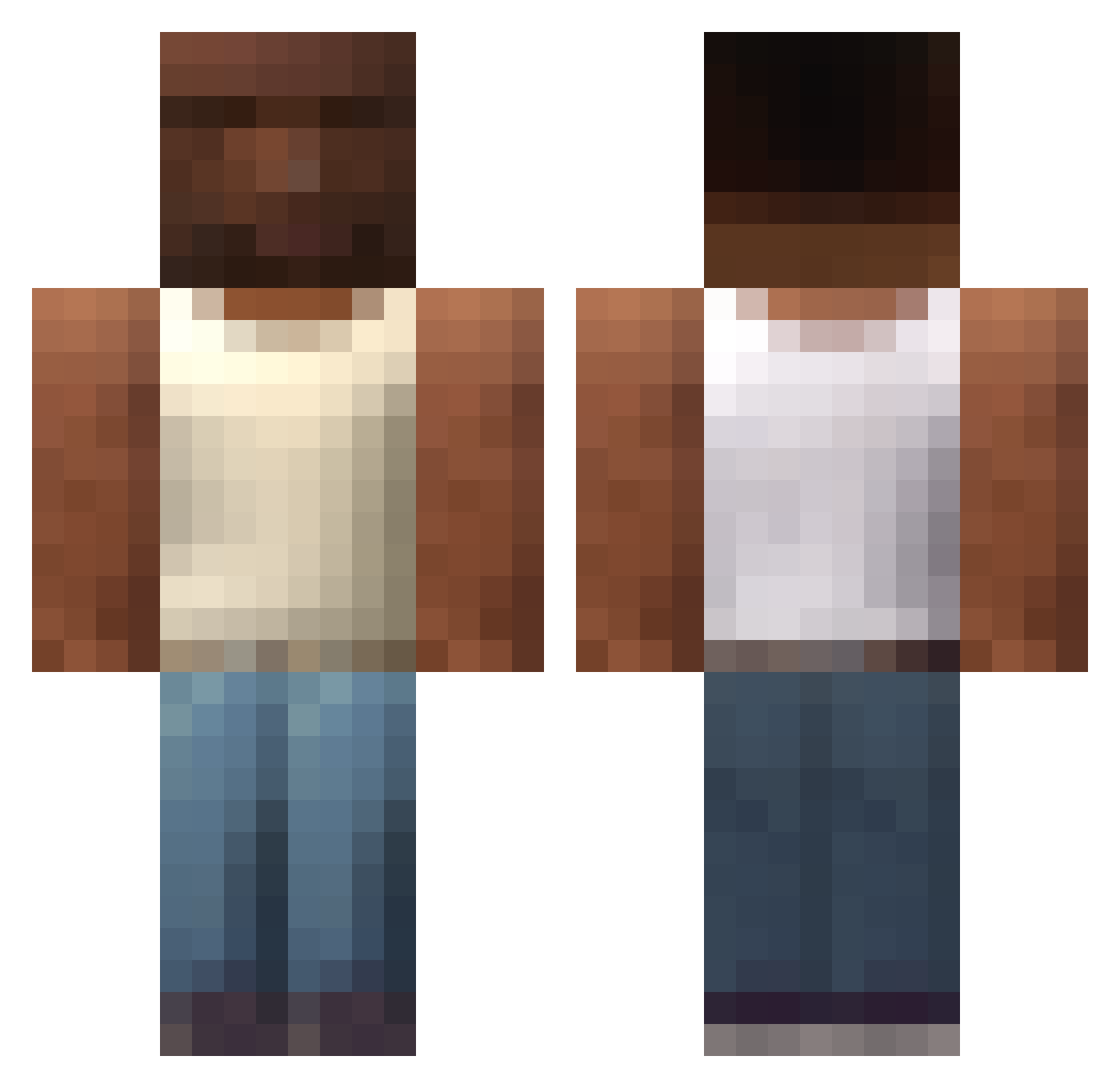
Current Minecraft skin of the player Noirdan, loaded from the official Mojang API. Rotate the 3D model with your mouse or finger, then download the skin as a PNG file and use it in Minecraft: Bedrock Edition or Java Edition for free. When Noirdan changes their skin, this page updates automatically and the old skin stays in the history below.
Other players with this skin (588)
Noirdan was the 31st player we have seen with this skin, first spotted on 30.07.2026. The same skin was seen on these players. Open a nickname to see their current skin and skin history.
 Hamza_ik0 Acoustick anne_wolkje Inkpoo Nautu13 Hattrick45 ShacoxX MURZYNATOR8 TOSSI25 CoNsOn perromarihuano12 Amobaby Mailove3 obesepanda69 scarletwitchh12 intinpro IPlayLogBait DullerRaptor876 walterwhitesus2 Playlan Cygson_ Gordit wojtek2602 essinator JuniorBL99 B1ndHD fc_saufhampton TrippYY_1 F0ocus Dennser7878 Moldykestro81 mingTRD MattCS09 crwying GunkInTrunk69 Tszipora passionfruitsour HashmetliKyoko EggwithaM SARGENTKUSH riskyoza cnhgg1643 techsupppport BingChilling313 BawisEC SlayerBram lightninggenji R1K4RD0 Btee5_ maoryy Road2903 kosakia Tristi_10 caezadeyunque NumbNuts69420 purastriplewa Jittisa PKIUZ FelixTragt QuotedAllah
More San Andreas Minecraft skins
How to install the Noirdan skin
- Press the Download button above to save the skin as a PNG file.
- Minecraft: Bedrock Edition (PE): open the Dressing Room from the main menu (or tap your character → Edit Character), go to Classic Skins → Owned, press the + (new skin) button, choose the downloaded PNG and pick the Classic (Steve) model. Works on PC and mobile; consoles cannot import custom skins.
- Minecraft: Java Edition: open the Minecraft Launcher, go to the Skins tab, click New Skin, load the PNG, pick the Classic (Steve) model and press Save & Use. You can also upload it at minecraft.net → Profile → Change Skin.
The skin does not show up after import - what should I do?
Restart Minecraft and open the Dressing Room again - imported skins sometimes appear only after a restart. Also make sure you selected the imported skin and picked the Classic (Steve) model.
Which model should I choose, Classic or Slim?
This skin is designed for the Classic (Steve) model. If you pick the wrong model, the arms of the skin will look stretched or squeezed.
Is the skin of Noirdan free to download?
Yes. Press Download, save the PNG file and use it in Minecraft: Bedrock Edition or Java Edition - no payment or registration needed. The skin also works on multiplayer servers and Realms.
More skins
Looking for more? Go back to all Minecraft skins and check the top skins of the week, month and all time, or find any player's skin by nickname.