
Nitz4n - Minecraft Skins & Skin History
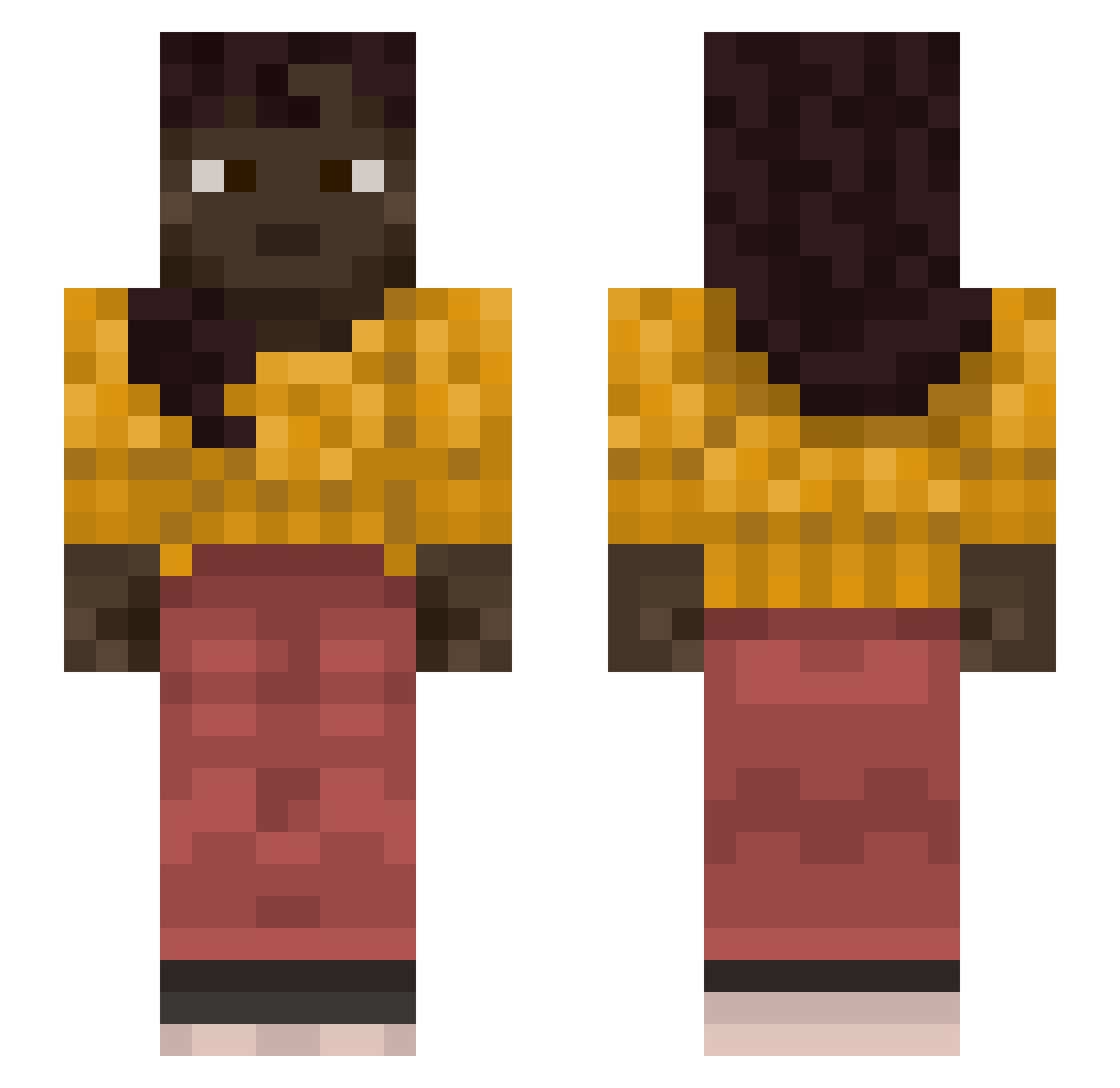
Current Minecraft skin of the player Nitz4n, loaded from the official Mojang API. Rotate the 3D model with your mouse or finger, then download the skin as a PNG file and use it in Minecraft: Bedrock Edition or Java Edition for free. When Nitz4n changes their skin, this page updates automatically and the old skin stays in the history below.
Other players with this skin (1128)
Nitz4n was the 224th player we have seen with this skin, first spotted on 15.08.2026. The same skin was seen on these players. Open a nickname to see their current skin and skin history.
 Diplozoon Mixz22 Vovansoo newtobedwar Schemas ectotherm Huevos_1 screener Freestanding Obscured miltonian Phantom_Wolf101 Discanter economism Overpowerful Javier_Cordero jasminelief SeworL dodoneko EsprssO elliotw Z4KSAL
 sonicistweich praiseallahdagod nba2k18 zealoez gummed meclizine Foidmaster206 xX_Obama_xXTV _Tunczyk ssivoo Acrita Ustion attrition SperQu SK3L3 lomka_x Shevah
 Epiclollipop16 RiceEater4138 SlymX haircutter Lacklustrous GeraldRIP ironworkers Ghent amoeBae Sphinges sealike WilQuS hydroadipsia dewlight Carcinomatosis babai Reaving lohldohl Kapitulation88 Dial bartozzzzz
More Braid Minecraft skins
How to install the Nitz4n skin
- Press the Download button above to save the skin as a PNG file.
- Minecraft: Bedrock Edition (PE): open the Dressing Room from the main menu (or tap your character → Edit Character), go to Classic Skins → Owned, press the + (new skin) button, choose the downloaded PNG and pick the Slim (Alex) model. Works on PC and mobile; consoles cannot import custom skins.
- Minecraft: Java Edition: open the Minecraft Launcher, go to the Skins tab, click New Skin, load the PNG, pick the Slim (Alex) model and press Save & Use. You can also upload it at minecraft.net → Profile → Change Skin.
The skin does not show up after import - what should I do?
Restart Minecraft and open the Dressing Room again - imported skins sometimes appear only after a restart. Also make sure you selected the imported skin and picked the Slim (Alex) model.
Which model should I choose, Classic or Slim?
This skin is designed for the Slim (Alex) model. If you pick the wrong model, the arms of the skin will look stretched or squeezed.
Is the skin of Nitz4n free to download?
Yes. Press Download, save the PNG file and use it in Minecraft: Bedrock Edition or Java Edition - no payment or registration needed. The skin also works on multiplayer servers and Realms.
More skins
Looking for more? Go back to all Minecraft skins and check the top skins of the week, month and all time, or find any player's skin by nickname.