
Nishikata_GR - Minecraft Skins & Skin History
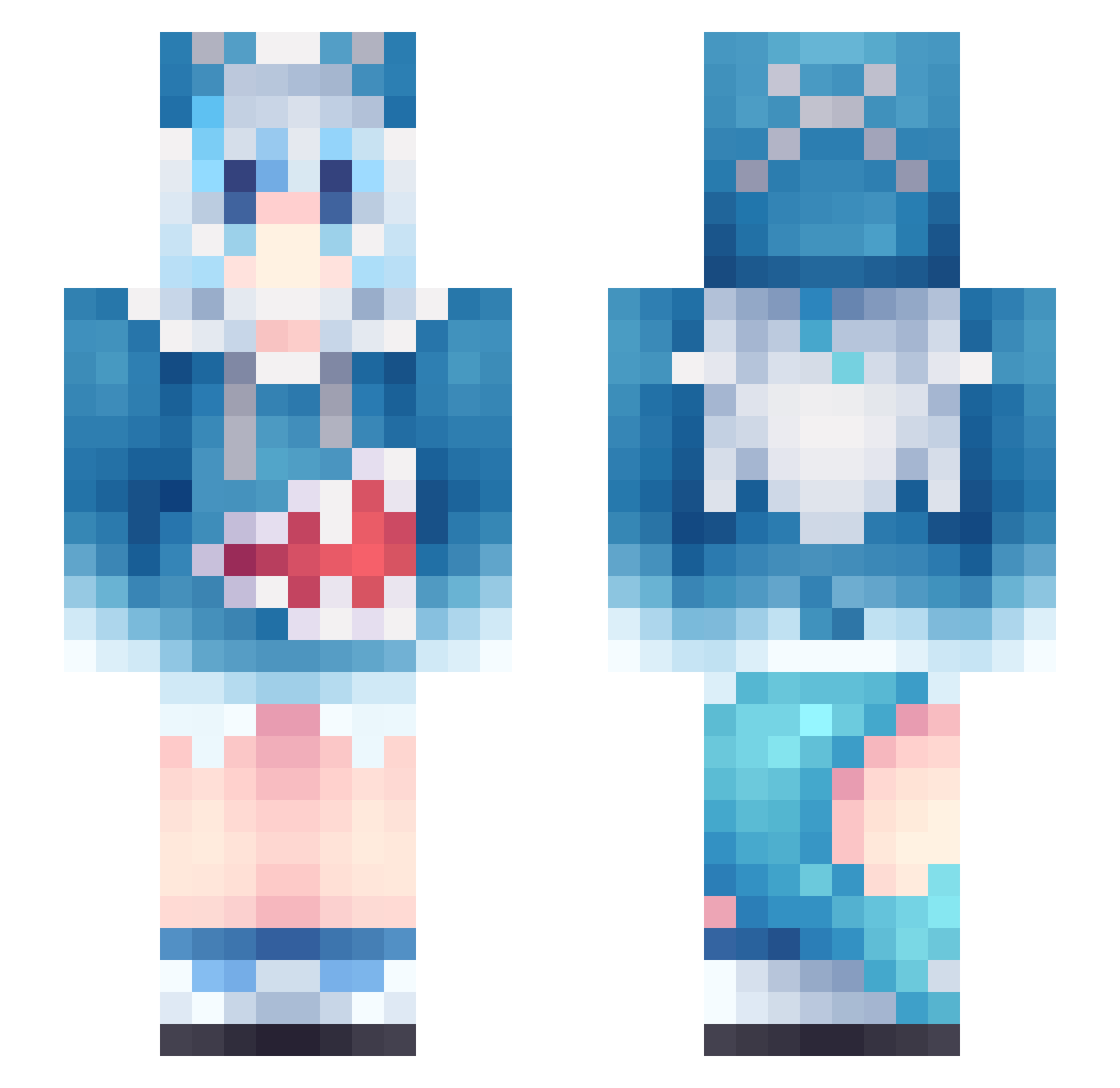
Current Minecraft skin of the player Nishikata_GR, loaded from the official Mojang API. Rotate the 3D model with your mouse or finger, then download the skin as a PNG file and use it in Minecraft: Bedrock Edition or Java Edition for free. When Nishikata_GR changes their skin, this page updates automatically and the old skin stays in the history below.
Other players with this skin (1211)
Nishikata_GR was the 1006th player we have seen with this skin, first spotted on 27.10.2026. The same skin was seen on these players. Open a nickname to see their current skin and skin history.
 gloss520 CandyMei Cramptes handy3648 scapixx10 mustup Null_CialloL0721 BlackMamBa126 Valenzy COOHUANG ethersince C0NV1 PteriRex ggwd17 Dark_Undead hyh1201 Kano_desu Saxofunny69 T_0siek_ LL0601 GBLTT Mrzhang0 shark_el_inimigo luckybother he2gui BX_river Jeno22 Nexsix609 Arz_nova PowerpointSkeppy Seido701 Eightyseven JaKaiser pinkpig250591 weiting07_ Julianos1a SHEEPHUNTER3314 ItzYuriiaa iwantutocryforme a11121341 GRUGRU1022 xiaomore joshuaanna f1lims sakichann MIAOW1 emmabichette Dreamy0506 Timo0220 Opala1968Tunado Sra_Mimoza ViperRifle999 ramass787 huamin_feng ShiDiaoDiao Felpsxzim hhhbbhb U_Bi Aila303 eeee2233
More Gawr Gura Minecraft skins
How to install the Nishikata_GR skin
- Press the Download button above to save the skin as a PNG file.
- Minecraft: Bedrock Edition (PE): open the Dressing Room from the main menu (or tap your character → Edit Character), go to Classic Skins → Owned, press the + (new skin) button, choose the downloaded PNG and pick the Slim (Alex) model. Works on PC and mobile; consoles cannot import custom skins.
- Minecraft: Java Edition: open the Minecraft Launcher, go to the Skins tab, click New Skin, load the PNG, pick the Slim (Alex) model and press Save & Use. You can also upload it at minecraft.net → Profile → Change Skin.
The skin does not show up after import - what should I do?
Restart Minecraft and open the Dressing Room again - imported skins sometimes appear only after a restart. Also make sure you selected the imported skin and picked the Slim (Alex) model.
Which model should I choose, Classic or Slim?
This skin is designed for the Slim (Alex) model. If you pick the wrong model, the arms of the skin will look stretched or squeezed.
Is the skin of Nishikata_GR free to download?
Yes. Press Download, save the PNG file and use it in Minecraft: Bedrock Edition or Java Edition - no payment or registration needed. The skin also works on multiplayer servers and Realms.
More skins
Looking for more? Go back to all Minecraft skins and check the top skins of the week, month and all time, or find any player's skin by nickname.