
Niposdi - Minecraft Skins & Skin History
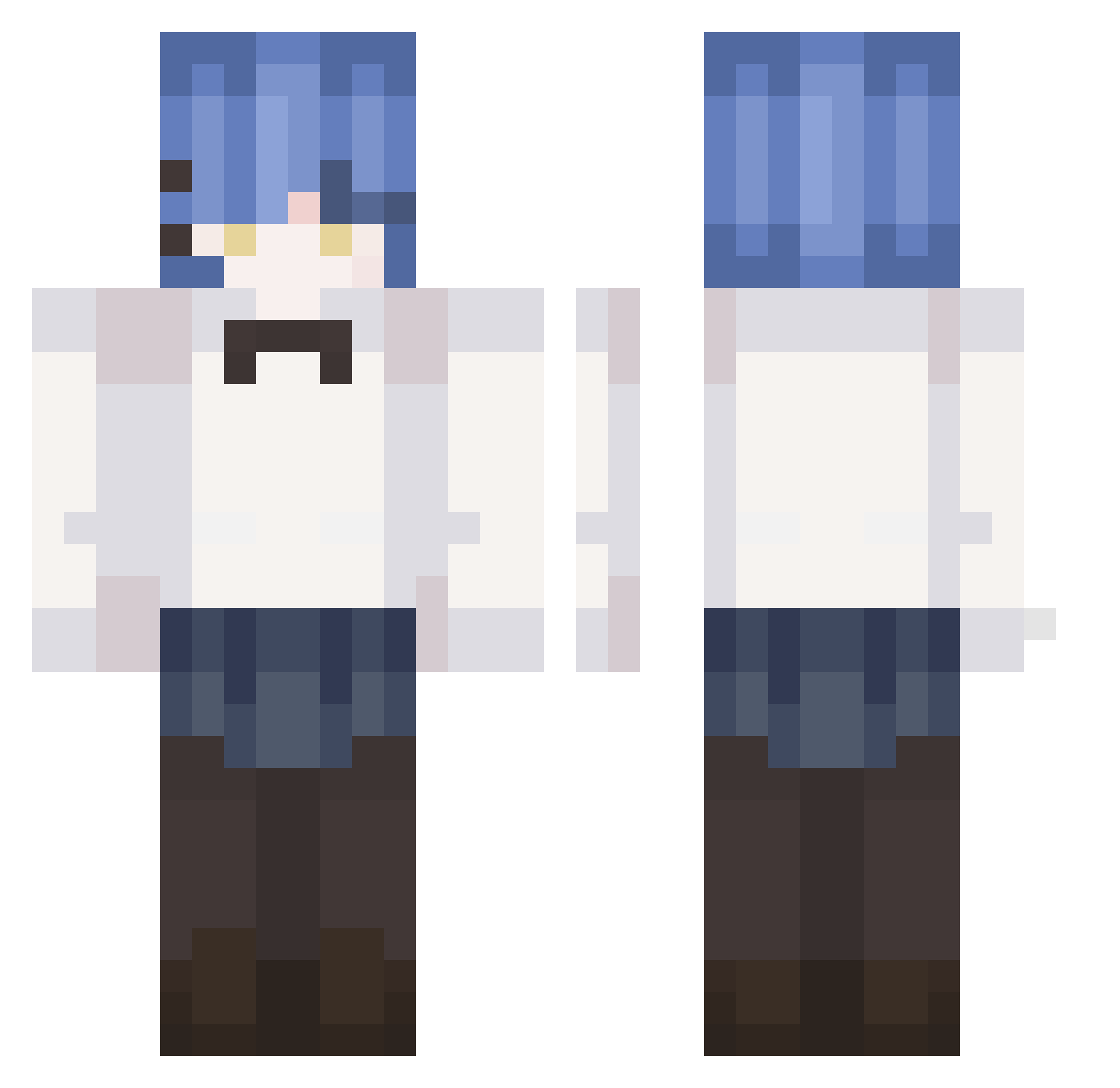
Current Minecraft skin of the player Niposdi, loaded from the official Mojang API. Rotate the 3D model with your mouse or finger, then download the skin as a PNG file and use it in Minecraft: Bedrock Edition or Java Edition for free. When Niposdi changes their skin, this page updates automatically and the old skin stays in the history below.
Other players with this skin (344)
Niposdi was the 342nd player we have seen with this skin, first spotted on 19.11.2026. The same skin was seen on these players. Open a nickname to see their current skin and skin history.
 Zw0lf_T0ki n2nd dokiiidokii Mia_17 moyya_c17 SnowBengal JackXJ05 Letigre2013 Theo3201 juuunnya qiukuo Sernik___ mental730 MagicalPrincess7 Bae4i4i PrussianGuy8 Qroakz maxxiy _09JaeHo MieahV jinu5533 recuperating juyeong16 IshikawaOyama FS_Arctic_Fox Vargory Ford2549 Mtcharto Yumikoxo FunnyChanXD 10saeasa ahfde12 Residualcoot3 FateCEEN Aiaske YigitKipiz potato0613 Genkosama OZTOTN iikemen 2935vib Ryo_the_Rock exieneko YunXian233 DeRfeigling InhumanSmile957 B2_Yummy Wasabi_Aisu Vlasd chitong0212 yunaimg i9yu lvndrflwr paltacra brienfreid trashcart Chel_Sio Mango1113 smoker123 NoobProHacker69
More Rem Minecraft skins
How to install the Niposdi skin
- Press the Download button above to save the skin as a PNG file.
- Minecraft: Bedrock Edition (PE): open the Dressing Room from the main menu (or tap your character → Edit Character), go to Classic Skins → Owned, press the + (new skin) button, choose the downloaded PNG and pick the Classic (Steve) model. Works on PC and mobile; consoles cannot import custom skins.
- Minecraft: Java Edition: open the Minecraft Launcher, go to the Skins tab, click New Skin, load the PNG, pick the Classic (Steve) model and press Save & Use. You can also upload it at minecraft.net → Profile → Change Skin.
The skin does not show up after import - what should I do?
Restart Minecraft and open the Dressing Room again - imported skins sometimes appear only after a restart. Also make sure you selected the imported skin and picked the Classic (Steve) model.
Which model should I choose, Classic or Slim?
This skin is designed for the Classic (Steve) model. If you pick the wrong model, the arms of the skin will look stretched or squeezed.
Is the skin of Niposdi free to download?
Yes. Press Download, save the PNG file and use it in Minecraft: Bedrock Edition or Java Edition - no payment or registration needed. The skin also works on multiplayer servers and Realms.
More skins
Looking for more? Go back to all Minecraft skins and check the top skins of the week, month and all time, or find any player's skin by nickname.