
Ninjaest - Minecraft Skins & Skin History
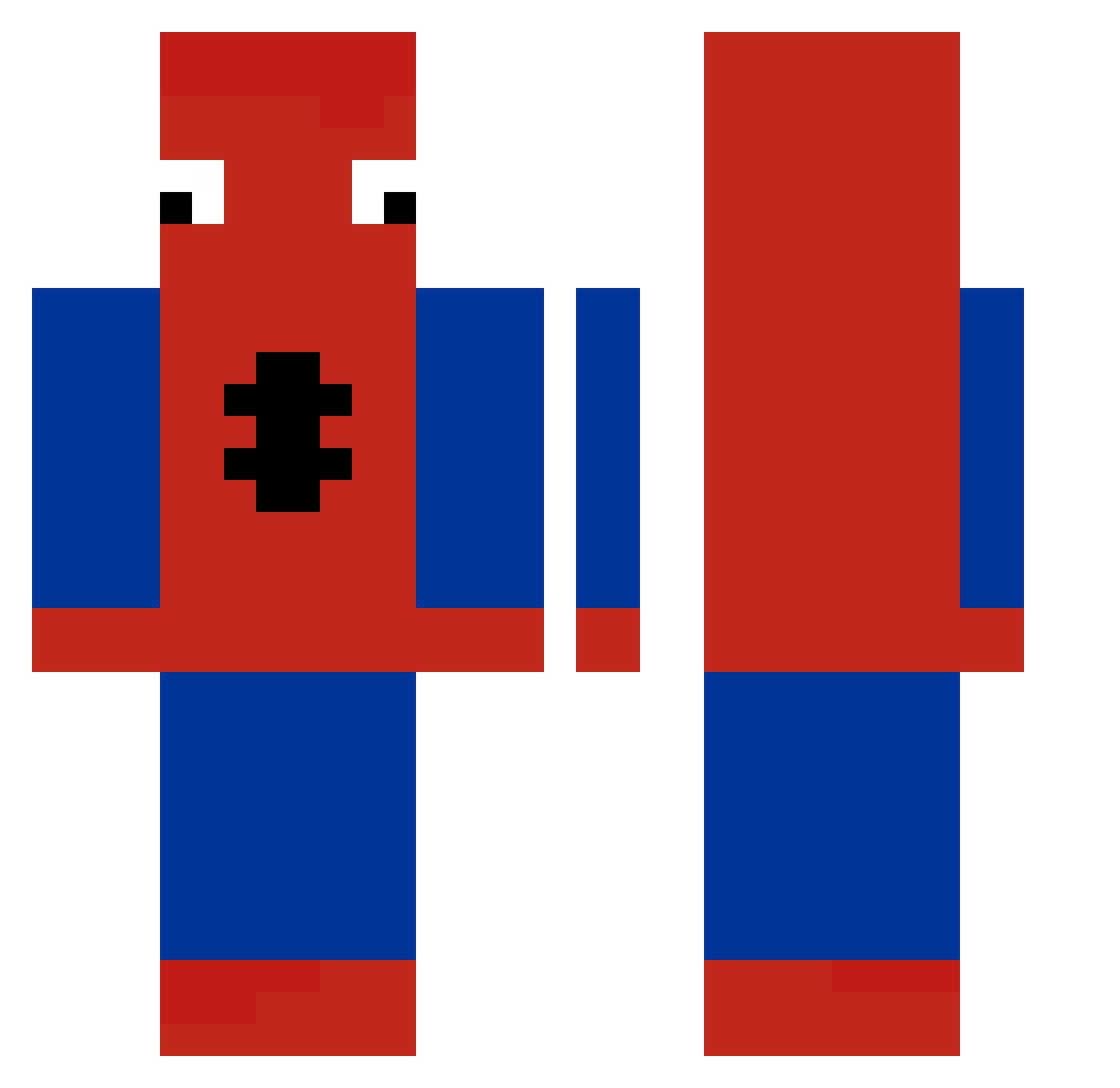
Current Minecraft skin of the player Ninjaest, loaded from the official Mojang API. Rotate the 3D model with your mouse or finger, then download the skin as a PNG file and use it in Minecraft: Bedrock Edition or Java Edition for free. When Ninjaest changes their skin, this page updates automatically and the old skin stays in the history below.
Other players with this skin (258)
Ninjaest was the 87th player we have seen with this skin, first spotted on 01.09.2026. The same skin was seen on these players. Open a nickname to see their current skin and skin history.
 CR4BSTAB kimangchan BensonTheBeast barcelona92 SH0WW waltiv NeRo6547 Joker1lokz MrRayooTW SharkBoyPro1010 Uurxd Xilo18 DumogDeilig oswaldo007 Andreeeeeuu bibik1231 _Wuaschd_Bua_ Paperella4538 mmoeb LuckyBoomBoom JaredN10 koreiagamer baby_shark77 nikkiiyqh Pap_isra joueur237 markitogp Lubia_ Charlotte21_21 VefrenC mcfartboy RAKUN69 Hejarof xvampxkittenx astodenn brunotyt serwoah Ghoulsta Koresssssss
 Rofrati12 TTW1060 kusuju KoT_v_CaIIoGaX RusserBarnet Kfqyzzz hunny123456 FFK_M0lbj3rg04 sigmatomcxyk mugzinn Savage_Taco2121 NarutoSnapY Zerayma ZebrasBusiu Smoarzy sanshoo29 Mooool VenooMC Spidermaman69 UcciM Clo5erToMe
More Spider-Man Minecraft skins
How to install the Ninjaest skin
- Press the Download button above to save the skin as a PNG file.
- Minecraft: Bedrock Edition (PE): open the Dressing Room from the main menu (or tap your character → Edit Character), go to Classic Skins → Owned, press the + (new skin) button, choose the downloaded PNG and pick the Classic (Steve) model. Works on PC and mobile; consoles cannot import custom skins.
- Minecraft: Java Edition: open the Minecraft Launcher, go to the Skins tab, click New Skin, load the PNG, pick the Classic (Steve) model and press Save & Use. You can also upload it at minecraft.net → Profile → Change Skin.
The skin does not show up after import - what should I do?
Restart Minecraft and open the Dressing Room again - imported skins sometimes appear only after a restart. Also make sure you selected the imported skin and picked the Classic (Steve) model.
Which model should I choose, Classic or Slim?
This skin is designed for the Classic (Steve) model. If you pick the wrong model, the arms of the skin will look stretched or squeezed.
Is the skin of Ninjaest free to download?
Yes. Press Download, save the PNG file and use it in Minecraft: Bedrock Edition or Java Edition - no payment or registration needed. The skin also works on multiplayer servers and Realms.
More skins
Looking for more? Go back to all Minecraft skins and check the top skins of the week, month and all time, or find any player's skin by nickname.