
Ninetto5000 - Minecraft Skins & Skin History
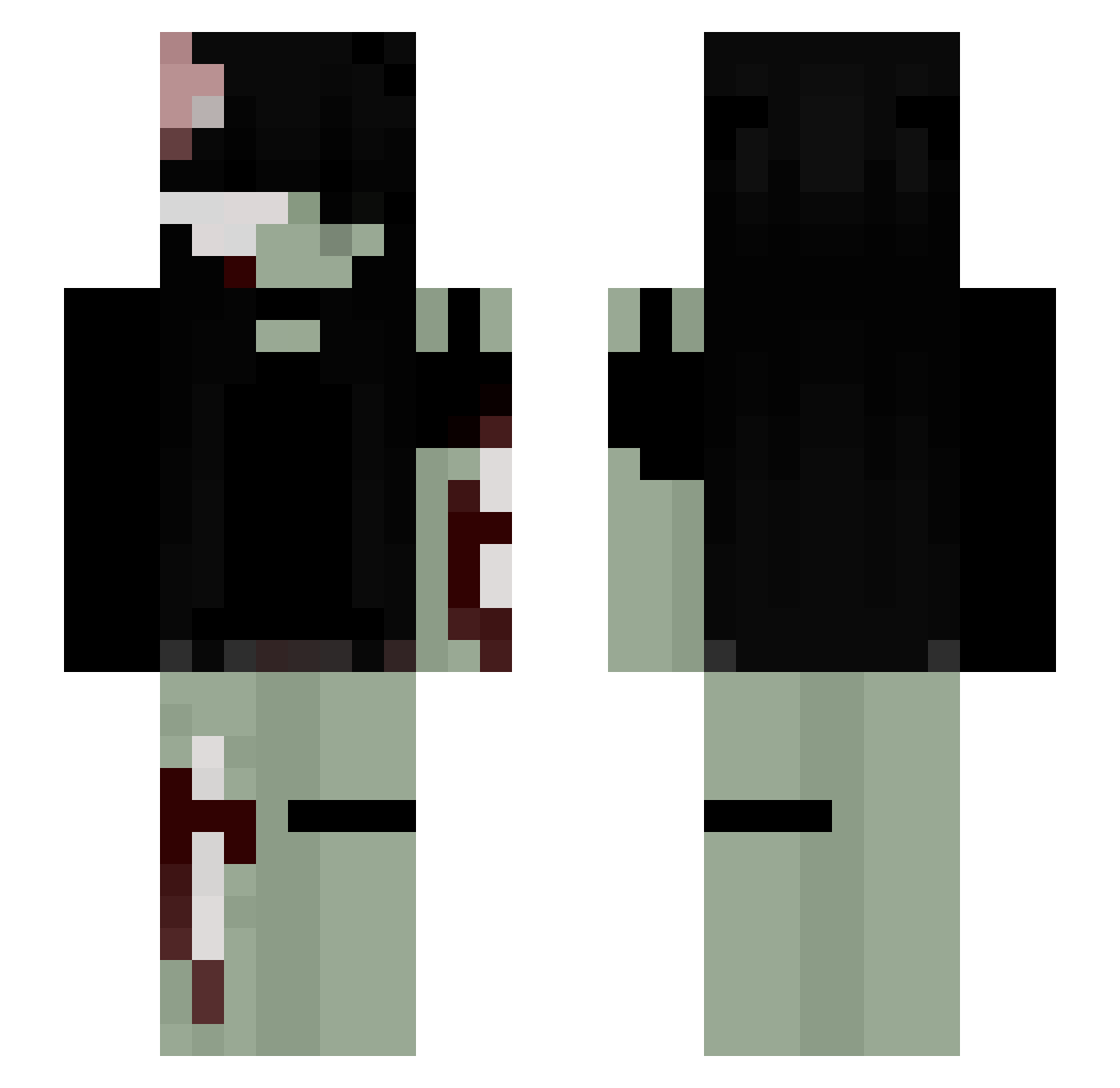
Current Minecraft skin of the player Ninetto5000, loaded from the official Mojang API. Rotate the 3D model with your mouse or finger, then download the skin as a PNG file and use it in Minecraft: Bedrock Edition or Java Edition for free. When Ninetto5000 changes their skin, this page updates automatically and the old skin stays in the history below.
Other players with this skin (271)
Ninetto5000 was the 176th player we have seen with this skin, first spotted on 05.10.2026. The same skin was seen on these players. Open a nickname to see their current skin and skin history.
 MiaTheCreator04 Roksanka_ _mooon__ fawwns Slayerxoxo ophisss vxrla Blackice55 jabvmii iluwx Julia232 mekomeows ZEEEEEEEEEEN iJvsmine SparklingSydney dminorthreat Ania_123 sSesshoma Lemon_345 Himiko_Toga01 Uniiooo chrisfabian slaggs Kyhnta _YumiShay_ vanwssxs raknakadaki fawerie endism z0mbiegir1 Calixteo mem0ria0 SanrioSlot zakochana_ LARYZINHA morgnahh yumgutts DeezPlayas jayspuppy TayesCrush chichi_pypy Sleazsy_ jhurinnee Kirazz2211 Sukisaku879 kenna7419 Hanaako dear3st sillygoofykid Kiwii0 Lokalna_ryba captaincookk Alistar511 teddiiiii _Ravenna__ marlcwe ariaqxcc zofzx xstargirl13 volframio4380
More Gore Minecraft skins
How to install the Ninetto5000 skin
- Press the Download button above to save the skin as a PNG file.
- Minecraft: Bedrock Edition (PE): open the Dressing Room from the main menu (or tap your character → Edit Character), go to Classic Skins → Owned, press the + (new skin) button, choose the downloaded PNG and pick the Slim (Alex) model. Works on PC and mobile; consoles cannot import custom skins.
- Minecraft: Java Edition: open the Minecraft Launcher, go to the Skins tab, click New Skin, load the PNG, pick the Slim (Alex) model and press Save & Use. You can also upload it at minecraft.net → Profile → Change Skin.
The skin does not show up after import - what should I do?
Restart Minecraft and open the Dressing Room again - imported skins sometimes appear only after a restart. Also make sure you selected the imported skin and picked the Slim (Alex) model.
Which model should I choose, Classic or Slim?
This skin is designed for the Slim (Alex) model. If you pick the wrong model, the arms of the skin will look stretched or squeezed.
Is the skin of Ninetto5000 free to download?
Yes. Press Download, save the PNG file and use it in Minecraft: Bedrock Edition or Java Edition - no payment or registration needed. The skin also works on multiplayer servers and Realms.
More skins
Looking for more? Go back to all Minecraft skins and check the top skins of the week, month and all time, or find any player's skin by nickname.