
Nils_hym - Minecraft Skins & Skin History
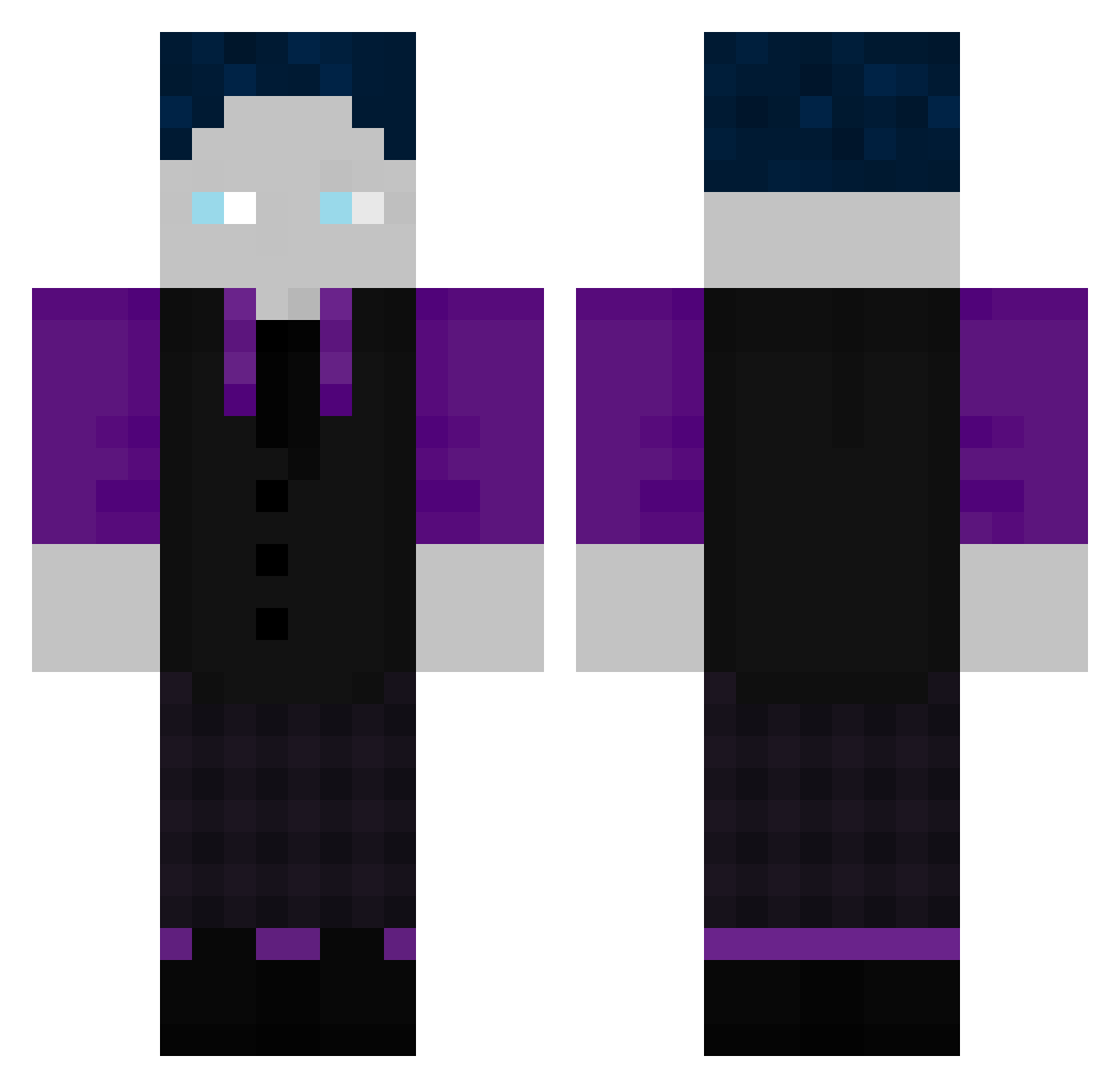
Current Minecraft skin of the player Nils_hym, loaded from the official Mojang API. Rotate the 3D model with your mouse or finger, then download the skin as a PNG file and use it in Minecraft: Bedrock Edition or Java Edition for free. When Nils_hym changes their skin, this page updates automatically and the old skin stays in the history below.
Other players with this skin (507)
Nils_hym was the 337th player we have seen with this skin, first spotted on 02.10.2026. The same skin was seen on these players. Open a nickname to see their current skin and skin history.
 BastiGHGcam flxmez361 LeSommer11 Spacy_Yoyo Philludo einfachflxw shaguarCraft Julien109 The_Yuri000000 SchwitzBeutel DerMishra cLSnoopy Josh4GHG elias12345678900 Gother424 Richard561 juvv11 Vincent362 Balog69Grinder Finn2009 Reihanz Micha_21 lucas220510 Bot2731 Jonaslosst Aprophys HackerE15 Domilue543 Pinguincool RicMus Tino_JX Slazy_GyatMaster AuslaenderGHG getgood1 KennethLUL Gypsys Raphaelo_2023 destroyer61571 Backfisch_10 GalaxyPro3000 flixcast ELiTe_FleX Endgegner123 shawnminecraft Schweinchen2345 JoshiiZ xLIJulian greenregulus vZeusSeinOnkel_ iliancevap2 Keule308 PixelPaul24 Slyro212 The_cool0012 imA4ron ImpaX187 steyrfahrer_sebi mooxxxx Awesome_Ole Etienne4K
How to install the Nils_hym skin
- Press the Download button above to save the skin as a PNG file.
- Minecraft: Bedrock Edition (PE): open the Dressing Room from the main menu (or tap your character → Edit Character), go to Classic Skins → Owned, press the + (new skin) button, choose the downloaded PNG and pick the Classic (Steve) model. Works on PC and mobile; consoles cannot import custom skins.
- Minecraft: Java Edition: open the Minecraft Launcher, go to the Skins tab, click New Skin, load the PNG, pick the Classic (Steve) model and press Save & Use. You can also upload it at minecraft.net → Profile → Change Skin.
The skin does not show up after import - what should I do?
Restart Minecraft and open the Dressing Room again - imported skins sometimes appear only after a restart. Also make sure you selected the imported skin and picked the Classic (Steve) model.
Which model should I choose, Classic or Slim?
This skin is designed for the Classic (Steve) model. If you pick the wrong model, the arms of the skin will look stretched or squeezed.
Is the skin of Nils_hym free to download?
Yes. Press Download, save the PNG file and use it in Minecraft: Bedrock Edition or Java Edition - no payment or registration needed. The skin also works on multiplayer servers and Realms.
More skins
Looking for more? Go back to all Minecraft skins and check the top skins of the week, month and all time, or find any player's skin by nickname.