
NikolaBolass - Minecraft Skins & Skin History
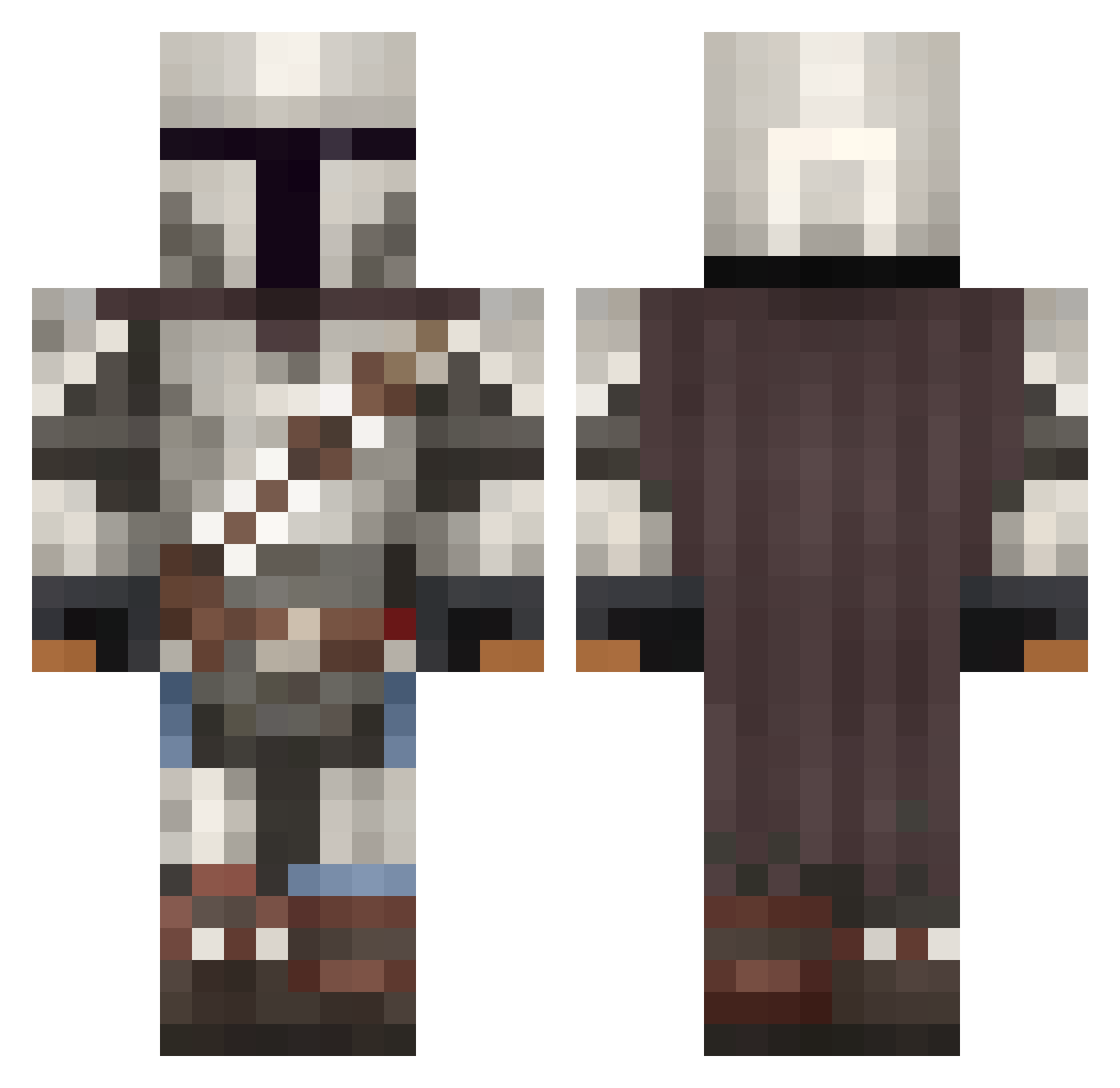
Current Minecraft skin of the player NikolaBolass, loaded from the official Mojang API. Rotate the 3D model with your mouse or finger, then download the skin as a PNG file and use it in Minecraft: Bedrock Edition or Java Edition for free. When NikolaBolass changes their skin, this page updates automatically and the old skin stays in the history below.
Other players with this skin (1092)
NikolaBolass was the 898th player we have seen with this skin, first spotted on 21.10.2026. The same skin was seen on these players. Open a nickname to see their current skin and skin history.
 WildStylez ChaosTitan792 TheEmeraldTaker Kompllex Idca_Craft Alemourade Benny_1066 rgd1 raymo123456 shadow64j JusCallMeMichael PJKorman Greyson_meow Classified4915 CptNoBeard B14z388 Faladoge WARRI236 kooshcookie Hajacu Aurelian_214 ItsGonzo_ _ShmygarN_ CourtlyCactus DreousDrew Ragazzola OdinsEdge9805 Double_shoes OloPL123 FlowRyan_1 AffenBonbon7353 ah_hu_rae DrMaclunkey insamosa crackmuffins88 Grafeld_Lasognog nickalike IsaacOfAtlassia Scholzi_Airline Therealcatman Podosek luisrojas97 LordJoNation MitoDrill AMoonMonkey Glutane R0ss1100 kristandyo2 uoouuouououou AKunlimited467 _styx__ Seth_Fleener MasterChief2208 gargoler Relectrik falcon022 ExileOnMc LucasJC2 DoctorBrave RedRya
More The Mandalorian Minecraft skins
See all 619 The Mandalorian skins
How to install the NikolaBolass skin
- Press the Download button above to save the skin as a PNG file.
- Minecraft: Bedrock Edition (PE): open the Dressing Room from the main menu (or tap your character → Edit Character), go to Classic Skins → Owned, press the + (new skin) button, choose the downloaded PNG and pick the Classic (Steve) model. Works on PC and mobile; consoles cannot import custom skins.
- Minecraft: Java Edition: open the Minecraft Launcher, go to the Skins tab, click New Skin, load the PNG, pick the Classic (Steve) model and press Save & Use. You can also upload it at minecraft.net → Profile → Change Skin.
The skin does not show up after import - what should I do?
Restart Minecraft and open the Dressing Room again - imported skins sometimes appear only after a restart. Also make sure you selected the imported skin and picked the Classic (Steve) model.
Which model should I choose, Classic or Slim?
This skin is designed for the Classic (Steve) model. If you pick the wrong model, the arms of the skin will look stretched or squeezed.
Is the skin of NikolaBolass free to download?
Yes. Press Download, save the PNG file and use it in Minecraft: Bedrock Edition or Java Edition - no payment or registration needed. The skin also works on multiplayer servers and Realms.
More skins
Looking for more? Go back to all Minecraft skins and check the top skins of the week, month and all time, or find any player's skin by nickname.