
Niips - Minecraft Skins & Skin History
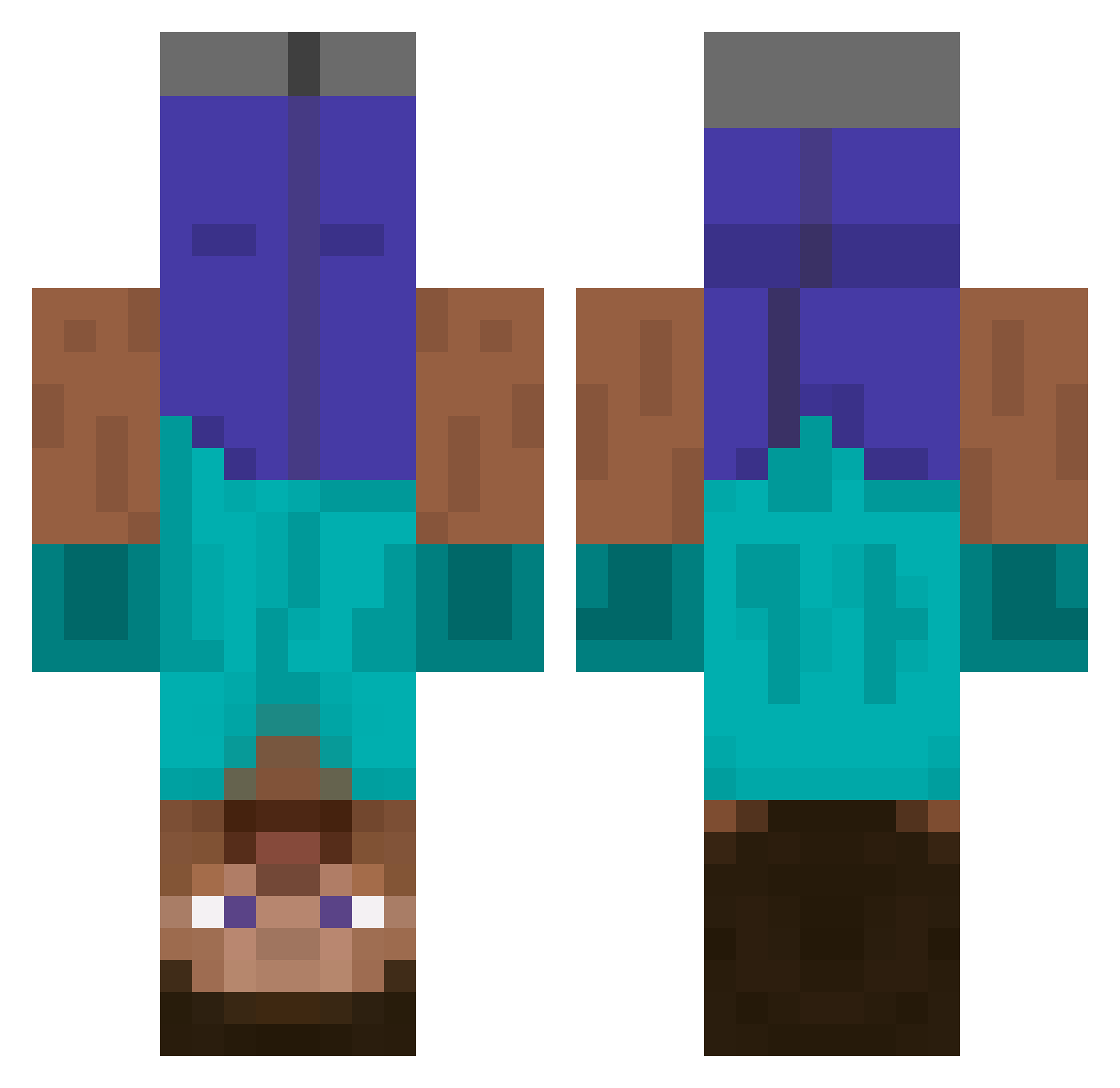
Current Minecraft skin of the player Niips, loaded from the official Mojang API. Rotate the 3D model with your mouse or finger, then download the skin as a PNG file and use it in Minecraft: Bedrock Edition or Java Edition for free. When Niips changes their skin, this page updates automatically and the old skin stays in the history below.
Other players with this skin (438)
Niips was the 112th player we have seen with this skin, first spotted on 18.08.2026. The same skin was seen on these players. Open a nickname to see their current skin and skin history.
 demotracks Alkiiis cfsb1 slightlydiabetic Troy1017 Killer4Hire ToTheMoonAgain connoryounger Wineylaa Chekers Nolofinwe mixeddude xTheFrostBite UKKO8 dashrunner92 minimac103 martinrask1 SgtEggo Erlend_hagen craz8709 nangiorno squarelightyear FactionAstro Blob77723 Trent1012 Croissandwich jd_brody SpeedCrafter23 not_ufo iharmchickens forsc p0wl69 qazas kikster500 FireHammer543 avlbfntiu Knauric technoluty iBecki Tweej JeepWrangler01 Hiyoddo BiccyBoi lexo10 Ogziller PauK_3 SirCampsALot2K Be3eooo xNeoFox Mrwhoblah RDvip Bumting DoctorEvo Commander_kevin lukebartlett1997 mrfrazzyd BananaH514 albach24 jbare3 Steelgrin
More Dinnerbone Minecraft skins
How to install the Niips skin
- Press the Download button above to save the skin as a PNG file.
- Minecraft: Bedrock Edition (PE): open the Dressing Room from the main menu (or tap your character → Edit Character), go to Classic Skins → Owned, press the + (new skin) button, choose the downloaded PNG and pick the Classic (Steve) model. Works on PC and mobile; consoles cannot import custom skins.
- Minecraft: Java Edition: open the Minecraft Launcher, go to the Skins tab, click New Skin, load the PNG, pick the Classic (Steve) model and press Save & Use. You can also upload it at minecraft.net → Profile → Change Skin.
The skin does not show up after import - what should I do?
Restart Minecraft and open the Dressing Room again - imported skins sometimes appear only after a restart. Also make sure you selected the imported skin and picked the Classic (Steve) model.
Which model should I choose, Classic or Slim?
This skin is designed for the Classic (Steve) model. If you pick the wrong model, the arms of the skin will look stretched or squeezed.
Is the skin of Niips free to download?
Yes. Press Download, save the PNG file and use it in Minecraft: Bedrock Edition or Java Edition - no payment or registration needed. The skin also works on multiplayer servers and Realms.
More skins
Looking for more? Go back to all Minecraft skins and check the top skins of the week, month and all time, or find any player's skin by nickname.