
Nihyst - Minecraft Skins & Skin History
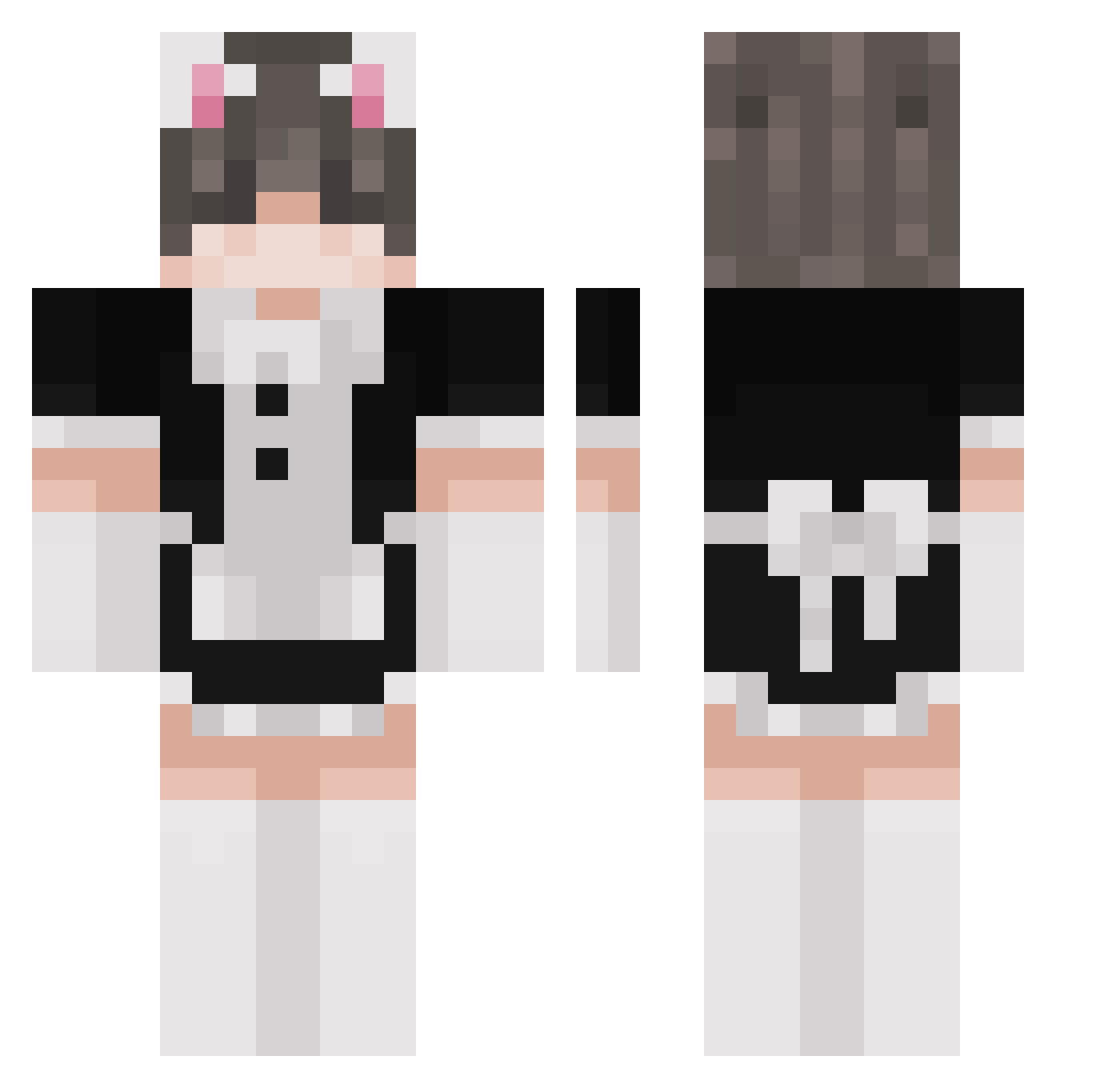
Current Minecraft skin of the player Nihyst, loaded from the official Mojang API. Rotate the 3D model with your mouse or finger, then download the skin as a PNG file and use it in Minecraft: Bedrock Edition or Java Edition for free. When Nihyst changes their skin, this page updates automatically and the old skin stays in the history below.
Other players with this skin (261)
Nihyst was the 71st player we have seen with this skin, first spotted on 25.08.2026. The same skin was seen on these players. Open a nickname to see their current skin and skin history.
 miru021 thyicc HeiduTheEmu Marce_x Ruri1 MINDEF Dodke thsgy Ploac BaconPancake62 KaleLibertas ShyGuy0202 oSlinky ching0504 sccry4n_ DiddyCraft02 eboyification NFTAlpenletsplay Liu_Wicky_Woods fufu_sama n5ya gaydenlikesboys ThunderJew senii_ meow_yonos Zeprax Lumpier HarvestMan_ L9c25 ZeroOnToaster ZigEEEEE Phoenixfire0424
 speed_fishy Kuuwuu ProBambus AFFECTIVEGIRL M0LT3D IiiIIilIiiIlIllI Kuan96 NotJhus Aaraki Defterkia fortnite_prox bushika Joselop007 danzabello HotDogDaddy TeaPotOrTony BenTheBlaster11 Abenteurer_Otte samioyy Prajsikk Sir_Argante koldiss JoshuaKerrFox MrBroke juliav25 iTheMuppets T0ASTY11 h6neyy
More Maid Minecraft skins
How to install the Nihyst skin
- Press the Download button above to save the skin as a PNG file.
- Minecraft: Bedrock Edition (PE): open the Dressing Room from the main menu (or tap your character → Edit Character), go to Classic Skins → Owned, press the + (new skin) button, choose the downloaded PNG and pick the Classic (Steve) model. Works on PC and mobile; consoles cannot import custom skins.
- Minecraft: Java Edition: open the Minecraft Launcher, go to the Skins tab, click New Skin, load the PNG, pick the Classic (Steve) model and press Save & Use. You can also upload it at minecraft.net → Profile → Change Skin.
The skin does not show up after import - what should I do?
Restart Minecraft and open the Dressing Room again - imported skins sometimes appear only after a restart. Also make sure you selected the imported skin and picked the Classic (Steve) model.
Which model should I choose, Classic or Slim?
This skin is designed for the Classic (Steve) model. If you pick the wrong model, the arms of the skin will look stretched or squeezed.
Is the skin of Nihyst free to download?
Yes. Press Download, save the PNG file and use it in Minecraft: Bedrock Edition or Java Edition - no payment or registration needed. The skin also works on multiplayer servers and Realms.
More skins
Looking for more? Go back to all Minecraft skins and check the top skins of the week, month and all time, or find any player's skin by nickname.