
NiffoBalYeet - Minecraft Skins & Skin History
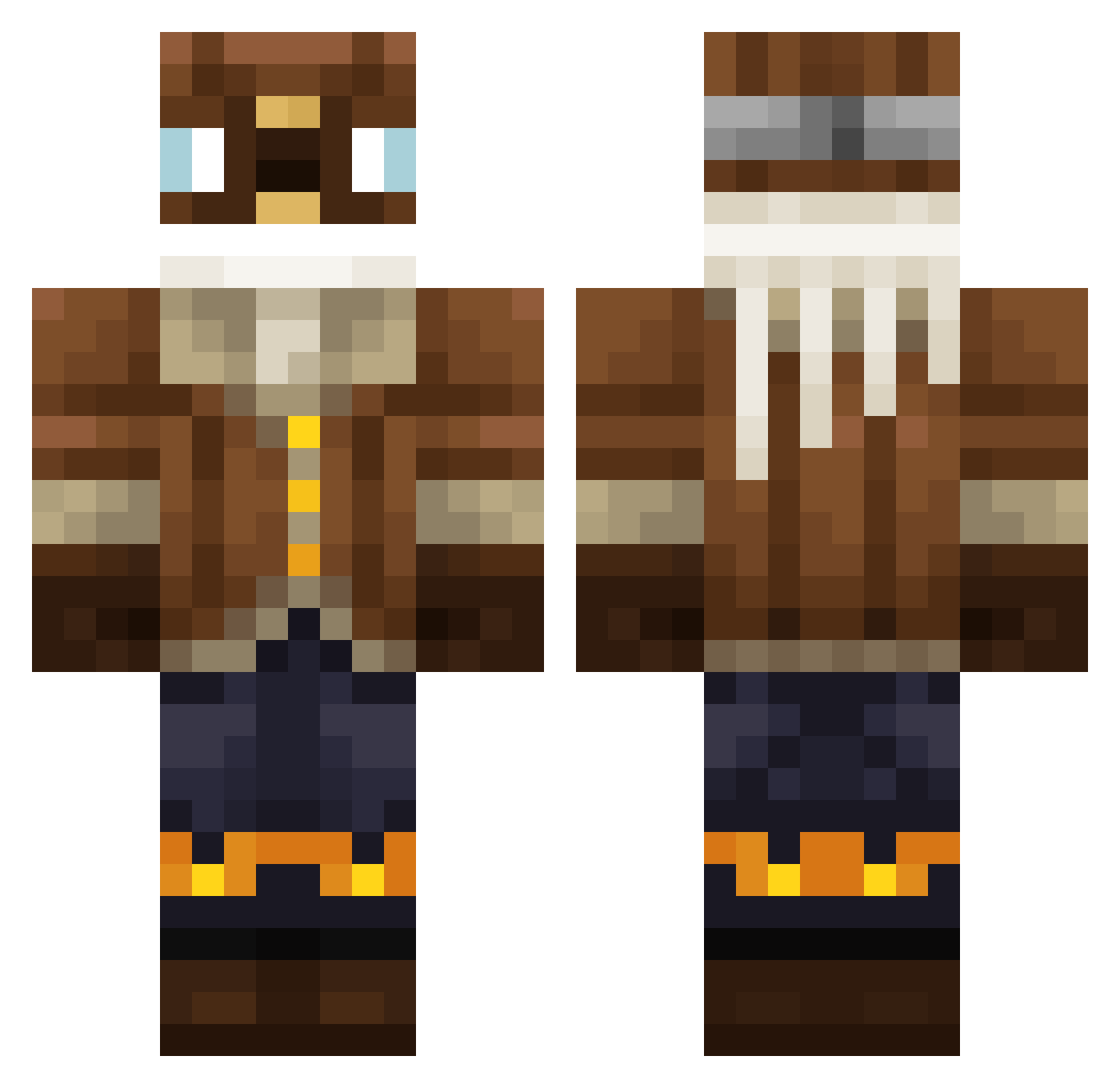
Current Minecraft skin of the player NiffoBalYeet, loaded from the official Mojang API. Rotate the 3D model with your mouse or finger, then download the skin as a PNG file and use it in Minecraft: Bedrock Edition or Java Edition for free. When NiffoBalYeet changes their skin, this page updates automatically and the old skin stays in the history below.
Other players with this skin (301)
NiffoBalYeet was the 39th player we have seen with this skin, first spotted on 06.08.2026. The same skin was seen on these players. Open a nickname to see their current skin and skin history.
 Rioqu vbmh Juanseto_cleto gpaes7 crazyfou EnMaBold Razas_ Homiecid3 Kurinto13 horizon123456 Wasdx77
 ISkySenpai
 ArtyMangO TheyLuVSWIFT toothbrushingfan odeyaio Helixiel Kaminarlzav alfred_nygaard _Luc1fer_ General_Bebra djokeleks Sveap123 Zaki_TV Dualip laufantn Podrick86 Ilia26047 tikHarth pixelh2 _TheDonk_ Rikiz_m Harmyooo BoredJunkie iamyoutuber12956 Zenghost111 ITZZKI Cast_lawyer _MattTM_ __Good__Boy ZhyrrMC Ruslanbek Syegor Viktor88888888 halayluya Pykalson Goorym PotatoBenda Bande8519
 ohisamamataruim Thexzo p1nkp0nyc1ub LittleJao13 Florcy Glycernin diphenhydram1ne masterofswag4 1337Beluga Apple_TV MasterRoket
More Aviator Minecraft skins
How to install the NiffoBalYeet skin
- Press the Download button above to save the skin as a PNG file.
- Minecraft: Bedrock Edition (PE): open the Dressing Room from the main menu (or tap your character → Edit Character), go to Classic Skins → Owned, press the + (new skin) button, choose the downloaded PNG and pick the Classic (Steve) model. Works on PC and mobile; consoles cannot import custom skins.
- Minecraft: Java Edition: open the Minecraft Launcher, go to the Skins tab, click New Skin, load the PNG, pick the Classic (Steve) model and press Save & Use. You can also upload it at minecraft.net → Profile → Change Skin.
The skin does not show up after import - what should I do?
Restart Minecraft and open the Dressing Room again - imported skins sometimes appear only after a restart. Also make sure you selected the imported skin and picked the Classic (Steve) model.
Which model should I choose, Classic or Slim?
This skin is designed for the Classic (Steve) model. If you pick the wrong model, the arms of the skin will look stretched or squeezed.
Is the skin of NiffoBalYeet free to download?
Yes. Press Download, save the PNG file and use it in Minecraft: Bedrock Edition or Java Edition - no payment or registration needed. The skin also works on multiplayer servers and Realms.
More skins
Looking for more? Go back to all Minecraft skins and check the top skins of the week, month and all time, or find any player's skin by nickname.