
Nicoolinhas - Minecraft Skins & Skin History
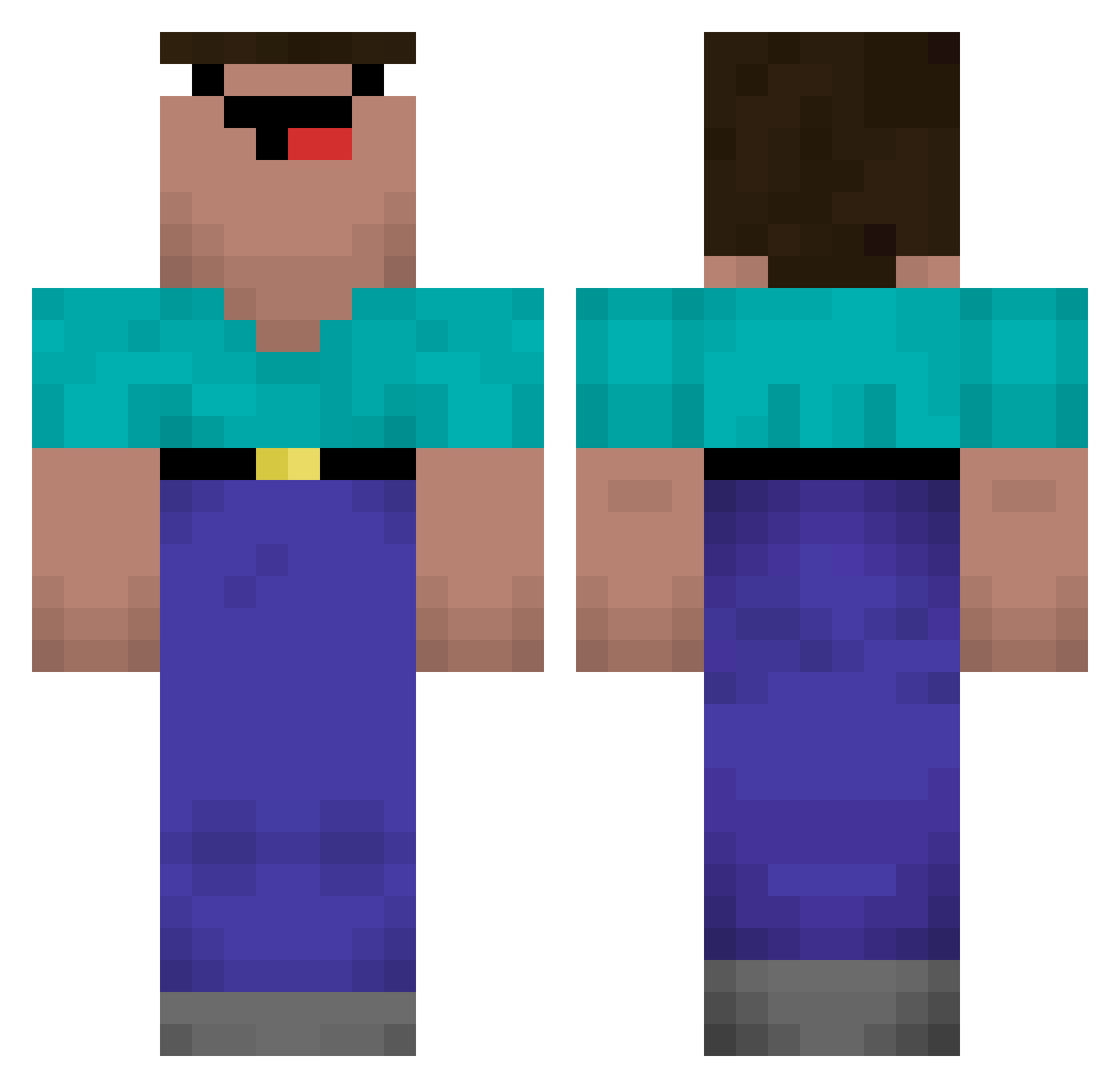
Current Minecraft skin of the player Nicoolinhas, loaded from the official Mojang API. Rotate the 3D model with your mouse or finger, then download the skin as a PNG file and use it in Minecraft: Bedrock Edition or Java Edition for free. When Nicoolinhas changes their skin, this page updates automatically and the old skin stays in the history below.
Other players with this skin (695)
Nicoolinhas was the 635th player we have seen with this skin, first spotted on 10.11.2026. The same skin was seen on these players. Open a nickname to see their current skin and skin history.
 DrippiIsGood FranciskaWaifu EgoGoblin CobbleMaksim kaadoline 0223kms jajosyk jiliangboki Noxingo Platinumfish Puntto _240hz_ SupporterMark Kodazin lohan11 CreedFPS DaDyAbdullah Byywzj Dertobsii qualquermerda noobvampix12 X3mayhem chengshuo1 AzarothOTP Usagi_br FelipeSoldaAlves Tigas202 lil_reyna TheRealJacobMC minhee0619 MARA2003 PahitPlayz michakoff Tostapane89 blacemg kei5566 ohjisungbabo M4RKxsZ toxic_player_101 PatataMadura Kiyokos Maru0305 dormavoute LIAMFLUDE dustking690 MocaOwner jamiebradbury odosrik2006 bLuH420_ _lol_00 Webbas dvllp VikingCZE SlashEx_ MONGONGO robinho408 Bentheking Prasaliny populis Cesar_delas
More Classic Minecraft skins
How to install the Nicoolinhas skin
- Press the Download button above to save the skin as a PNG file.
- Minecraft: Bedrock Edition (PE): open the Dressing Room from the main menu (or tap your character → Edit Character), go to Classic Skins → Owned, press the + (new skin) button, choose the downloaded PNG and pick the Classic (Steve) model. Works on PC and mobile; consoles cannot import custom skins.
- Minecraft: Java Edition: open the Minecraft Launcher, go to the Skins tab, click New Skin, load the PNG, pick the Classic (Steve) model and press Save & Use. You can also upload it at minecraft.net → Profile → Change Skin.
The skin does not show up after import - what should I do?
Restart Minecraft and open the Dressing Room again - imported skins sometimes appear only after a restart. Also make sure you selected the imported skin and picked the Classic (Steve) model.
Which model should I choose, Classic or Slim?
This skin is designed for the Classic (Steve) model. If you pick the wrong model, the arms of the skin will look stretched or squeezed.
Is the skin of Nicoolinhas free to download?
Yes. Press Download, save the PNG file and use it in Minecraft: Bedrock Edition or Java Edition - no payment or registration needed. The skin also works on multiplayer servers and Realms.
More skins
Looking for more? Go back to all Minecraft skins and check the top skins of the week, month and all time, or find any player's skin by nickname.