
Nicolas0002 - Minecraft Skins & Skin History
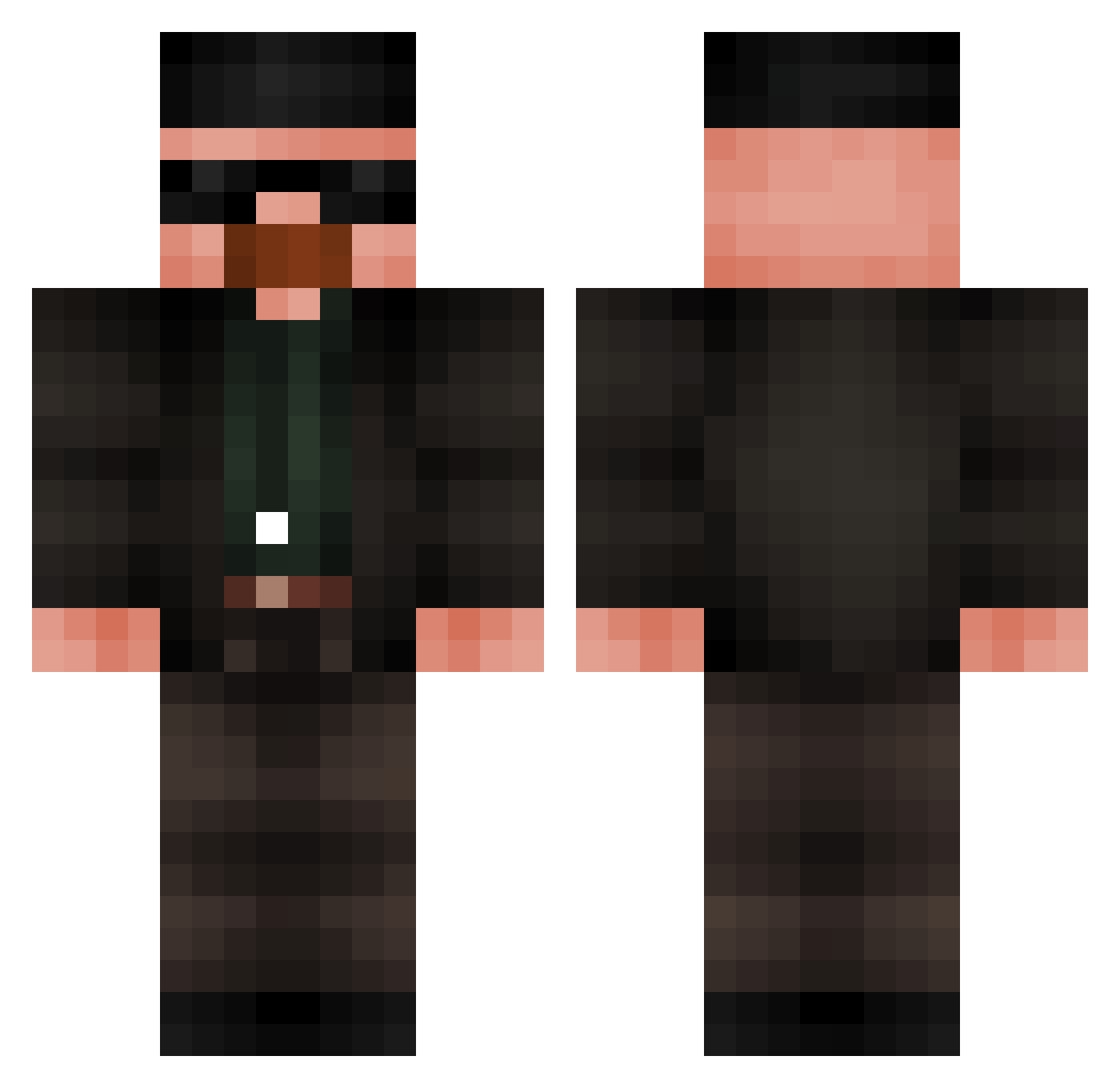
Current Minecraft skin of the player Nicolas0002, loaded from the official Mojang API. Rotate the 3D model with your mouse or finger, then download the skin as a PNG file and use it in Minecraft: Bedrock Edition or Java Edition for free. When Nicolas0002 changes their skin, this page updates automatically and the old skin stays in the history below.
Other players with this skin (683)
Nicolas0002 was the 630th player we have seen with this skin, first spotted on 25.10.2026. The same skin was seen on these players. Open a nickname to see their current skin and skin history.
 K1qu3Br Pipistorm Evals empanadecaca777 Wulfzada VDO12 Soar098 Julian38836 freakyLifesteal2 TetrixXSensei Tresnjica xqnity_ VALTR3 UltraC666 indy125 SxBP MF_GuGu exancept MunchyMilk JustWoah Anemonewanga lokuras007 EdwardFPS Reimon_23 supercolester13 TeGanoUnOtaku Alpha_Affe_Tate Valsito Skibidisigma_29 TEENLEPEL Alexouil BraveKing367 SlushyWasHere Se77ings Wuerzig zKameKyu Firetower03 Exercising_ apedepe Rallsson WeirdInternet_ Reisek_ ALEXDOTME belaamy Hamza1243 ahmedthejoker MagmaWisp dubdub32 Danihgra silveira1 nutria92 UnaDCroquetitas Mrnugget781 riki797 Amph42 LordMoose72 lightxero12 Elemhyr Walter_White190 Hub3ert6
More Heisenberg Minecraft skins
How to install the Nicolas0002 skin
- Press the Download button above to save the skin as a PNG file.
- Minecraft: Bedrock Edition (PE): open the Dressing Room from the main menu (or tap your character → Edit Character), go to Classic Skins → Owned, press the + (new skin) button, choose the downloaded PNG and pick the Classic (Steve) model. Works on PC and mobile; consoles cannot import custom skins.
- Minecraft: Java Edition: open the Minecraft Launcher, go to the Skins tab, click New Skin, load the PNG, pick the Classic (Steve) model and press Save & Use. You can also upload it at minecraft.net → Profile → Change Skin.
The skin does not show up after import - what should I do?
Restart Minecraft and open the Dressing Room again - imported skins sometimes appear only after a restart. Also make sure you selected the imported skin and picked the Classic (Steve) model.
Which model should I choose, Classic or Slim?
This skin is designed for the Classic (Steve) model. If you pick the wrong model, the arms of the skin will look stretched or squeezed.
Is the skin of Nicolas0002 free to download?
Yes. Press Download, save the PNG file and use it in Minecraft: Bedrock Edition or Java Edition - no payment or registration needed. The skin also works on multiplayer servers and Realms.
More skins
Looking for more? Go back to all Minecraft skins and check the top skins of the week, month and all time, or find any player's skin by nickname.