
NicoTheBot - Minecraft Skins & Skin History
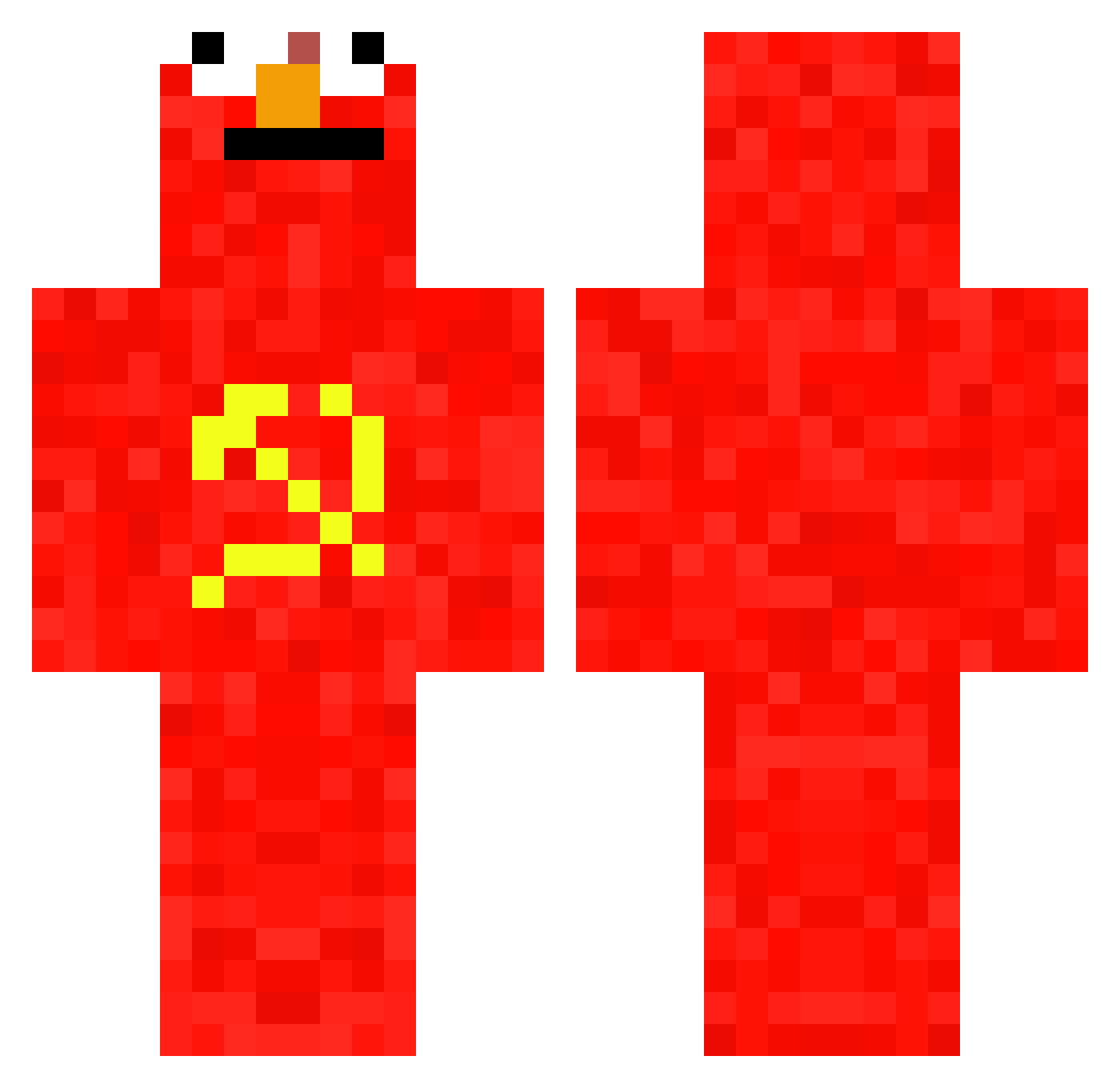
Current Minecraft skin of the player NicoTheBot, loaded from the official Mojang API. Rotate the 3D model with your mouse or finger, then download the skin as a PNG file and use it in Minecraft: Bedrock Edition or Java Edition for free. When NicoTheBot changes their skin, this page updates automatically and the old skin stays in the history below.
Other players with this skin (697)
NicoTheBot was the 456th player we have seen with this skin, first spotted on 02.10.2026. The same skin was seen on these players. Open a nickname to see their current skin and skin history.
 OchkoChingishana saviomodz Daddy_Inka Maxou3623 ElPanaTuri Yvannael12 FiscoInglese NaniNowDaeWay nopjeark ThibThib Stenlie_ BluzzSciama ksh0410sunny StopRunningNN jonte08btw Cardinal_Crimson NutellasPisellas Hirokine AleexPlay2 Srew Arkanhyx_off alyssaeerden daddydshim kuaile666 XXXVrWolf aura6704 Lucsws Adam_007 gesw SirHushh Vzrod DatElmo Elmokas2 flusiq Mars_CHF Trisha69 juny08 Zumokuu_ Brillieboy69 RockLeesLeftBall zaq18 Agent_Banana_006 i_dont_like_soup DjRidooo MiloszStaroCukra icangraduate BullesDeRequin ESTEBANDIDO99 Mr1Bird Flodroschka sa2ker Spitzk0pf_Larryy Maxiside111 Przemo_091 QuakerQ _Sash__ Tarular CHATARRERO_23 RoterEgon MaxItalianBlood
More Communist Minecraft skins
How to install the NicoTheBot skin
- Press the Download button above to save the skin as a PNG file.
- Minecraft: Bedrock Edition (PE): open the Dressing Room from the main menu (or tap your character → Edit Character), go to Classic Skins → Owned, press the + (new skin) button, choose the downloaded PNG and pick the Classic (Steve) model. Works on PC and mobile; consoles cannot import custom skins.
- Minecraft: Java Edition: open the Minecraft Launcher, go to the Skins tab, click New Skin, load the PNG, pick the Classic (Steve) model and press Save & Use. You can also upload it at minecraft.net → Profile → Change Skin.
The skin does not show up after import - what should I do?
Restart Minecraft and open the Dressing Room again - imported skins sometimes appear only after a restart. Also make sure you selected the imported skin and picked the Classic (Steve) model.
Which model should I choose, Classic or Slim?
This skin is designed for the Classic (Steve) model. If you pick the wrong model, the arms of the skin will look stretched or squeezed.
Is the skin of NicoTheBot free to download?
Yes. Press Download, save the PNG file and use it in Minecraft: Bedrock Edition or Java Edition - no payment or registration needed. The skin also works on multiplayer servers and Realms.
More skins
Looking for more? Go back to all Minecraft skins and check the top skins of the week, month and all time, or find any player's skin by nickname.