
Nickgg7441 - Minecraft Skins & Skin History
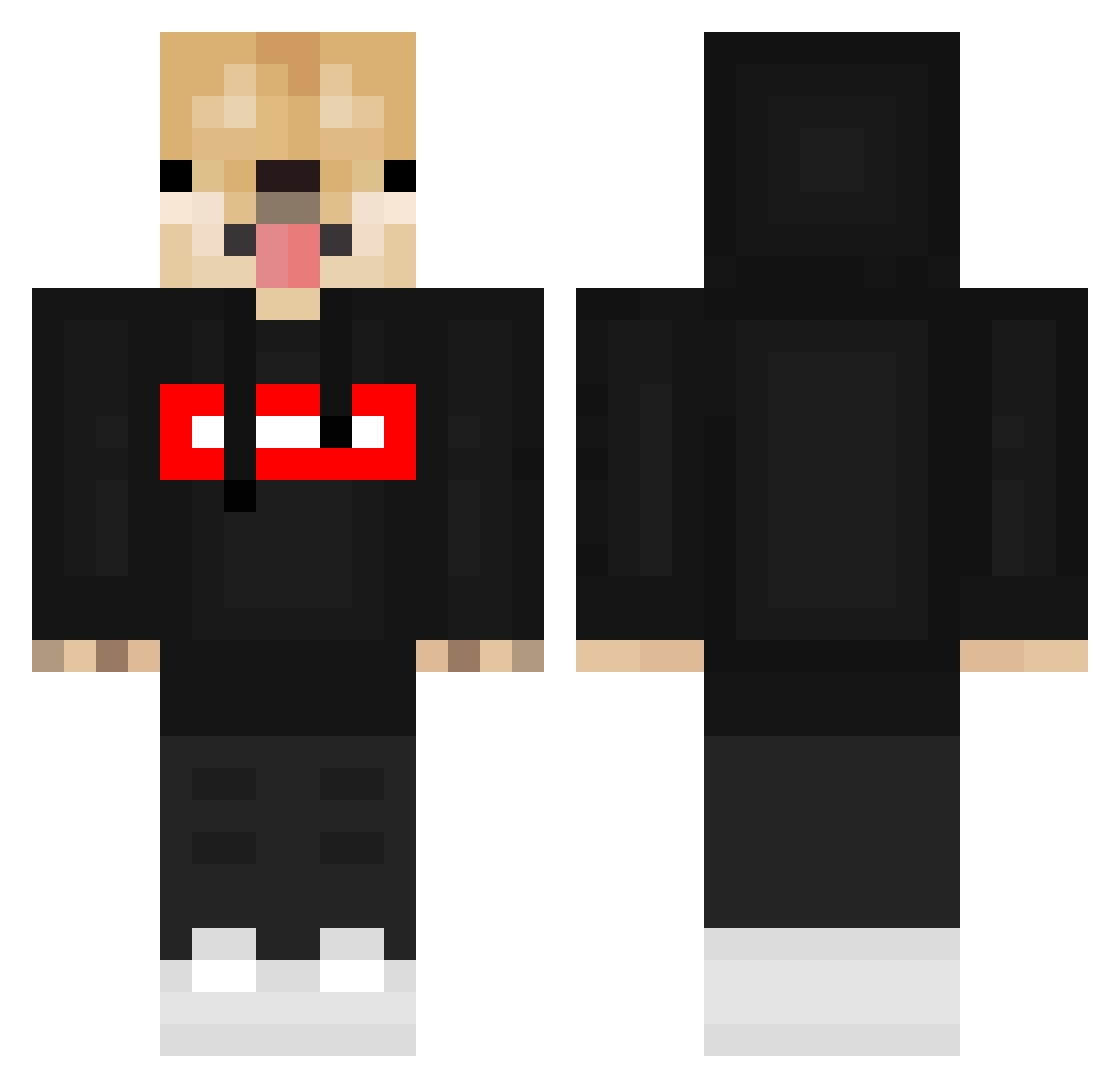
Current Minecraft skin of the player Nickgg7441, loaded from the official Mojang API. Rotate the 3D model with your mouse or finger, then download the skin as a PNG file and use it in Minecraft: Bedrock Edition or Java Edition for free. When Nickgg7441 changes their skin, this page updates automatically and the old skin stays in the history below.
Other players with this skin (549)
Nickgg7441 was the 263rd player we have seen with this skin, first spotted on 14.09.2026. The same skin was seen on these players. Open a nickname to see their current skin and skin history.
 Odynek_PL Diadieb amitantan Twisttyy PinkPanther_09 TSEdarren Gunhyung060324 Jahred art_ops ben1122333 JuzzMann SupremeClubMC FlowerCapital25 Heavenfire01 Dogesarecooler Minekrabbler Le_Epic_Waifu Luck3G Szym0n_ aaron1490 KILLGORE911 chocolatequokka ShiltecK09 NeQu511 Blyke_23 kwadratowykisie uboy5005 augsomeman15p TheUnderDogs115 CommunistDoggo7 Zennyboiii CircuitDeMonaco GamingPonk Lufthak boughthorizon_64 Michasiewicz Lerken07 flopidop defo0 jimmy2cans Moonchoco Ole_TV Taixxv Noble1Kenobi monkeysilly1234 brendenlmao Metixak RarestMrDoggo samecek00 SantaPixyStick Axeltot Wolfssx Meme_Boi2302 JBWestside AlexLass KillJoy357 222notforyou CrackedCraft25 TunEKUB K_r_o_ttt
More Doge Minecraft skins
How to install the Nickgg7441 skin
- Press the Download button above to save the skin as a PNG file.
- Minecraft: Bedrock Edition (PE): open the Dressing Room from the main menu (or tap your character → Edit Character), go to Classic Skins → Owned, press the + (new skin) button, choose the downloaded PNG and pick the Classic (Steve) model. Works on PC and mobile; consoles cannot import custom skins.
- Minecraft: Java Edition: open the Minecraft Launcher, go to the Skins tab, click New Skin, load the PNG, pick the Classic (Steve) model and press Save & Use. You can also upload it at minecraft.net → Profile → Change Skin.
The skin does not show up after import - what should I do?
Restart Minecraft and open the Dressing Room again - imported skins sometimes appear only after a restart. Also make sure you selected the imported skin and picked the Classic (Steve) model.
Which model should I choose, Classic or Slim?
This skin is designed for the Classic (Steve) model. If you pick the wrong model, the arms of the skin will look stretched or squeezed.
Is the skin of Nickgg7441 free to download?
Yes. Press Download, save the PNG file and use it in Minecraft: Bedrock Edition or Java Edition - no payment or registration needed. The skin also works on multiplayer servers and Realms.
More skins
Looking for more? Go back to all Minecraft skins and check the top skins of the week, month and all time, or find any player's skin by nickname.