
NickElHax - Minecraft Skins & Skin History
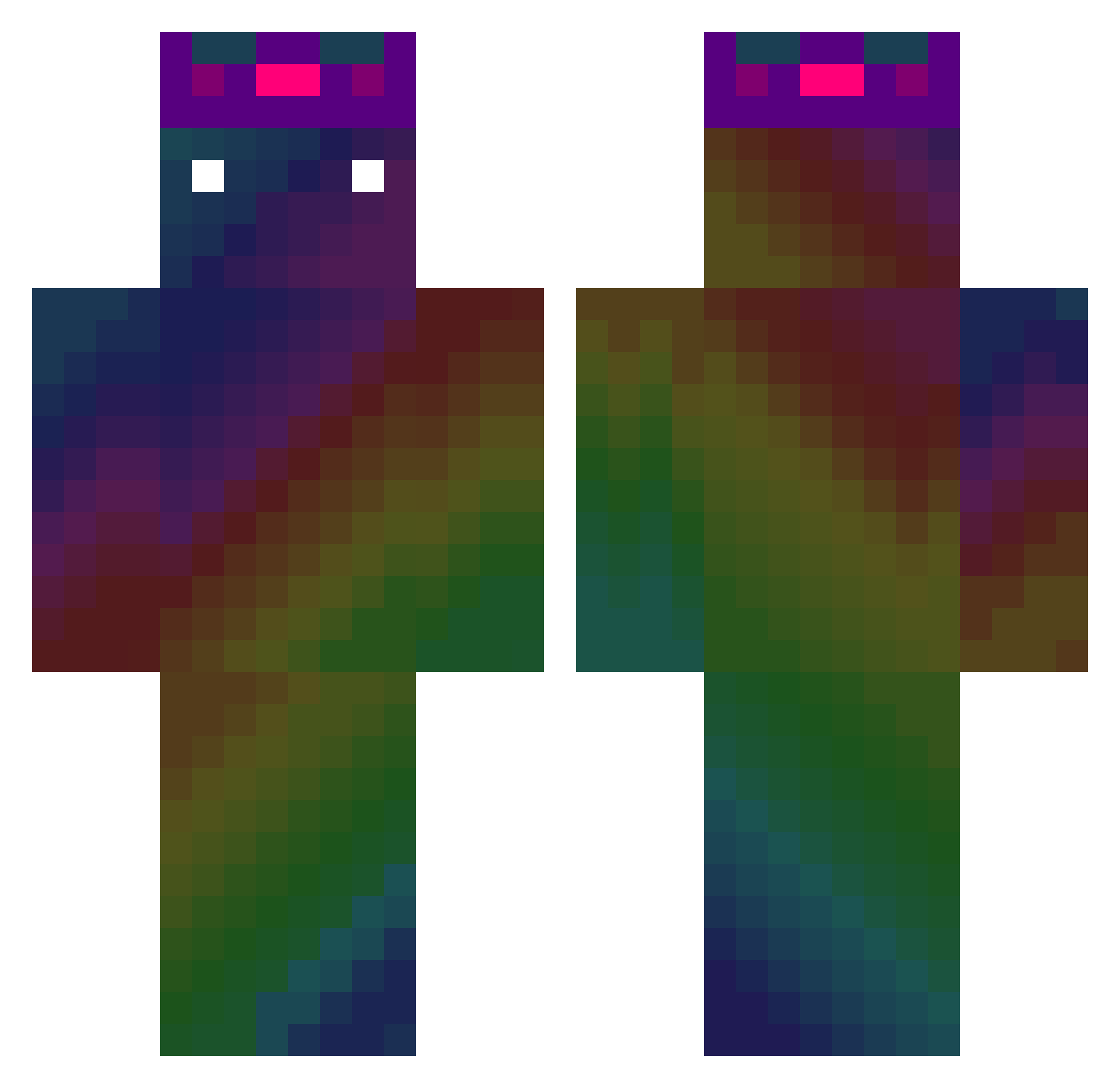
Current Minecraft skin of the player NickElHax, loaded from the official Mojang API. Rotate the 3D model with your mouse or finger, then download the skin as a PNG file and use it in Minecraft: Bedrock Edition or Java Edition for free. When NickElHax changes their skin, this page updates automatically and the old skin stays in the history below.
Other players with this skin (586)
NickElHax was the 471st player we have seen with this skin, first spotted on 31.10.2026. The same skin was seen on these players. Open a nickname to see their current skin and skin history.
 Nylhin Roby00 DrScaryPizza Dawnless46 lfunlu xiaoyangxiaoen2 Kenchims MgrPepito YoungTTo Rain0314 KazumaChoki Silver0Soup Holoper ClassicLag117 CookingMa thtoaor_16 Gegedudu limeabean79 CurledRecord47 Woo_Huh Theo144hz aamnmakv melon_0803 AbdouRUssi KornIsBetter Goro1018 CAPVALA draken115 VORCE5 Rocket090903 SKELETOR666 Dunnty swag_boy420 oyunonicomi Zaebysh Merciless_0 Adatron34 geriP NerVes_ ____Smurf____ SN_Costerica423 Jazzy_Jae Daebak1789 5chatons TOUYA0323 anson1134 SKICHBOOK FakeCape KushLovers sneaky12 TheElvenDruid alvaromanya1997 Ash_Vertex Kaikai805 KirilLox1 Bergamote86 EagerestSix441 W4tt3X 3D__ kristallzucker
How to install the NickElHax skin
- Press the Download button above to save the skin as a PNG file.
- Minecraft: Bedrock Edition (PE): open the Dressing Room from the main menu (or tap your character → Edit Character), go to Classic Skins → Owned, press the + (new skin) button, choose the downloaded PNG and pick the Classic (Steve) model. Works on PC and mobile; consoles cannot import custom skins.
- Minecraft: Java Edition: open the Minecraft Launcher, go to the Skins tab, click New Skin, load the PNG, pick the Classic (Steve) model and press Save & Use. You can also upload it at minecraft.net → Profile → Change Skin.
The skin does not show up after import - what should I do?
Restart Minecraft and open the Dressing Room again - imported skins sometimes appear only after a restart. Also make sure you selected the imported skin and picked the Classic (Steve) model.
Which model should I choose, Classic or Slim?
This skin is designed for the Classic (Steve) model. If you pick the wrong model, the arms of the skin will look stretched or squeezed.
Is the skin of NickElHax free to download?
Yes. Press Download, save the PNG file and use it in Minecraft: Bedrock Edition or Java Edition - no payment or registration needed. The skin also works on multiplayer servers and Realms.
More skins
Looking for more? Go back to all Minecraft skins and check the top skins of the week, month and all time, or find any player's skin by nickname.