
NicholasPerCee - Minecraft Skins & Skin History
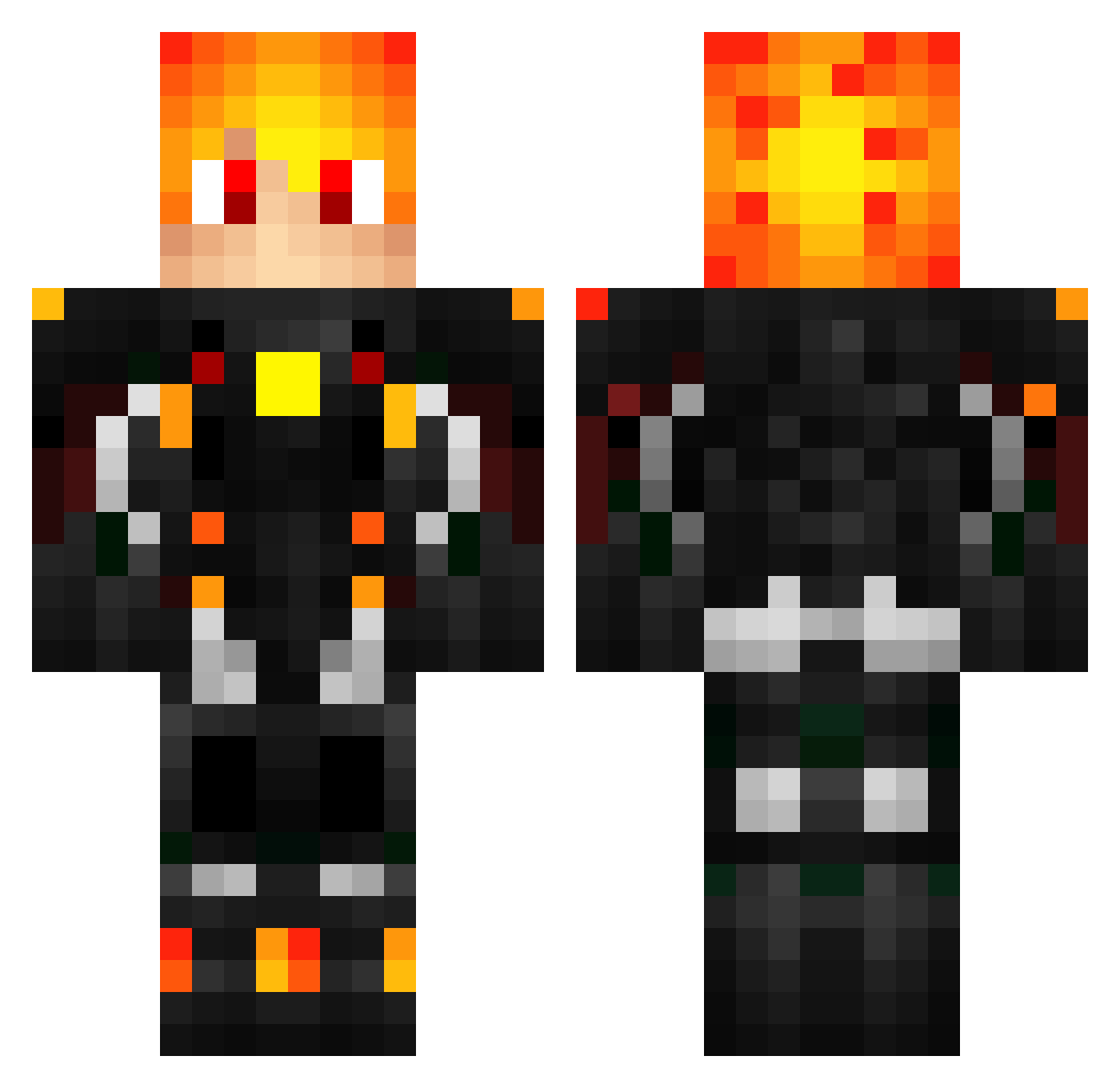
Current Minecraft skin of the player NicholasPerCee, loaded from the official Mojang API. Rotate the 3D model with your mouse or finger, then download the skin as a PNG file and use it in Minecraft: Bedrock Edition or Java Edition for free. When NicholasPerCee changes their skin, this page updates automatically and the old skin stays in the history below.
Other players with this skin (557)
NicholasPerCee was the 507th player we have seen with this skin, first spotted on 02.11.2026. The same skin was seen on these players. Open a nickname to see their current skin and skin history.
 LordXKaizer CrimesonGhost beblob NotReprocoolluck Luis030805 GeoPlay988 TheFearVI GodTalon Himekawo _Mr_M_ MegaDog87 supralight mboffx Jordan91g woxam Arthtat Shenz Junglizzzt robertosdl qwee3739 AnzXdeath BingoAlex Davizenhoo Bassoi_kk Jordan_S DzejmsDzejms Sunshin33 _Ignis__ 7_Alexander_7 star5568 MrChen623 Bepperiello Liberte1825 isaiahprogamer45 Mertons FionaTsai Nikitok007 Travis250 ZAZEUR Eurokung OneNOnlyCruz rockjunkie83200 rav4ik_RAVA _Muellten_ Parkjiyul carroh_ xYuvX osivi08 Star_Miz KingSuperguy Aikp sakire112 Zenq777 FeniceOscura Siggrunee NollanHD XRedSoulX9999 Sapal Vadim133456 xXWarmachinePTXx
More Futuristic Armor Minecraft skins
See all 598 Futuristic Armor skins
How to install the NicholasPerCee skin
- Press the Download button above to save the skin as a PNG file.
- Minecraft: Bedrock Edition (PE): open the Dressing Room from the main menu (or tap your character → Edit Character), go to Classic Skins → Owned, press the + (new skin) button, choose the downloaded PNG and pick the Classic (Steve) model. Works on PC and mobile; consoles cannot import custom skins.
- Minecraft: Java Edition: open the Minecraft Launcher, go to the Skins tab, click New Skin, load the PNG, pick the Classic (Steve) model and press Save & Use. You can also upload it at minecraft.net → Profile → Change Skin.
The skin does not show up after import - what should I do?
Restart Minecraft and open the Dressing Room again - imported skins sometimes appear only after a restart. Also make sure you selected the imported skin and picked the Classic (Steve) model.
Which model should I choose, Classic or Slim?
This skin is designed for the Classic (Steve) model. If you pick the wrong model, the arms of the skin will look stretched or squeezed.
Is the skin of NicholasPerCee free to download?
Yes. Press Download, save the PNG file and use it in Minecraft: Bedrock Edition or Java Edition - no payment or registration needed. The skin also works on multiplayer servers and Realms.
More skins
Looking for more? Go back to all Minecraft skins and check the top skins of the week, month and all time, or find any player's skin by nickname.