
Nic_Fus - Minecraft Skins & Skin History
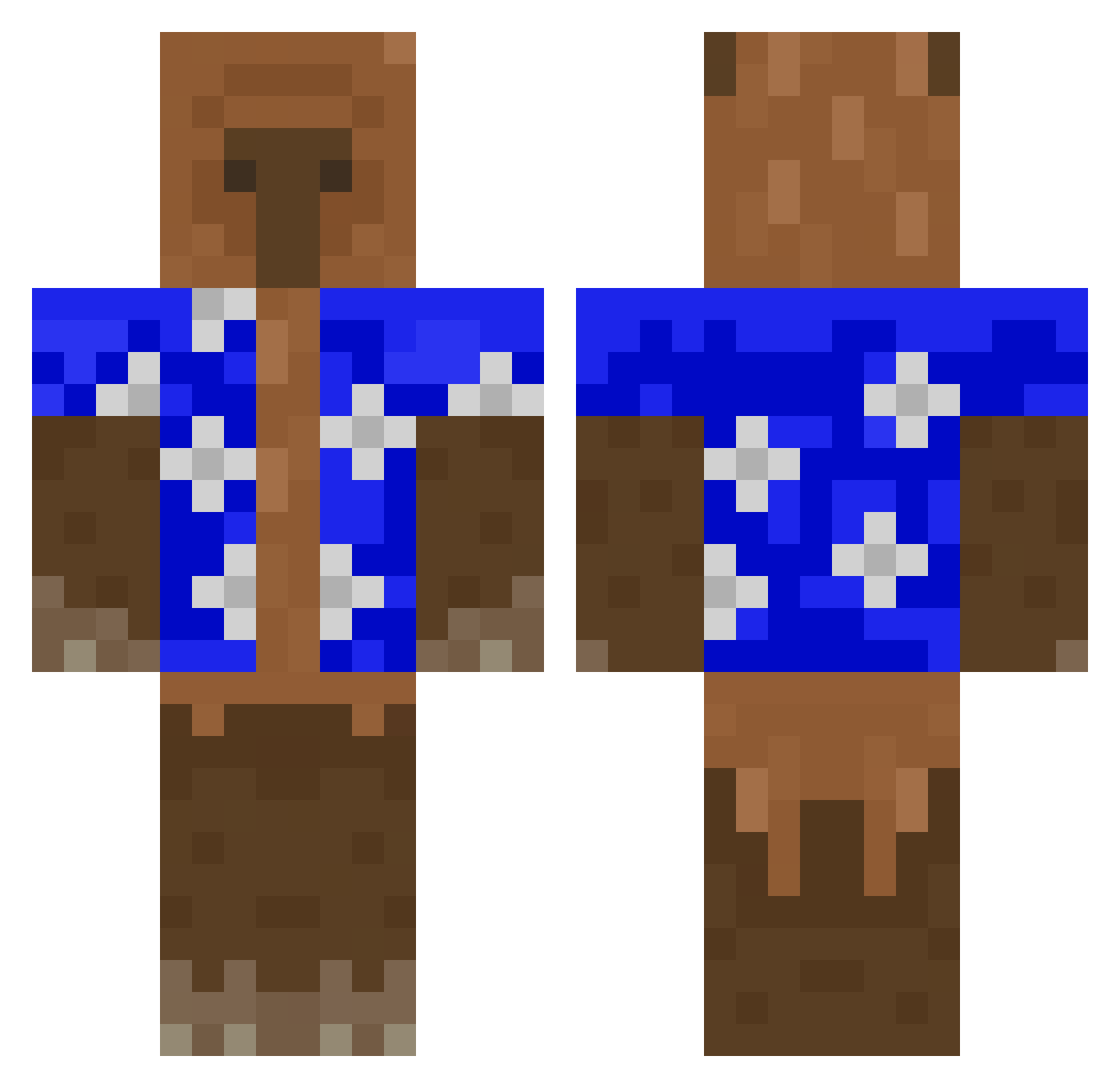
Current Minecraft skin of the player Nic_Fus, loaded from the official Mojang API. Rotate the 3D model with your mouse or finger, then download the skin as a PNG file and use it in Minecraft: Bedrock Edition or Java Edition for free. When Nic_Fus changes their skin, this page updates automatically and the old skin stays in the history below.
Other players with this skin (427)
Nic_Fus was the 235th player we have seen with this skin, first spotted on 25.09.2026. The same skin was seen on these players. Open a nickname to see their current skin and skin history.
 Bra17hy blgress UwUMinecraftUwU Fyirre Aviatorfun07 SerXxplayer loczek2137 kaykywl Heroicsheep206 BERNAS2607 coshiro solarsumo Gloogy Hehey132 notTerrold Flowwii Nxvvy3122 _kvcpr_ Sskoro Bianchi07 kabrit0 CertifiedBaconn Alber_Z Enzos04 emmag35 wine_nerd Makakontos Maksiv_ pizdzik23 Mr_Tacoman1 cupcakekiller090 madexz_ Sebbi097 TRIPLEHIJUEPUT49 DavidSkywalker33 Wrekt kendawg30 ThatOneSloth755 Calmzinn funnyindividual Yu_duck_ alexsdttp Rajchu KailoJitlang jeltiu JuanSSJ2 mercedez_ Piroquelson HenryDrop CBotch4 SoVeR_CFt D4nkDonnie PhotonicWave42 CenfePa RYBAPLAVECZ HedgeAMax MoRiverbliss mataron_akenny JacekTomody Elevatophobia
More Bear Minecraft skins
How to install the Nic_Fus skin
- Press the Download button above to save the skin as a PNG file.
- Minecraft: Bedrock Edition (PE): open the Dressing Room from the main menu (or tap your character → Edit Character), go to Classic Skins → Owned, press the + (new skin) button, choose the downloaded PNG and pick the Classic (Steve) model. Works on PC and mobile; consoles cannot import custom skins.
- Minecraft: Java Edition: open the Minecraft Launcher, go to the Skins tab, click New Skin, load the PNG, pick the Classic (Steve) model and press Save & Use. You can also upload it at minecraft.net → Profile → Change Skin.
The skin does not show up after import - what should I do?
Restart Minecraft and open the Dressing Room again - imported skins sometimes appear only after a restart. Also make sure you selected the imported skin and picked the Classic (Steve) model.
Which model should I choose, Classic or Slim?
This skin is designed for the Classic (Steve) model. If you pick the wrong model, the arms of the skin will look stretched or squeezed.
Is the skin of Nic_Fus free to download?
Yes. Press Download, save the PNG file and use it in Minecraft: Bedrock Edition or Java Edition - no payment or registration needed. The skin also works on multiplayer servers and Realms.
More skins
Looking for more? Go back to all Minecraft skins and check the top skins of the week, month and all time, or find any player's skin by nickname.