
NeverMoovy - Minecraft Skins & Skin History
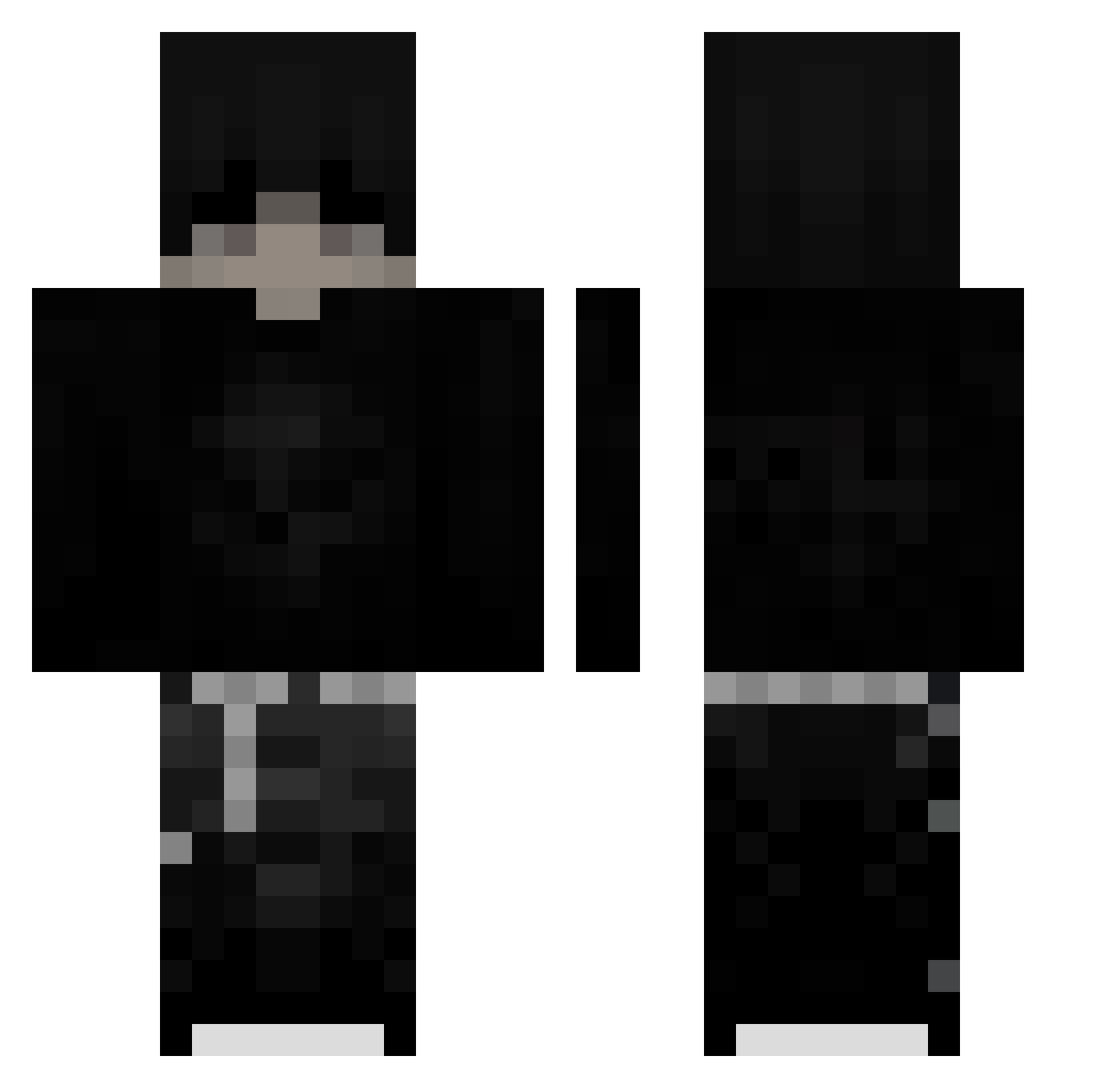
Current Minecraft skin of the player NeverMoovy, loaded from the official Mojang API. Rotate the 3D model with your mouse or finger, then download the skin as a PNG file and use it in Minecraft: Bedrock Edition or Java Edition for free. When NeverMoovy changes their skin, this page updates automatically and the old skin stays in the history below.
Other players with this skin (267)
NeverMoovy was the 235th player we have seen with this skin, first spotted on 07.11.2026. The same skin was seen on these players. Open a nickname to see their current skin and skin history.
 Kon2905 AIMNeo SamuelMC85 Syr1a Einfachnurjanno Schertel s7o1 PizzaHawaiana1 EmilDerKing123 Alperabi23 ohgnahn DZX172 coluicheama124 lucastous JABYDZANTEK2 _BlackFoe_ AngerZxs boodygawad604 33Smoke hexxsss agos6888 topninjanoob xarial Xander442 Pyro_z23 LavishMars458 d3n1ssp Uspienie not_duping los______ xBakuss Aichyy ey_hola mplfive bruuu14599 DaCaRo Elyziann_ X0FF5ET igCozyy Leaaa12 sebix4321 RIP_ZAIN Gymprol invassor2 samuelcapo24 kseriess YFrozen Maxi32134 Zeihy swat_08 p3dr03 KiiruaZ_ Attila1616 Salaraft Astr0__1 yuroinix ypaxxx RI0BEL0 unbentmist Mvted_
More Emo Minecraft skins
How to install the NeverMoovy skin
- Press the Download button above to save the skin as a PNG file.
- Minecraft: Bedrock Edition (PE): open the Dressing Room from the main menu (or tap your character → Edit Character), go to Classic Skins → Owned, press the + (new skin) button, choose the downloaded PNG and pick the Classic (Steve) model. Works on PC and mobile; consoles cannot import custom skins.
- Minecraft: Java Edition: open the Minecraft Launcher, go to the Skins tab, click New Skin, load the PNG, pick the Classic (Steve) model and press Save & Use. You can also upload it at minecraft.net → Profile → Change Skin.
The skin does not show up after import - what should I do?
Restart Minecraft and open the Dressing Room again - imported skins sometimes appear only after a restart. Also make sure you selected the imported skin and picked the Classic (Steve) model.
Which model should I choose, Classic or Slim?
This skin is designed for the Classic (Steve) model. If you pick the wrong model, the arms of the skin will look stretched or squeezed.
Is the skin of NeverMoovy free to download?
Yes. Press Download, save the PNG file and use it in Minecraft: Bedrock Edition or Java Edition - no payment or registration needed. The skin also works on multiplayer servers and Realms.
More skins
Looking for more? Go back to all Minecraft skins and check the top skins of the week, month and all time, or find any player's skin by nickname.