
Netoxxxxxxxx - Minecraft Skins & Skin History
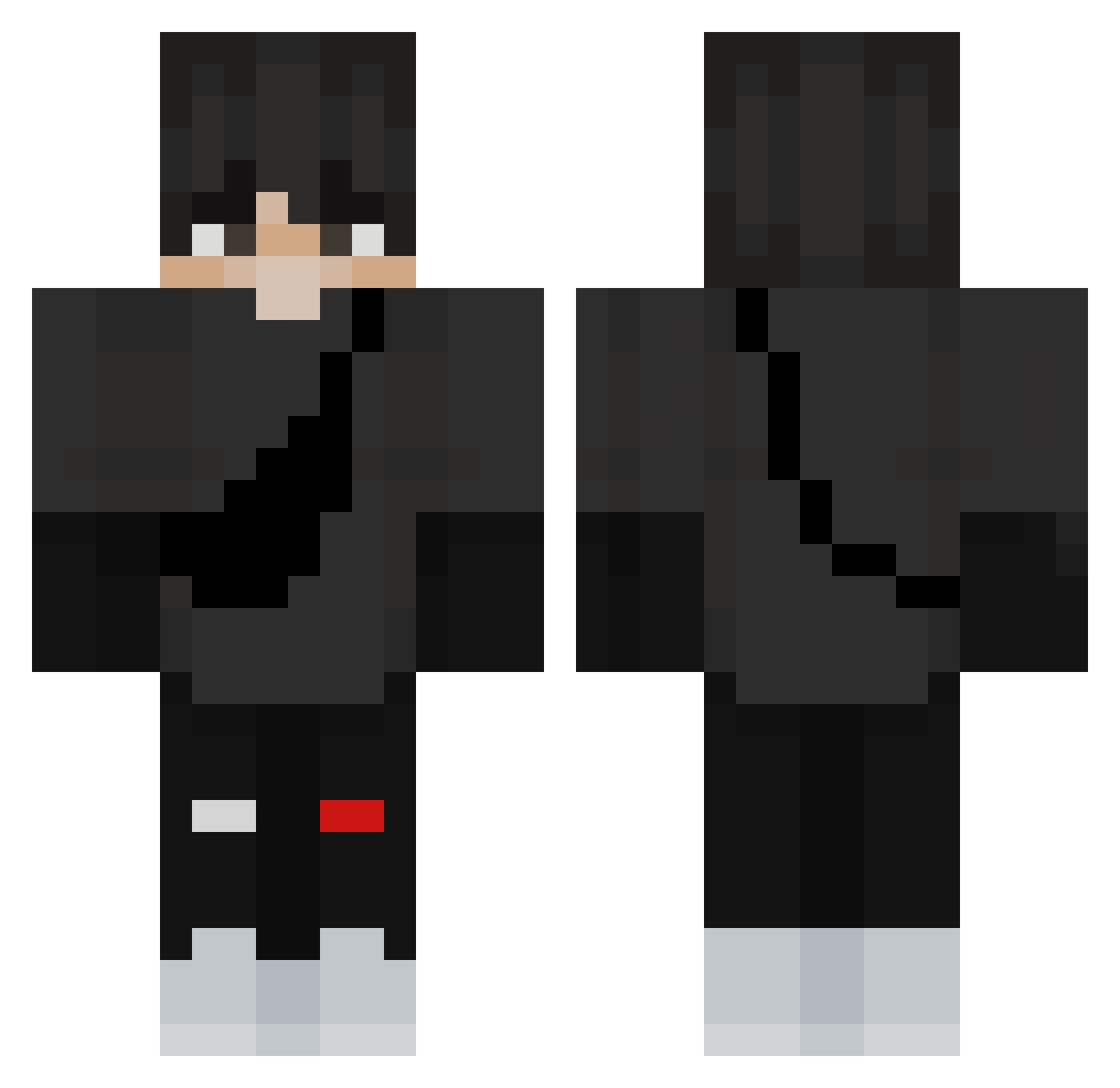
Current Minecraft skin of the player Netoxxxxxxxx, loaded from the official Mojang API. Rotate the 3D model with your mouse or finger, then download the skin as a PNG file and use it in Minecraft: Bedrock Edition or Java Edition for free. When Netoxxxxxxxx changes their skin, this page updates automatically and the old skin stays in the history below.
Other players with this skin (361)
Netoxxxxxxxx was the 128th player we have seen with this skin, first spotted on 02.09.2026. The same skin was seen on these players. Open a nickname to see their current skin and skin history.
 fullmetalgurren chaquee AiAihara OneNickel689907 yPewW Jaehyuk1729 Aomushi_13 Perost1999 Dannr976 Nozaak0204 korn_1919 HypnoticFN drejm milbemilbe ChezzerChew kele1220 xTopka_szefik IBoT00 AHispanic7040 Cheergirl189 Rehan_2012 KingHodderV7 mcyj77 evancolorpencil MarinLSG HazretiWzoei KrzysiuMistrz Notgnillew IDA1024why ofall_ Denefblah xSnikerS ironixc james1000201 Scret3_HD MarferCR32 maxim_452 Fwlyy Degorium Shokomld snaitherpro Hamude TICLE AgusGimenez07 Wa1kks jvvr Pachacco zman7399 YzYoussef125 kuba_to_dzban RageZone1986 Jikisland Nach0_t_t Sherdedin picklesguy XHydraVT2 Razin31 vinny_neves
 Dankftm_ poistro7
More Messenger Bag Minecraft skins
See all 535 Messenger Bag skins
How to install the Netoxxxxxxxx skin
- Press the Download button above to save the skin as a PNG file.
- Minecraft: Bedrock Edition (PE): open the Dressing Room from the main menu (or tap your character → Edit Character), go to Classic Skins → Owned, press the + (new skin) button, choose the downloaded PNG and pick the Classic (Steve) model. Works on PC and mobile; consoles cannot import custom skins.
- Minecraft: Java Edition: open the Minecraft Launcher, go to the Skins tab, click New Skin, load the PNG, pick the Classic (Steve) model and press Save & Use. You can also upload it at minecraft.net → Profile → Change Skin.
The skin does not show up after import - what should I do?
Restart Minecraft and open the Dressing Room again - imported skins sometimes appear only after a restart. Also make sure you selected the imported skin and picked the Classic (Steve) model.
Which model should I choose, Classic or Slim?
This skin is designed for the Classic (Steve) model. If you pick the wrong model, the arms of the skin will look stretched or squeezed.
Is the skin of Netoxxxxxxxx free to download?
Yes. Press Download, save the PNG file and use it in Minecraft: Bedrock Edition or Java Edition - no payment or registration needed. The skin also works on multiplayer servers and Realms.
More skins
Looking for more? Go back to all Minecraft skins and check the top skins of the week, month and all time, or find any player's skin by nickname.