
Neo_Qian - Minecraft Skins & Skin History
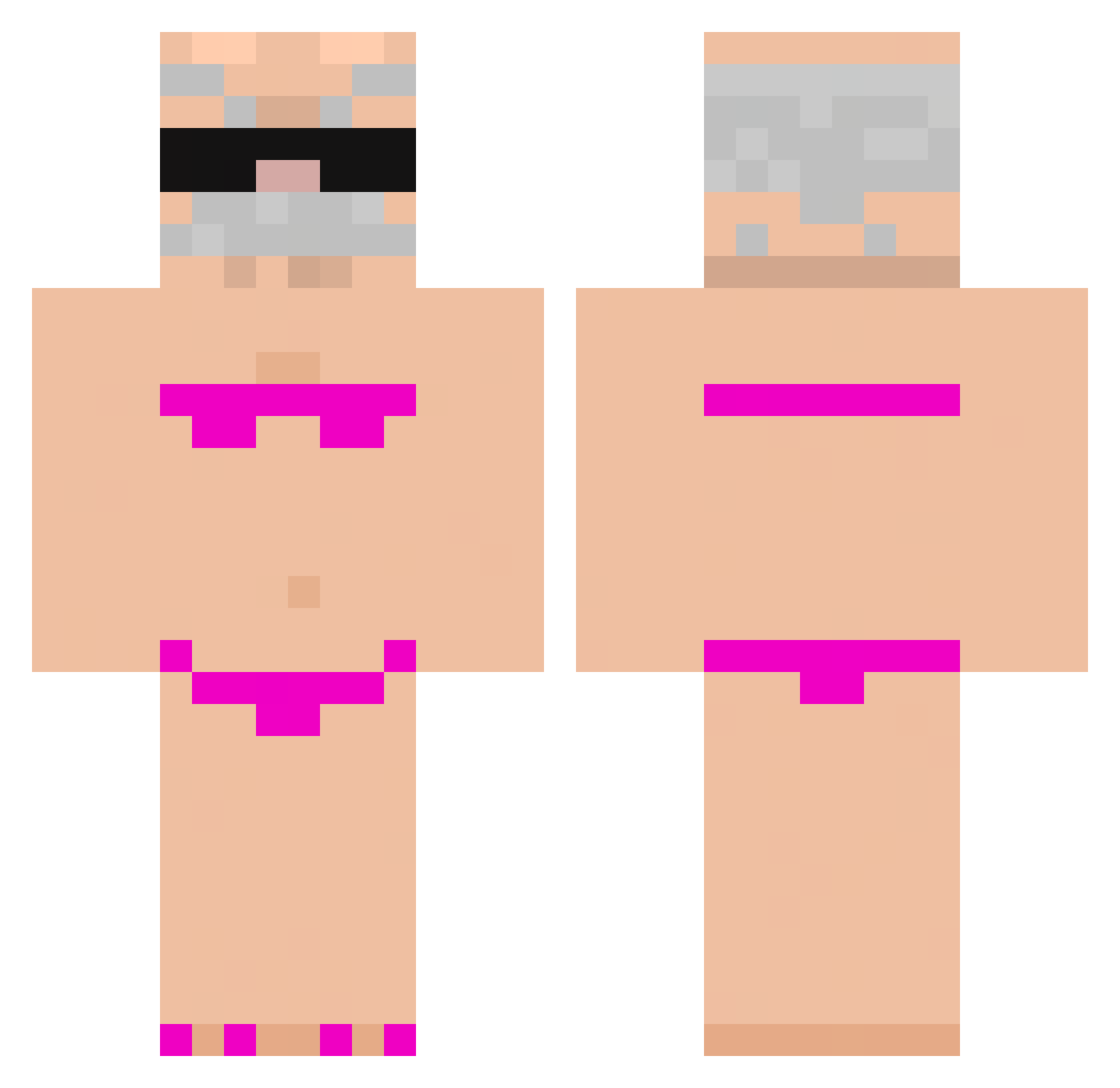
Current Minecraft skin of the player Neo_Qian, loaded from the official Mojang API. Rotate the 3D model with your mouse or finger, then download the skin as a PNG file and use it in Minecraft: Bedrock Edition or Java Edition for free. When Neo_Qian changes their skin, this page updates automatically and the old skin stays in the history below.
Other players with this skin (772)
Neo_Qian was the 85th player we have seen with this skin, first spotted on 04.08.2026. The same skin was seen on these players. Open a nickname to see their current skin and skin history.
 elleamato bedrocksheepp Dokazkk derPole06 Bru_no23 siqueiraxx GabrielOfeio lvnb666 kinowa0 konjix Snow_life1 Gazoabi meyr0o Lysyciul laotodd mng24 Kenjix13 Zaloo04 lin0827 chickendangle kenttora FPongpitakz dmscks08
 Geklow2_0 Alficechan
 Allimees Bibl0tka Skittlesspoo Nowaczek777 denizk6161 K1Aze KebabiQ aaahee bigthiccdaddy270 Ziwiks SpadesDoesVr
 lxzfq zzzcs Bodim Emjeyyy Ardahrmn pietrogamer1000 H2ODIO5341 ElKfezito Marco_sepi Luannxz7 litrnalep Pipocapopi768 KAPHAOMOU amixe1 Jin_4193 Nitholll Nseikk mimenin jabih wojk0 ariel5602 Y0uTia0 macvna MasonK312
More Karl Marx Minecraft skins
How to install the Neo_Qian skin
- Press the Download button above to save the skin as a PNG file.
- Minecraft: Bedrock Edition (PE): open the Dressing Room from the main menu (or tap your character → Edit Character), go to Classic Skins → Owned, press the + (new skin) button, choose the downloaded PNG and pick the Classic (Steve) model. Works on PC and mobile; consoles cannot import custom skins.
- Minecraft: Java Edition: open the Minecraft Launcher, go to the Skins tab, click New Skin, load the PNG, pick the Classic (Steve) model and press Save & Use. You can also upload it at minecraft.net → Profile → Change Skin.
The skin does not show up after import - what should I do?
Restart Minecraft and open the Dressing Room again - imported skins sometimes appear only after a restart. Also make sure you selected the imported skin and picked the Classic (Steve) model.
Which model should I choose, Classic or Slim?
This skin is designed for the Classic (Steve) model. If you pick the wrong model, the arms of the skin will look stretched or squeezed.
Is the skin of Neo_Qian free to download?
Yes. Press Download, save the PNG file and use it in Minecraft: Bedrock Edition or Java Edition - no payment or registration needed. The skin also works on multiplayer servers and Realms.
More skins
Looking for more? Go back to all Minecraft skins and check the top skins of the week, month and all time, or find any player's skin by nickname.