
NekoNation - Minecraft Skins & Skin History
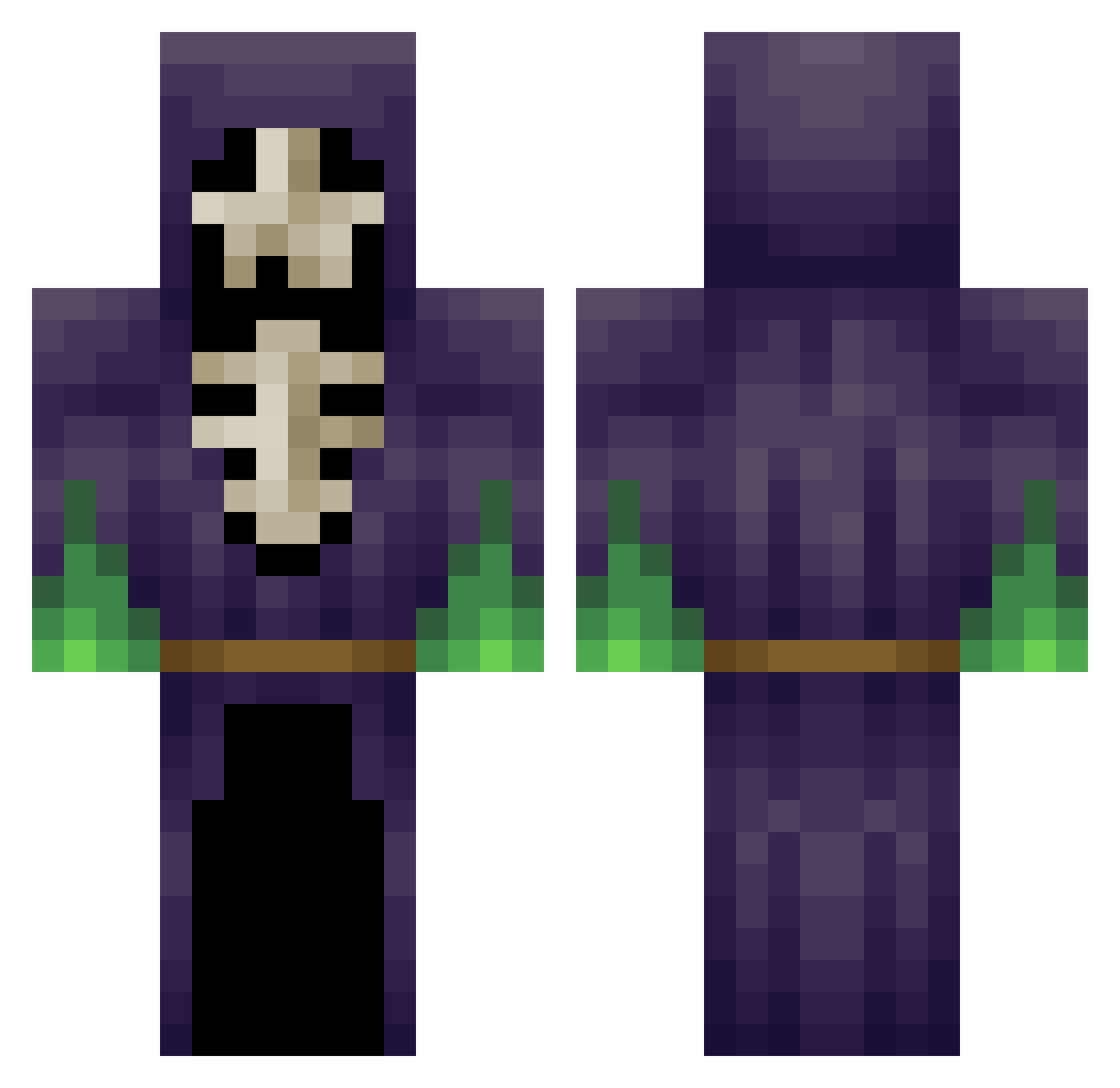
Current Minecraft skin of the player NekoNation, loaded from the official Mojang API. Rotate the 3D model with your mouse or finger, then download the skin as a PNG file and use it in Minecraft: Bedrock Edition or Java Edition for free. When NekoNation changes their skin, this page updates automatically and the old skin stays in the history below.
Other players with this skin (348)
NekoNation was the 311th player we have seen with this skin, first spotted on 13.10.2026. The same skin was seen on these players. Open a nickname to see their current skin and skin history.
 Proper_Wizard tyriel TheMrGuido LeHeadcrab Zlandicar sang33 Bojar99 xxxMuertexxx plznoban mechkhan Lil_Paducho IProD1nosaur opessy DetectiveLarry JackRedDog hexplex Dampmourne guipo_dada WVSTEALTH HereticScholar JackCecilCobb swiftexitv gangnammike chris_otherwise lala4242 flasherr DerSalmi sassdoog Scream2003 Bradw97 Tow3rD KillingFoximus WEEDM0NSTER J3FF000 VodooChild12 FoxyAce Biggie12 mmhmm SparkESP JuanMCR Chilatow Western087 oKrypton otteroil Niqhtmare01 awesomeboy_gary Noope_ChuckTesta AstroFlowz QlimaxXael GrinzoldDspalter Meydinn motherduck101 NovaFuture KnocTV IIITheCountIII Mordar epickPvPHD rubiewan Prometeusz Nebukadnedzar
More Necromancer Minecraft skins
How to install the NekoNation skin
- Press the Download button above to save the skin as a PNG file.
- Minecraft: Bedrock Edition (PE): open the Dressing Room from the main menu (or tap your character → Edit Character), go to Classic Skins → Owned, press the + (new skin) button, choose the downloaded PNG and pick the Classic (Steve) model. Works on PC and mobile; consoles cannot import custom skins.
- Minecraft: Java Edition: open the Minecraft Launcher, go to the Skins tab, click New Skin, load the PNG, pick the Classic (Steve) model and press Save & Use. You can also upload it at minecraft.net → Profile → Change Skin.
The skin does not show up after import - what should I do?
Restart Minecraft and open the Dressing Room again - imported skins sometimes appear only after a restart. Also make sure you selected the imported skin and picked the Classic (Steve) model.
Which model should I choose, Classic or Slim?
This skin is designed for the Classic (Steve) model. If you pick the wrong model, the arms of the skin will look stretched or squeezed.
Is the skin of NekoNation free to download?
Yes. Press Download, save the PNG file and use it in Minecraft: Bedrock Edition or Java Edition - no payment or registration needed. The skin also works on multiplayer servers and Realms.
More skins
Looking for more? Go back to all Minecraft skins and check the top skins of the week, month and all time, or find any player's skin by nickname.