
Neetxiskunz - Minecraft Skins & Skin History
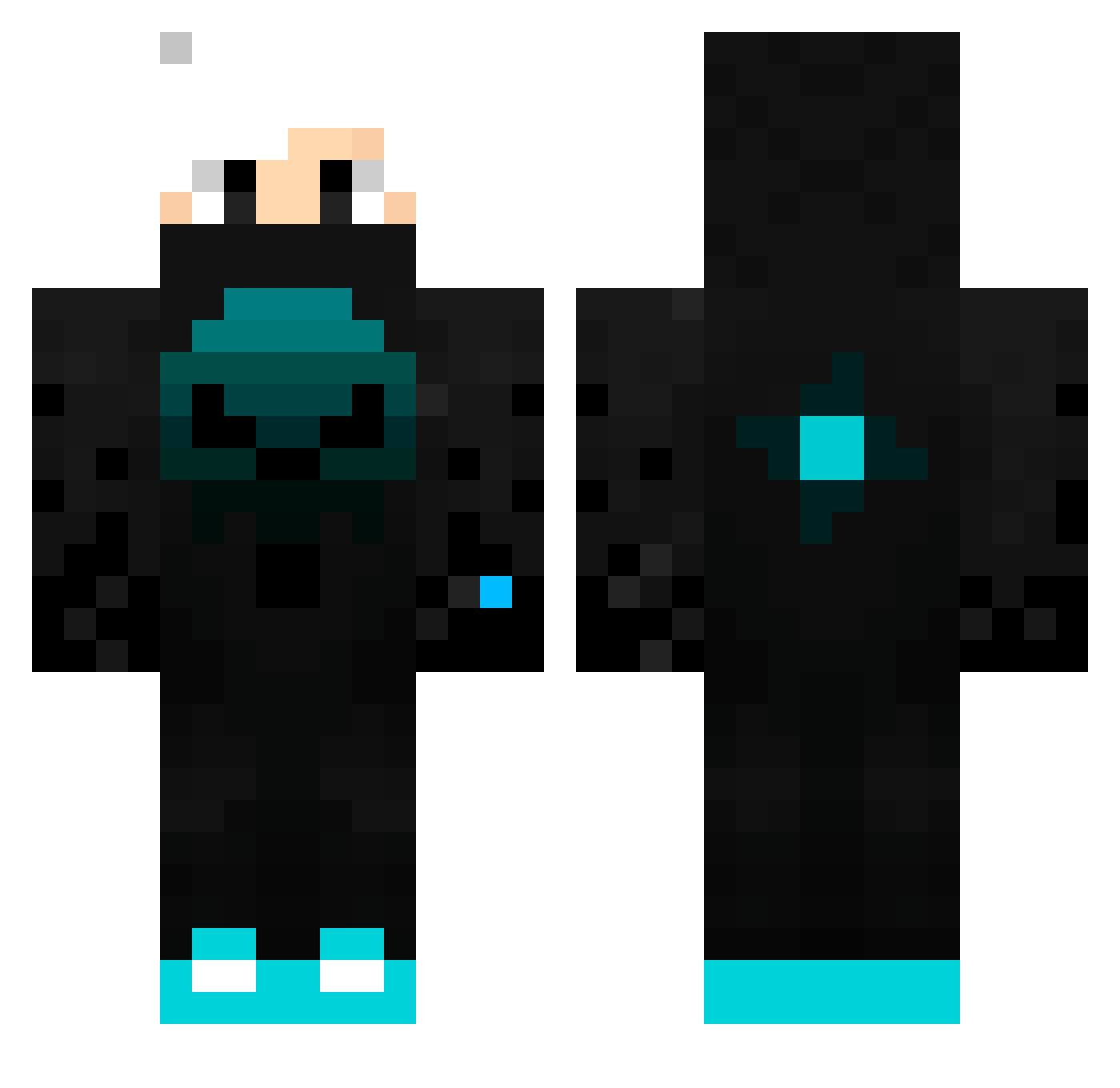
Current Minecraft skin of the player Neetxiskunz, loaded from the official Mojang API. Rotate the 3D model with your mouse or finger, then download the skin as a PNG file and use it in Minecraft: Bedrock Edition or Java Edition for free. When Neetxiskunz changes their skin, this page updates automatically and the old skin stays in the history below.
Other players with this skin (116)
Neetxiskunz was the 82nd player we have seen with this skin, first spotted on 10.10.2026. The same skin was seen on these players. Open a nickname to see their current skin and skin history.
 wlbak manfanpanlan theDDR Xjan12XXX JamalFrost littleman423423 BeyondTheFear Timothe_vgl BlueB1T TRToka 3000IQPlay ElCastanoMOG SinineLucy tufao920 Sh4d0w07 Megaogon chemicalmann chestersus R1k4R SnowBlake95 mainnkurahuto2 Rob_Rob3 Allocators TonyMontxna JoaoVitor_09 Yhinn Proudlyyy Anakin197 UnknownWreck123 BinGutShepiii_YT Xenanex Manu975 ShandowStor DarkDeathPL NotShanks_ DanisXD oatza50000 _Shadow_06_ Zawahreh_ Tarot_363 _BloodyTR terratectv DavidyGamer K1LL3R_00_S1X Yellow2136_ Lobitos fabio_13 szymixon1984 Heugi78 Legacy2304 Irodzuita Ancymon2013 cagankara35 shota_0824 haru_0422 AnnyS2 nonfisherman SamuelPro777 2007Fabian ichhabepickel
More Neon Minecraft skins
How to install the Neetxiskunz skin
- Press the Download button above to save the skin as a PNG file.
- Minecraft: Bedrock Edition (PE): open the Dressing Room from the main menu (or tap your character → Edit Character), go to Classic Skins → Owned, press the + (new skin) button, choose the downloaded PNG and pick the Classic (Steve) model. Works on PC and mobile; consoles cannot import custom skins.
- Minecraft: Java Edition: open the Minecraft Launcher, go to the Skins tab, click New Skin, load the PNG, pick the Classic (Steve) model and press Save & Use. You can also upload it at minecraft.net → Profile → Change Skin.
The skin does not show up after import - what should I do?
Restart Minecraft and open the Dressing Room again - imported skins sometimes appear only after a restart. Also make sure you selected the imported skin and picked the Classic (Steve) model.
Which model should I choose, Classic or Slim?
This skin is designed for the Classic (Steve) model. If you pick the wrong model, the arms of the skin will look stretched or squeezed.
Is the skin of Neetxiskunz free to download?
Yes. Press Download, save the PNG file and use it in Minecraft: Bedrock Edition or Java Edition - no payment or registration needed. The skin also works on multiplayer servers and Realms.
More skins
Looking for more? Go back to all Minecraft skins and check the top skins of the week, month and all time, or find any player's skin by nickname.