
Ne_KOCOS - Minecraft Skins & Skin History
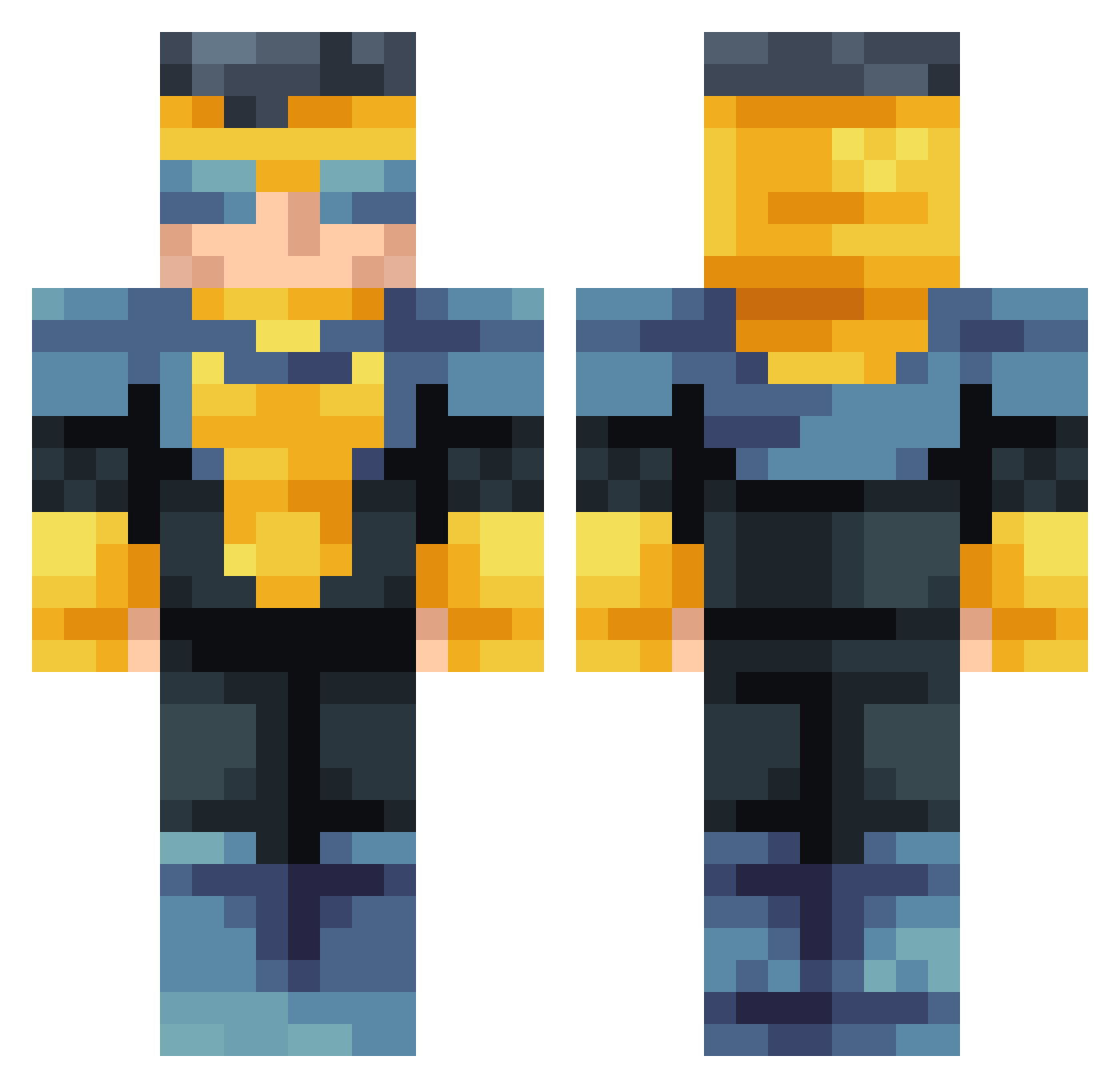
Current Minecraft skin of the player Ne_KOCOS, loaded from the official Mojang API. Rotate the 3D model with your mouse or finger, then download the skin as a PNG file and use it in Minecraft: Bedrock Edition or Java Edition for free. When Ne_KOCOS changes their skin, this page updates automatically and the old skin stays in the history below.
Other players with this skin (53)
Ne_KOCOS was the 17th player we have seen with this skin, first spotted on 30.08.2026. The same skin was seen on these players. Open a nickname to see their current skin and skin history.
 u1tramAn6657 waterdragonly Harkuna bigtony1226 djfacu89 ImaginedSammy Shundi Kaoloon MrS1lv3r _______B________ Kenpachisk zortnik veer2013 Maxiime_V1 DIJARECA BitDaBoi theredstreak__ Kzimedase Clldrax Kunondrum Unnzer RealTiltShady cent249820 VivisectionTime DangerPog ImpulseXIII eiladam mattcraft12 ElCapitanesp WohooPL Arroxon gaymertag1999 QuixoticLad SleepyGrims Skullbro3500 Niattaa PanzerTomi OhDelight TheIronAdrian Hydra667 gabojamonserrano Raxyx7 lilnuke3277 sammakko555 CyberWorldGamer Benred2020 AGENTGATO1234 goberdanielfr crxs_92 relampagok1 Isybro59gamertin MoistBread6 Sw7ze
How to install the Ne_KOCOS skin
- Press the Download button above to save the skin as a PNG file.
- Minecraft: Bedrock Edition (PE): open the Dressing Room from the main menu (or tap your character → Edit Character), go to Classic Skins → Owned, press the + (new skin) button, choose the downloaded PNG and pick the Classic (Steve) model. Works on PC and mobile; consoles cannot import custom skins.
- Minecraft: Java Edition: open the Minecraft Launcher, go to the Skins tab, click New Skin, load the PNG, pick the Classic (Steve) model and press Save & Use. You can also upload it at minecraft.net → Profile → Change Skin.
The skin does not show up after import - what should I do?
Restart Minecraft and open the Dressing Room again - imported skins sometimes appear only after a restart. Also make sure you selected the imported skin and picked the Classic (Steve) model.
Which model should I choose, Classic or Slim?
This skin is designed for the Classic (Steve) model. If you pick the wrong model, the arms of the skin will look stretched or squeezed.
Is the skin of Ne_KOCOS free to download?
Yes. Press Download, save the PNG file and use it in Minecraft: Bedrock Edition or Java Edition - no payment or registration needed. The skin also works on multiplayer servers and Realms.
More skins
Looking for more? Go back to all Minecraft skins and check the top skins of the week, month and all time, or find any player's skin by nickname.