
Current Minecraft skin of the player Nawam, loaded from the official Mojang API. Rotate the 3D model with your mouse or finger, then download the skin as a PNG file and use it in Minecraft: Bedrock Edition or Java Edition for free. When Nawam changes their skin, this page updates automatically and the old skin stays in the history below.
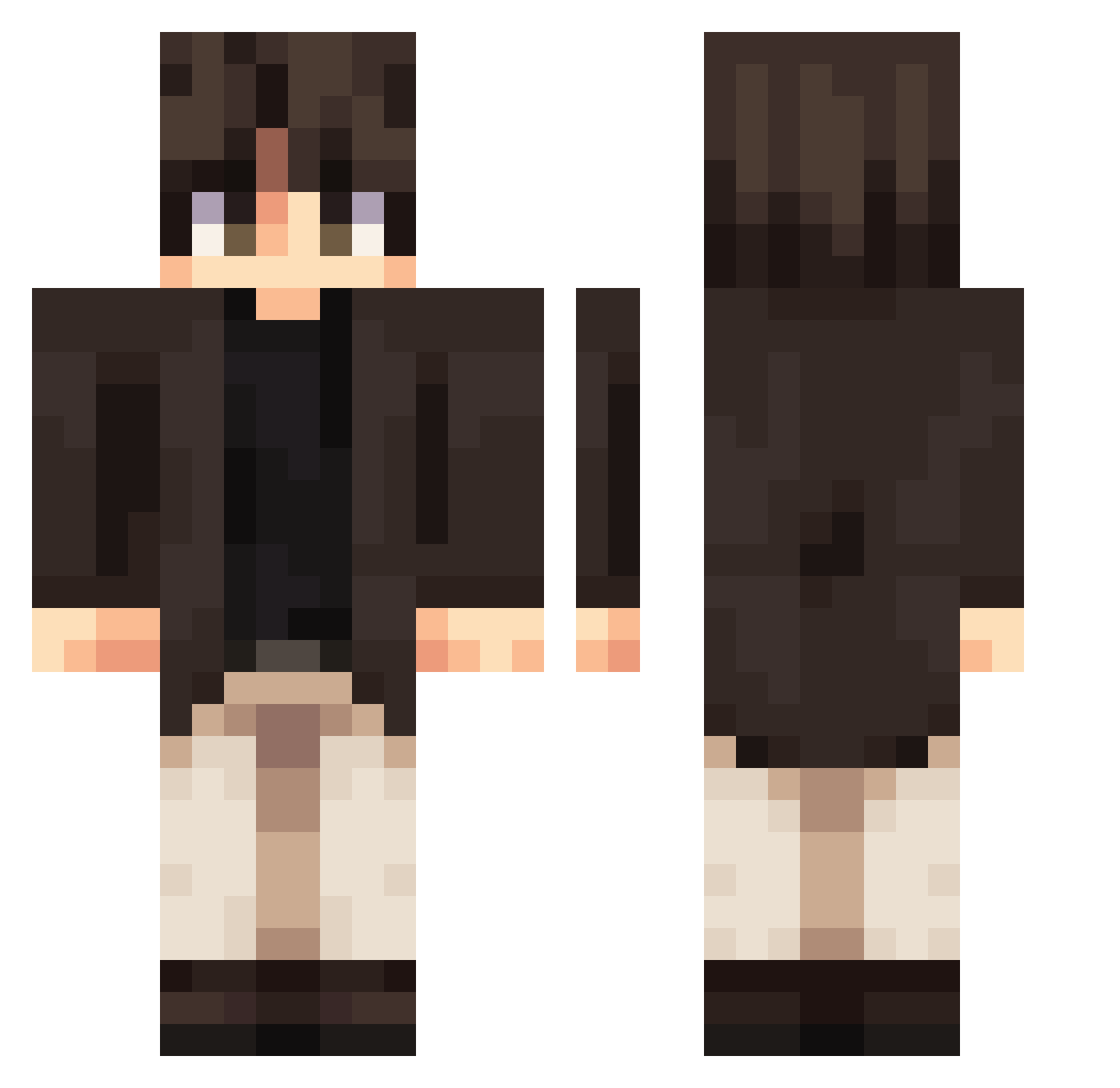
Other players with this skin (316)
Nawam was the 153rd player we have seen with this skin, first spotted on 03.09.2026. The same skin was seen on these players. Open a nickname to see their current skin and skin history.
 LoveeYRH Galaxy666MC COLAbear1113 JRaven28 Malharluo Peerzinkk ing753951 _JAvi_AR TastyC4ke FFolded Seolyeong_ daheiji_wm kubakaziu2 zhizhi55 ismailprop AlphaFlop Lovik100 spattenn Bllow_ Vanqui3h Excaliber0706 rswoods giertex Dartzinn xTuta ItzLucian Flez314 Tannerfrog1667 Goober109 t3sin Cynamonek8 llAden Morgenacht Casualru M1FNIKS Sianza Sentrid Daex952 imnotkof oTonyyy tomate0091 HANANAZE CliondK wrlzd LuminousHarm Baguetten
 Ereditha RadicalAtol3857 AnjoHaven Samuueele free_diver_ cullenisaw Ying_hs Ghosty_bugs LCROD95 ghfdjdjh sonsongjun ycjj3cm pikatchu_1609 Lucid214
More Casual Minecraft skins
How to install the Nawam skin
- Press the Download button above to save the skin as a PNG file.
- Minecraft: Bedrock Edition (PE): open the Dressing Room from the main menu (or tap your character → Edit Character), go to Classic Skins → Owned, press the + (new skin) button, choose the downloaded PNG and pick the Classic (Steve) model. Works on PC and mobile; consoles cannot import custom skins.
- Minecraft: Java Edition: open the Minecraft Launcher, go to the Skins tab, click New Skin, load the PNG, pick the Classic (Steve) model and press Save & Use. You can also upload it at minecraft.net → Profile → Change Skin.
The skin does not show up after import - what should I do?
Restart Minecraft and open the Dressing Room again - imported skins sometimes appear only after a restart. Also make sure you selected the imported skin and picked the Classic (Steve) model.
Which model should I choose, Classic or Slim?
This skin is designed for the Classic (Steve) model. If you pick the wrong model, the arms of the skin will look stretched or squeezed.
Is the skin of Nawam free to download?
Yes. Press Download, save the PNG file and use it in Minecraft: Bedrock Edition or Java Edition - no payment or registration needed. The skin also works on multiplayer servers and Realms.
More skins
Looking for more? Go back to all Minecraft skins and check the top skins of the week, month and all time, or find any player's skin by nickname.