
Natsu01100 - Minecraft Skins & Skin History
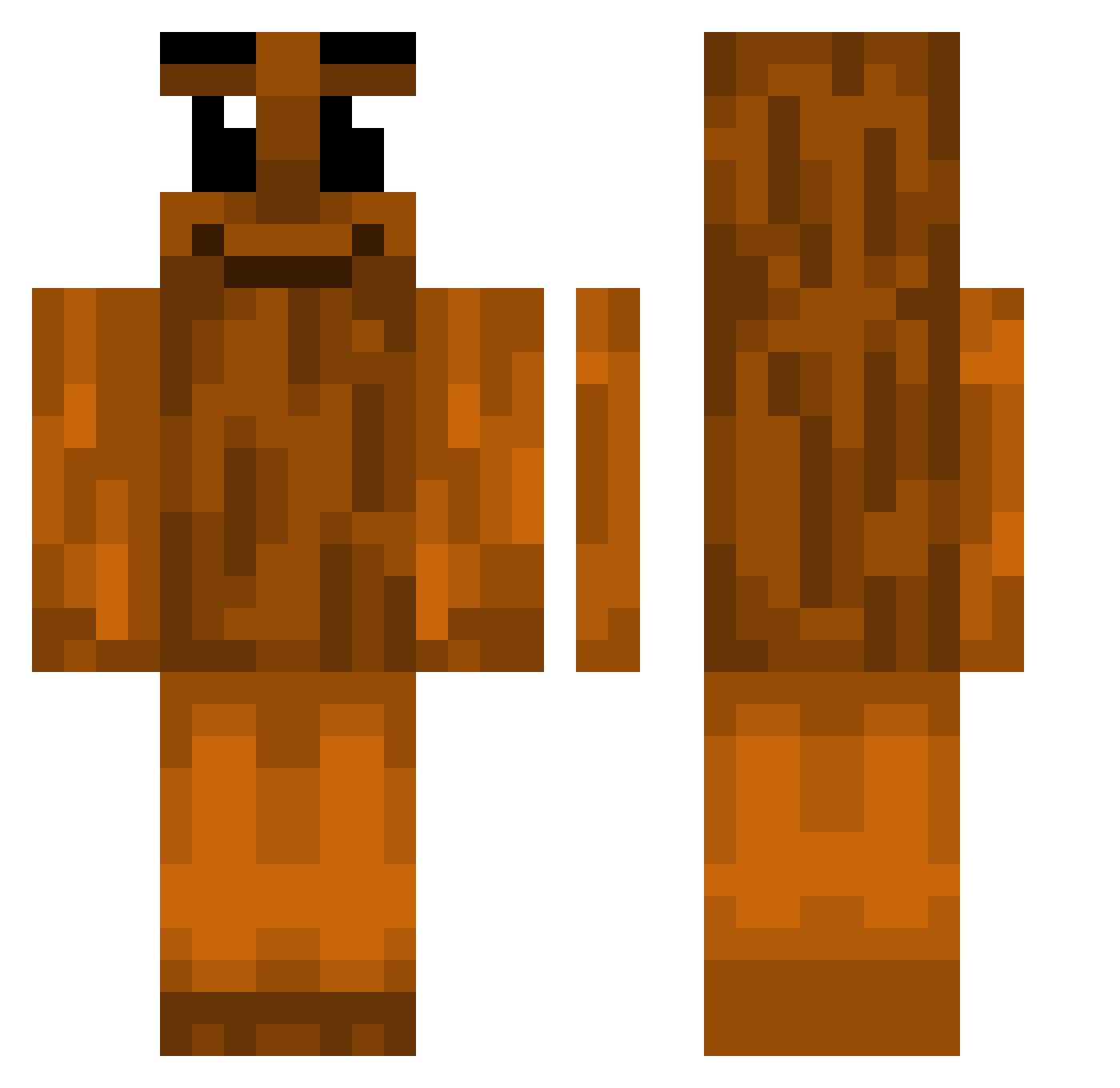
Current Minecraft skin of the player Natsu01100, loaded from the official Mojang API. Rotate the 3D model with your mouse or finger, then download the skin as a PNG file and use it in Minecraft: Bedrock Edition or Java Edition for free. When Natsu01100 changes their skin, this page updates automatically and the old skin stays in the history below.
Other players with this skin (375)
Natsu01100 was the 279th player we have seen with this skin, first spotted on 08.10.2026. The same skin was seen on these players. Open a nickname to see their current skin and skin history.
 Picklechi AltonTower Sylaf Mirro27 zDarkzk TheNoob7022 zanethehyper465 donghawl Sat0ru_G0jo Invalid88_ SZTRou dany3121 dodo_75 UNPAPAJOSEPH sxpers gepson MilkyCurlss I_pecan Fockssss kexo39 GiveCoinPls FrankenStein44 Fiishyke Ranhoso Tai_Kamiya wilsonjiang123 PuggerzzPlay KacpiK2PL CRAFTCHILL_HD TapiaVzla ElytraDJ Illuminqted miiah4 Xeno_10 nvvz yerskyiii _Puf Xenonyy Trollge1322 dufib Julczyk Carlos_egolifts techengue lanska Gkie IILudico umberberchik Hanhenpoika mourinhaxx Gadiolli_ A4P0WN 1AnTz1 jhk1234 Jaume290 cane123 Natilune MetalLegT Lxmd21 marquitus13 ApemaElPro777xdd
More Oak Log Minecraft skins
How to install the Natsu01100 skin
- Press the Download button above to save the skin as a PNG file.
- Minecraft: Bedrock Edition (PE): open the Dressing Room from the main menu (or tap your character → Edit Character), go to Classic Skins → Owned, press the + (new skin) button, choose the downloaded PNG and pick the Classic (Steve) model. Works on PC and mobile; consoles cannot import custom skins.
- Minecraft: Java Edition: open the Minecraft Launcher, go to the Skins tab, click New Skin, load the PNG, pick the Classic (Steve) model and press Save & Use. You can also upload it at minecraft.net → Profile → Change Skin.
The skin does not show up after import - what should I do?
Restart Minecraft and open the Dressing Room again - imported skins sometimes appear only after a restart. Also make sure you selected the imported skin and picked the Classic (Steve) model.
Which model should I choose, Classic or Slim?
This skin is designed for the Classic (Steve) model. If you pick the wrong model, the arms of the skin will look stretched or squeezed.
Is the skin of Natsu01100 free to download?
Yes. Press Download, save the PNG file and use it in Minecraft: Bedrock Edition or Java Edition - no payment or registration needed. The skin also works on multiplayer servers and Realms.
More skins
Looking for more? Go back to all Minecraft skins and check the top skins of the week, month and all time, or find any player's skin by nickname.