
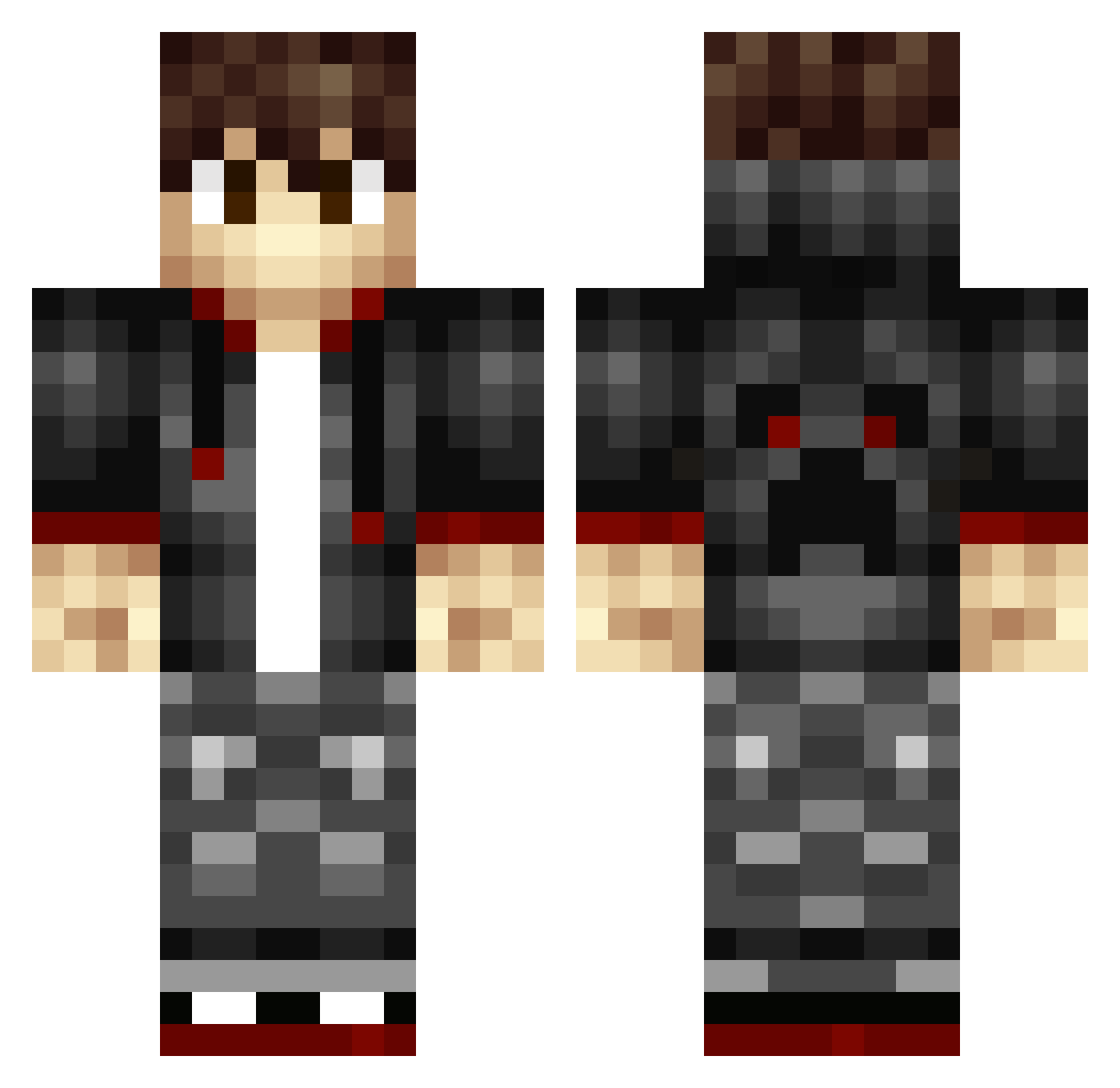
Current Minecraft skin of the player Nakamura_Ryotaro, loaded from the official Mojang API. Rotate the 3D model with your mouse or finger, then download the skin as a PNG file and use it in Minecraft: Bedrock Edition or Java Edition for free. When Nakamura_Ryotaro changes their skin, this page updates automatically and the old skin stays in the history below.
Other players with this skin (172)
Nakamura_Ryotaro was the 16th player we have seen with this skin, first spotted on 31.07.2026. The same skin was seen on these players. Open a nickname to see their current skin and skin history.
 XHDE johnnz11n DestinG66 TazorGamer HzHJ Traxor Nikopiton Icybomber808 Vecim MINGJiong lunch_meat__ vjg5665 NaturalEpic Lixtin 4SDR0 rismay masihxgamer Lyteforce Lingzheng LaurensD DrEnderTV lalalademaxiya Skyquill EzABDULA molechi123 TheAkros sirinpeccable ProvenButton615 JackB_74 DaTitan504 Altaer_AT dopewocka XiZhuYi rultrix Nes_154 fuzzyearwig Nuka_Colea Damian777111 Uncertainer mixedzebra PrintedPaper09 RyRyDoGG Arteas100 PiePacMan MrBigMoneyHammer DanziiiiM aleex21 Fa1rPlayed Braccine10 pirry123gv coolcraft345 Whitealphawolf shukan123 Kodyopolis Yikgru DaBombEthan xShippo TENGLIN_ AriesWarSpirit N_orth_Wind
How to install the Nakamura_Ryotaro skin
- Press the Download button above to save the skin as a PNG file.
- Minecraft: Bedrock Edition (PE): open the Dressing Room from the main menu (or tap your character → Edit Character), go to Classic Skins → Owned, press the + (new skin) button, choose the downloaded PNG and pick the Classic (Steve) model. Works on PC and mobile; consoles cannot import custom skins.
- Minecraft: Java Edition: open the Minecraft Launcher, go to the Skins tab, click New Skin, load the PNG, pick the Classic (Steve) model and press Save & Use. You can also upload it at minecraft.net → Profile → Change Skin.
The skin does not show up after import - what should I do?
Restart Minecraft and open the Dressing Room again - imported skins sometimes appear only after a restart. Also make sure you selected the imported skin and picked the Classic (Steve) model.
Which model should I choose, Classic or Slim?
This skin is designed for the Classic (Steve) model. If you pick the wrong model, the arms of the skin will look stretched or squeezed.
Is the skin of Nakamura_Ryotaro free to download?
Yes. Press Download, save the PNG file and use it in Minecraft: Bedrock Edition or Java Edition - no payment or registration needed. The skin also works on multiplayer servers and Realms.
More skins
Looking for more? Go back to all Minecraft skins and check the top skins of the week, month and all time, or find any player's skin by nickname.