
NaKamura_Satoshi - Minecraft Skins & Skin History
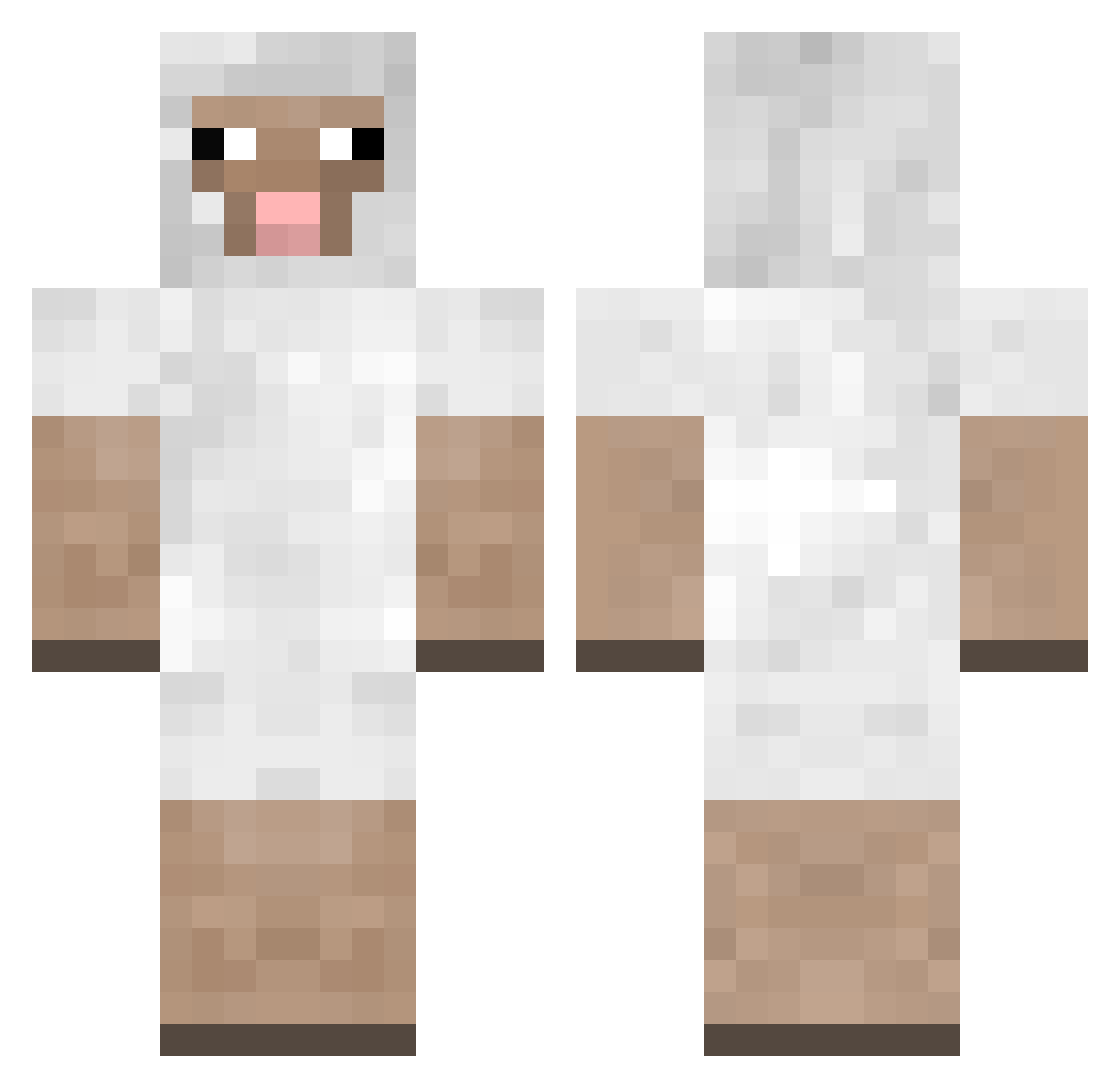
Current Minecraft skin of the player NaKamura_Satoshi, loaded from the official Mojang API. Rotate the 3D model with your mouse or finger, then download the skin as a PNG file and use it in Minecraft: Bedrock Edition or Java Edition for free. When NaKamura_Satoshi changes their skin, this page updates automatically and the old skin stays in the history below.
Other players with this skin (50)
NaKamura_Satoshi was the 2nd player we have seen with this skin, first spotted on 25.07.2026. The same skin was seen on these players. Open a nickname to see their current skin and skin history.
 eastergoblin Gargamels Fouiny_Babe triceratops_1002 Madisoncope521 Dubinos SupremeMario MossmossSheep Threading TeolTeol zombieartz Amamimi333 Gammatier steven464 Cottoncarl_ sheepseungju _NatalieGamerz_ muuglii zatlu PSPDKS caprananas SmallSheep696 Crazy_sheep7 bugthing 0CC408 wepeel love_you_3000 _an0305 smallbrainplays iKal4shn1k0v Woolie Onkeldave187 TKKTS ChamaPreciosa S0ffel01 tanesan IxAmxMadness Molokomanbae Faaanta32 Sunpadow Fasolo Rize242 MaxForceFactor MIGUELUS1919 kensnow0311 Ms_Helen101 Malvaz_05 TheDancingDino dudlee HappyD1ck
More Sheep Minecraft skins
How to install the NaKamura_Satoshi skin
- Press the Download button above to save the skin as a PNG file.
- Minecraft: Bedrock Edition (PE): open the Dressing Room from the main menu (or tap your character → Edit Character), go to Classic Skins → Owned, press the + (new skin) button, choose the downloaded PNG and pick the Classic (Steve) model. Works on PC and mobile; consoles cannot import custom skins.
- Minecraft: Java Edition: open the Minecraft Launcher, go to the Skins tab, click New Skin, load the PNG, pick the Classic (Steve) model and press Save & Use. You can also upload it at minecraft.net → Profile → Change Skin.
The skin does not show up after import - what should I do?
Restart Minecraft and open the Dressing Room again - imported skins sometimes appear only after a restart. Also make sure you selected the imported skin and picked the Classic (Steve) model.
Which model should I choose, Classic or Slim?
This skin is designed for the Classic (Steve) model. If you pick the wrong model, the arms of the skin will look stretched or squeezed.
Is the skin of NaKamura_Satoshi free to download?
Yes. Press Download, save the PNG file and use it in Minecraft: Bedrock Edition or Java Edition - no payment or registration needed. The skin also works on multiplayer servers and Realms.
More skins
Looking for more? Go back to all Minecraft skins and check the top skins of the week, month and all time, or find any player's skin by nickname.